ESIE09-05 Field Setting
Test Operation 101
Setting by pushbutton switches
The following settings are made by pushbutton switches on PC board.
(Factory setting)
There are the following three setting modes.
c Setting mode 1 (H1P off)
Initial status (when normal) : Also indicates during “abnormal”.
d Setting mode 2 (H1P on)
Used to modify the operating status and to set program addresses, etc. Usually used in
servicing the system.
e Monitor mode (H1P blinks)
Used to check the program made in Setting mode 2.
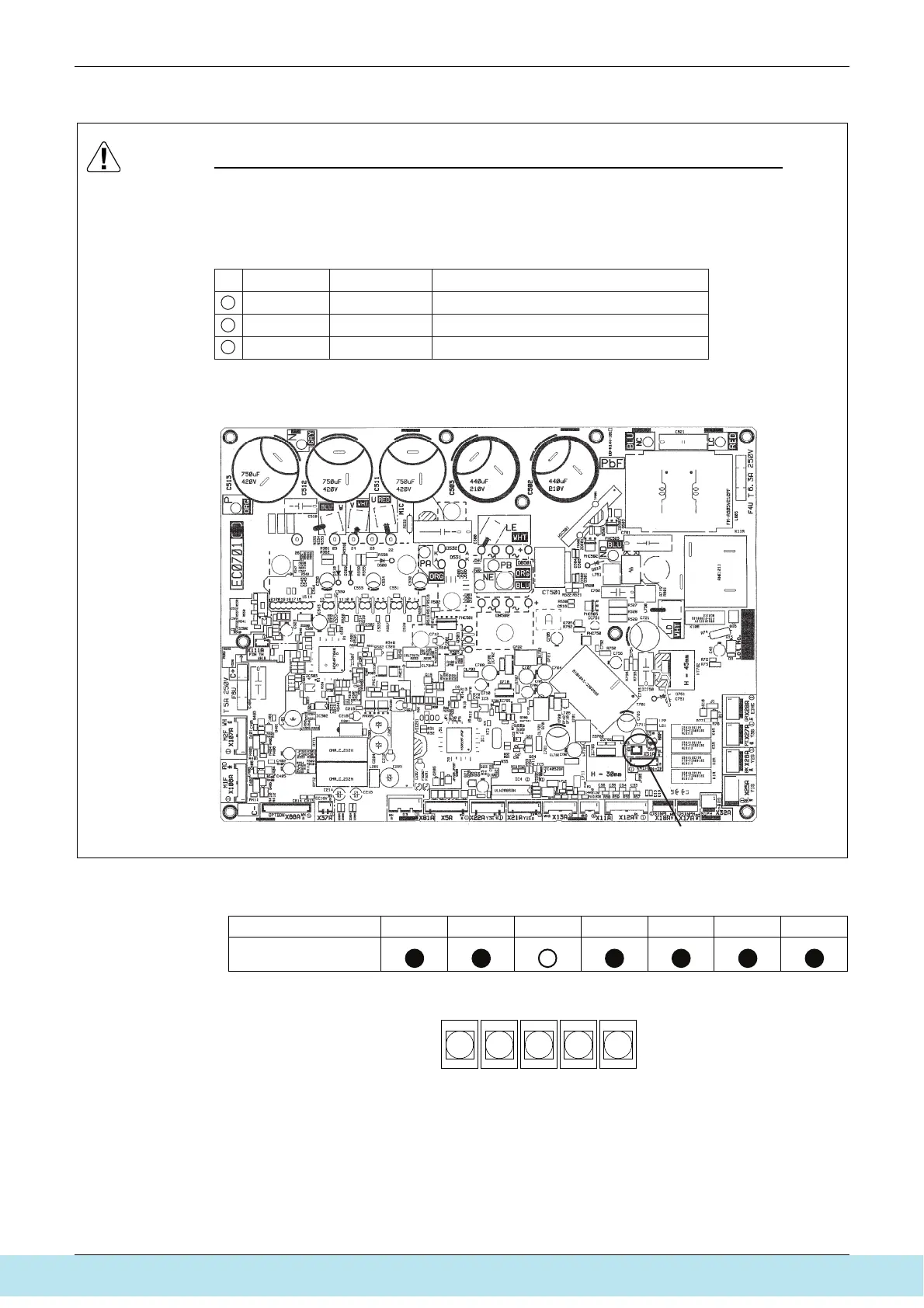
Caution Capacity Setting after changing the main PC Board(A1P) to spare parts PC Board
When you change the main PC Board(A1P) to spare parts PC Board, please carry out the
following setting.
Please Attach the Capacity Setting Adaptor corresponding to Capacity Class (ex. 112, 140, 160) in connector X51A.
(See Below)
Capacity Setting Adaptor
1
2
3
Capacity Class
112
140
160
Outdoor unit
100
125
140
CAPACITY SETTING ADAPTOR (for 100/J112)
CAPACITY SETTING ADAPTOR (for 125/J140)
CAPACITY SETTING ADAPTOR (for 140/J160)
Position of Attaching the Capacity Setting Adaptor
ERQ100 / 125 / 140A7V1B
Note
X51A
H1P H2P H3P H4P H5P H6P H7P
LED indication
BS1
MODE
BS2
SET
BS3
RETURN
BS4
TEST
BS5
RESET
(V2760)
Все каталоги и инструкции здесь: http://splitoff.ru/tehn-doc.html



 To Next Page