Field Setting ESIE09-05
102 Test Operation
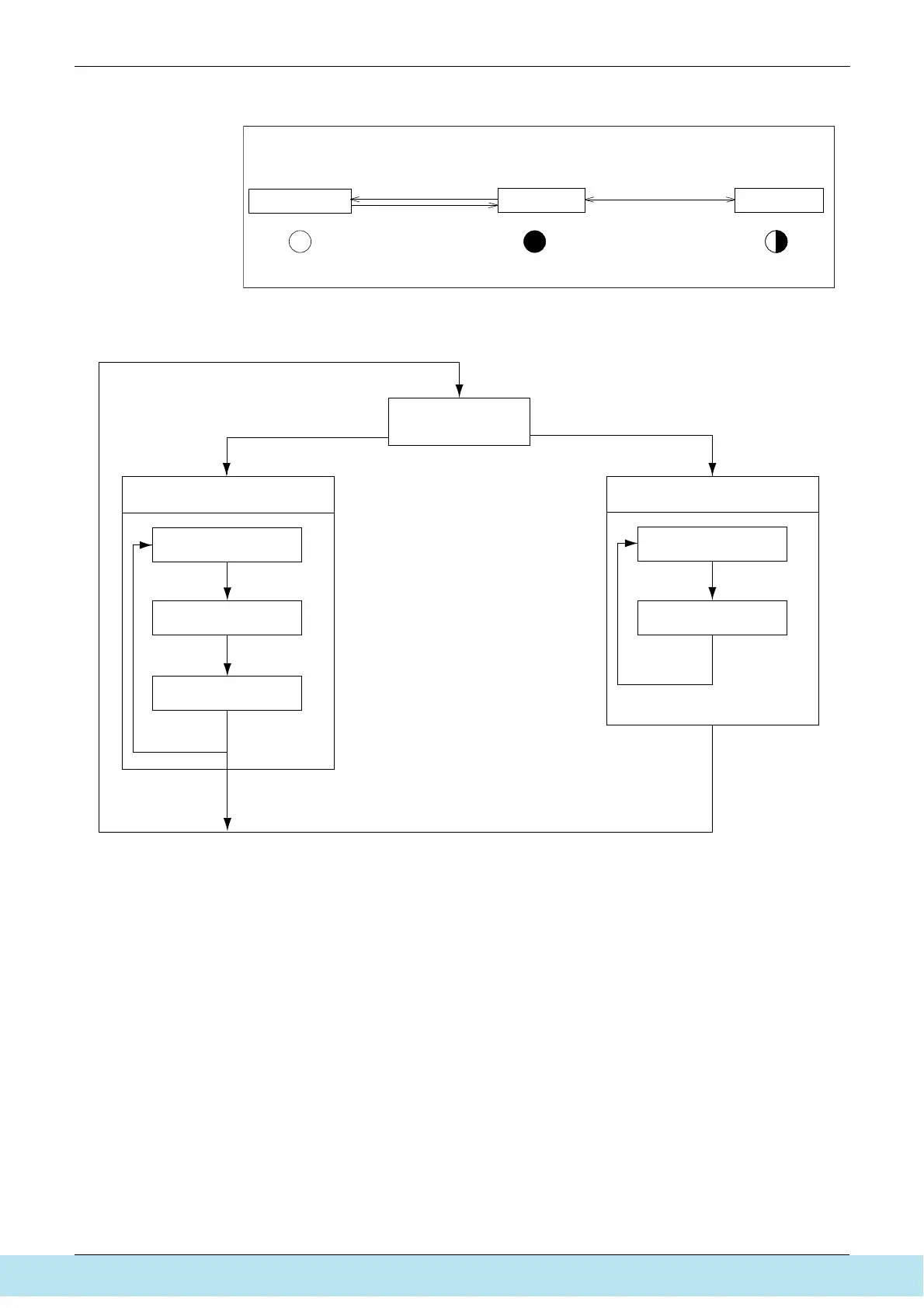
Mode changing procedure
Mode changing procedure
Setting mode 1
Monitor mode
H1P
Push the BS1(MODE button)
one time.
Blinking
MODE MODE
Off
H1P
Setting mode 2
MODE
On
H1P
Push and hold the BS1
(MODE button) for 5 seconds.
Push the BS1(MODE button) one time.
(Normal)
(V2761)
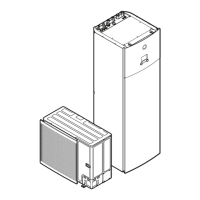
Using the MODE button, the modes can be changed as follows.
Check item selection (Set)
Contents display
Monitor mode
Setting mode 1
(Initial condition)
Press BS3
(RETURN button).
Press BS3
(RETURN button).
Setting item selection (Set)
Setting mode 2
(Set): Select mode with BS2 (SET button) in each selection step.
Setting condition
selection (Set)
Setting condition
(Contents) display
Press BS3
(RETURN button).
Press BS3
(RETURN button).
Press BS3
(RETURN button). Press BS1
(MODE button).
Press BS1
(MODE button).
Press BS1(MODE button).
Press BS1 (MODE button) for more than 5 sec.
(V2762)
Все каталоги и инструкции здесь: http://splitoff.ru/tehn-doc.html



 To Next Page