Page 53 of 58
SK2019 FMCD-V-ECM-001
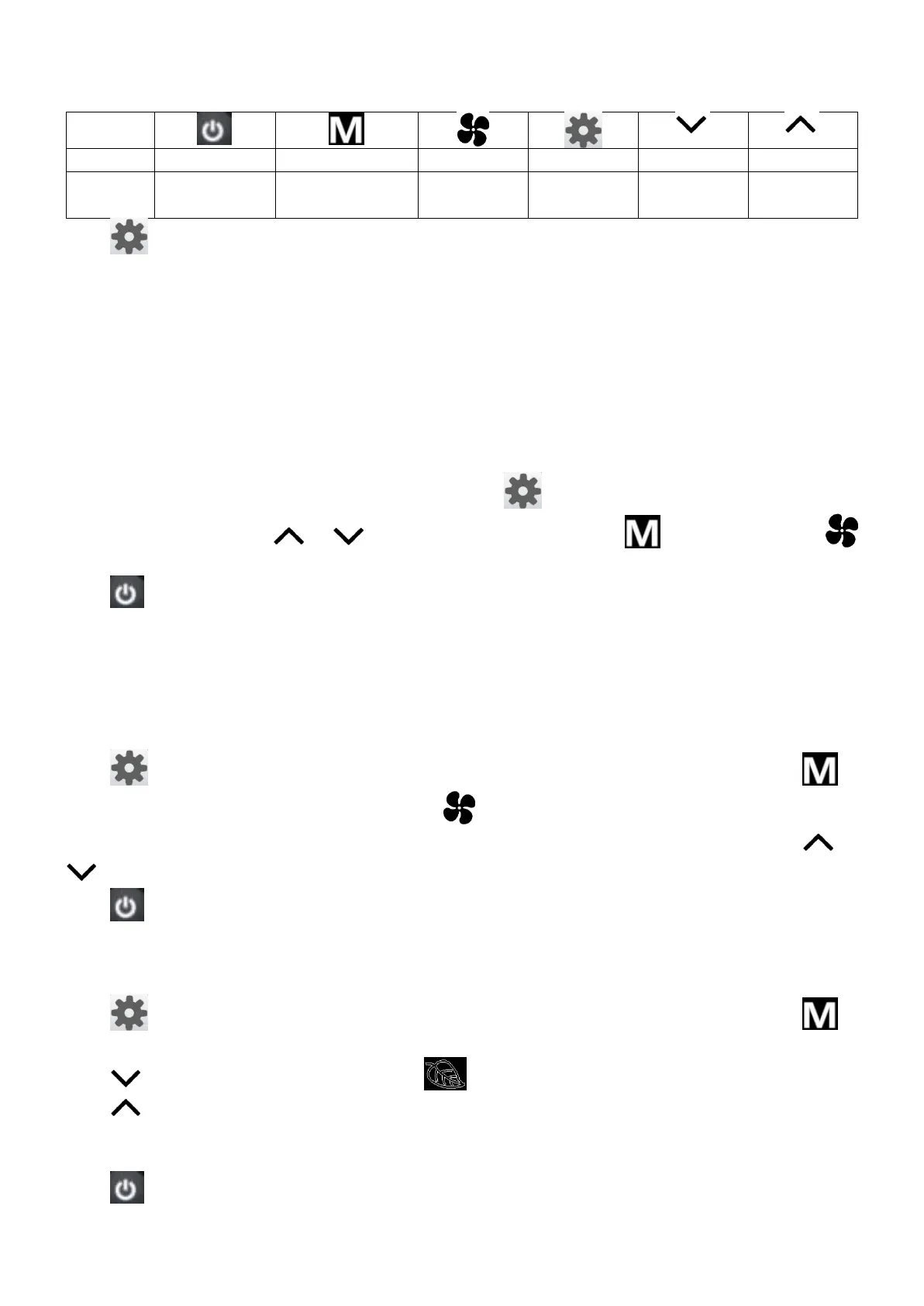
1. Buttons function
Switch on or
off the unit
Press to change function setting: (CNT stands for pressing times)
(1) CNT=0:No function
(2) CNT=1:Real time setting
(3) CNT=2:Timer On/Off setting
(4) CNT=3:Sleep or swing settings
(5) CNT=4:Network control (Single control) mode setting
(6) CNT=5:Global control
(7) CNT=6:Parameters checking
2. Real time setting
“:” blinks for every second when real time is shown. Press once to enter Real Time setting interface.
When “:” is on, then press or to adjust the current time. Press to adjust date. Press
to adjust hour or minute.
Press to confirm settings and exit. If no operation within 6 seconds, it will automatically exit and the
setting will not be saved.
3. Time On/Off setting
If the master unit is in global control mode and the ON/OFF timer setting is selected, the master unit will
command the whole network to be ON or OFF. Otherwise, the ON/OFF timer affects the local unit only.
The system supports ON/OFF timer settings for each day of the week.
Press twice to enter Timer setting interface and timer icon is on. When “ON” blinks, press to
set timer date (from Monday to Sunday). Press to set hour and minute of timer-on or timer-off
alternately. “ON” blinks when timer is set to on and “OFF” blinks when timer is set to off. Press or
to set timer on/off time.
Press to confirm settings and exit. If no operation within 6 seconds, it will automatically exit and the
setting will not be saved. Timer on/off icon is on when timer on/off is set on that day.
4. Swing or Sleep setting
Press three times to enter Swing or Sleep setting interface and key lock icon blinks. Press to
turn the sleep function on or off. Sleep icon is on or off when sleep function is turned on or off.
Press to turn on or off the swing function. is on when swing function is on.
Press to select room sensor in the wall pad or in the unit. If “∩” is shown in the area of fan speed
display, the senor in the wall pad is selected. If “F” is shown in the area of fan speed display, the senor in
the unit is selected.
Press to confirm settings and exit. If no operation within 6 seconds, it will automatically exit and
the setting will not be saved.









 To Next Page