20
4
INFORMATION ON USE AND OPERATION
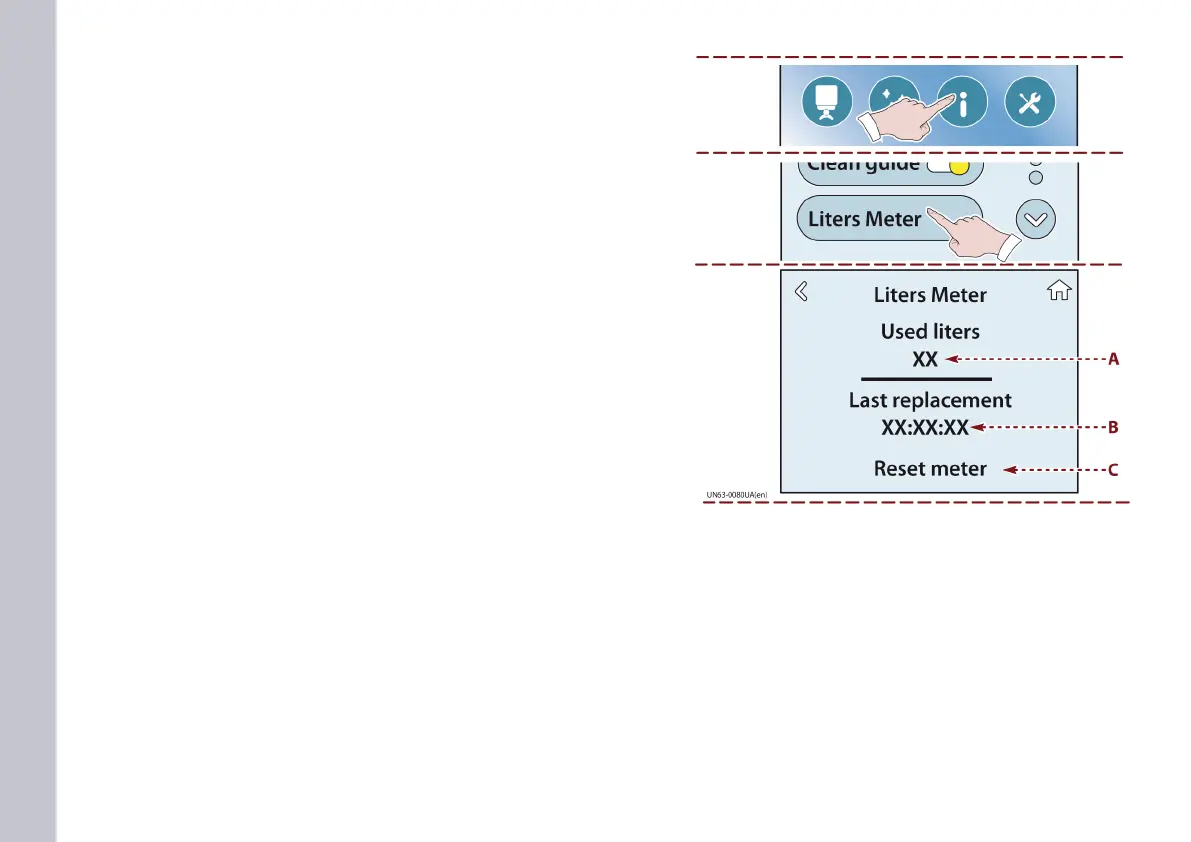
1) Touch this key to display the METER feature.
2) Touch this key to display the METER page.
A) This shows the amount of water (in litres) that has been used
since the last time the lter cartridge was replaced.
B) This shows the last date on which the lter cartridge was re-
placed.
C) Touch the key after each lter replacement to reset the meter
page.
METER page














 To Next Page