AK-CH 650 Capacity controller RS8ER302 © Danfoss 2016-02 59
Conguration - continued
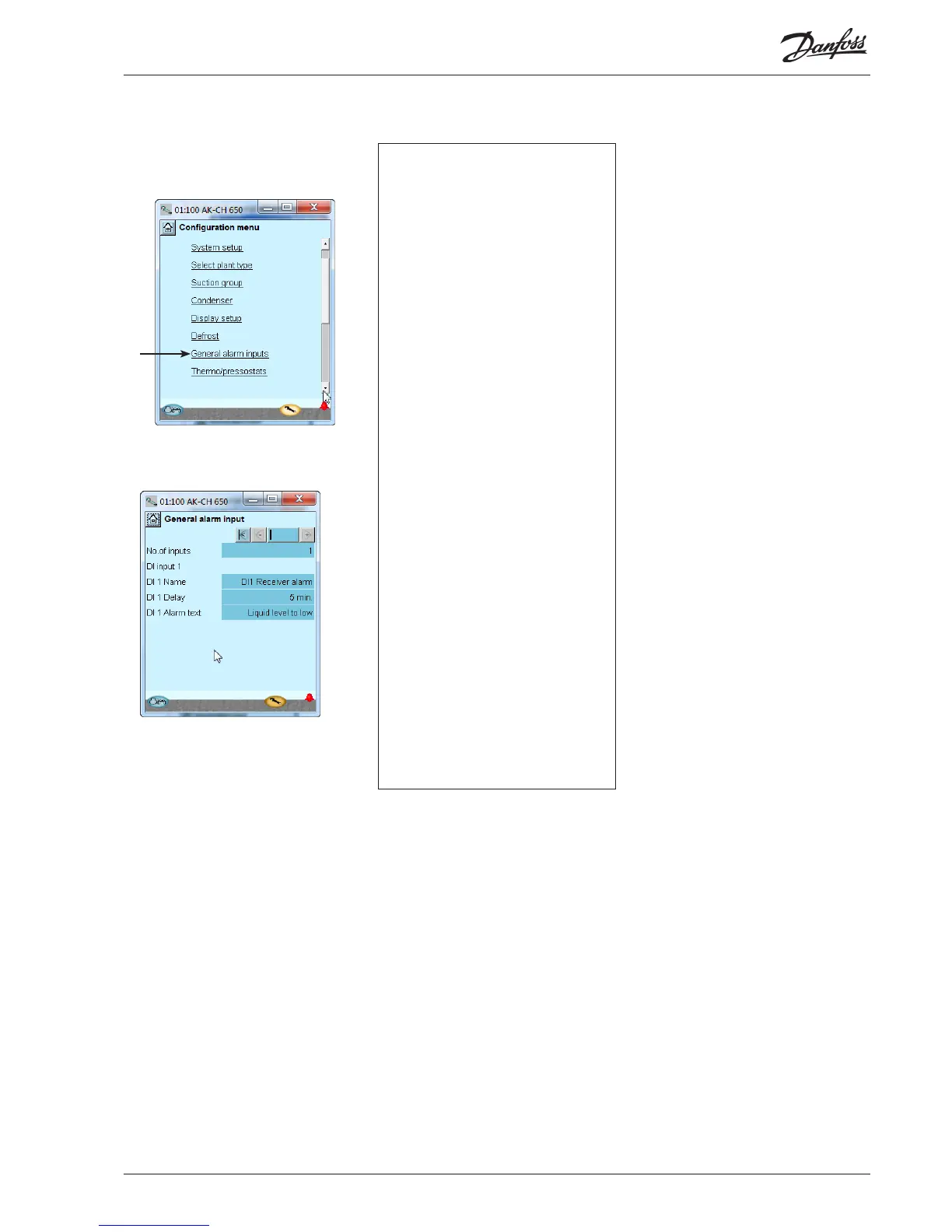
1. Go to Conguration menu
2. Select General alarm inputs
3. Dene the required
alarm functions
In our example we select one alarm function
for monitoring the liquid level in the receiver.
We have subsequently selected a name for the
alarm function and for the alarm text.
3 - General alarm input
This function can be used to monitor all kinds of
digital signals.
No. of inputs
Set the number of digital alarm inputs
Adjust for each input
• Name
• Delay time for DI alarm (common value for all)
• Alarm text
Setup general alarm inputs



 To Next Page