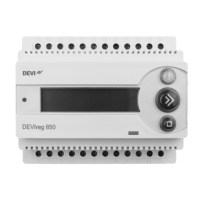
DEVIreg™ 850 IV
Installation instruction22
2�5 Modification of system(s)
It is possible to modify the installed systems on the DEVIreg™ 850. The following modifi-
cations are possible:
• Reactivate passive sensors
• Replace a malfunctioning sensor
• Add an extra sensor
When the DEVIreg™ 850 cannot communicate with a sensor, the DEVIreg™ 850 reports
the error: “Errors detected!”. The DEVIreg™ 850 does not rely on malfunctioning sen-
sors, and therefore the DEVIreg™ 850 makes the sensor passive. The passive sensor is no
longer used for ice and snow detection — not even after a power cycle.
If the malfunctioning is caused by problems with the wiring, the failure can be
fixed, and the sensor can be reactivated.
If the malfunctioning is caused by an error prone sensor, the error can be cor-
rected by replacing the error prone sensor with a new sensor.
It is not possible to delete a passive sensor in a system. Passive sensors will
remain in the systems until they are replaced with new sensors. The only way to
delete a passive sensor (other than replacing it), is to make a Master Reset and
reinstall the DEVIreg™ 850 (please refer to chapter: General use).
Reactivate passive sensors:
The given example is for a ground system.
From the installer menu select Change system.
Press to activate Change system.
CHANGE SYSTEM
The system is searching for connected sensors.
CHECKING SYSTEM
<>
If any passive sensors are found, they are reactivated.
Message is shown for 3 seconds.
1 SENSORS
REACTIVATED!
If no new sensors are found, it is reported to the user.
Message is shown for 3 seconds.
NO GROUND
SENSORS FOUND!


 To Next Page