DIS User Manual
User Manual CU 6105.docx
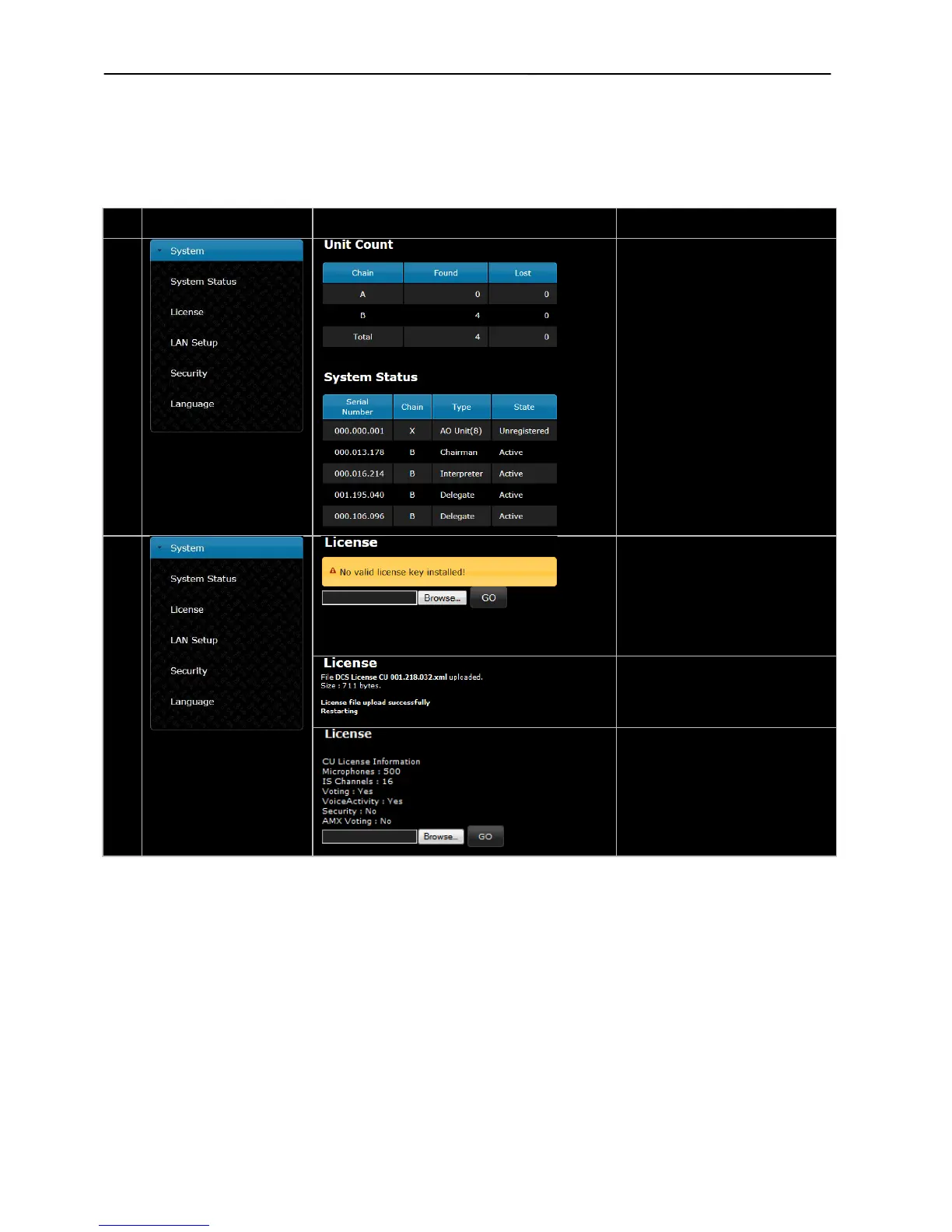
Unit Count –
Shows the number of connected
units on each chain.
Unit Status –
Shows the connected Conference
units with Serial Number and Type
of units. The ‘State’ field shows if a
unit is ‘Active’ (connected) or ‘Lost’
(not connected).
If a unit is shown as ‘Locked’ the
unit is not compatible with the DCS
6000 System
License –
Used for upload Feature License for
expand the features in the CU.
After selecting the update file of
type ‘xlm’ click the ‘Go’ button and
the update process is started.
When the License file is uploaded
the CU will reset
After the CU has restarted the
license information is shown



 To Next Page