DIS User Manual
User Manual CU 6105.docx
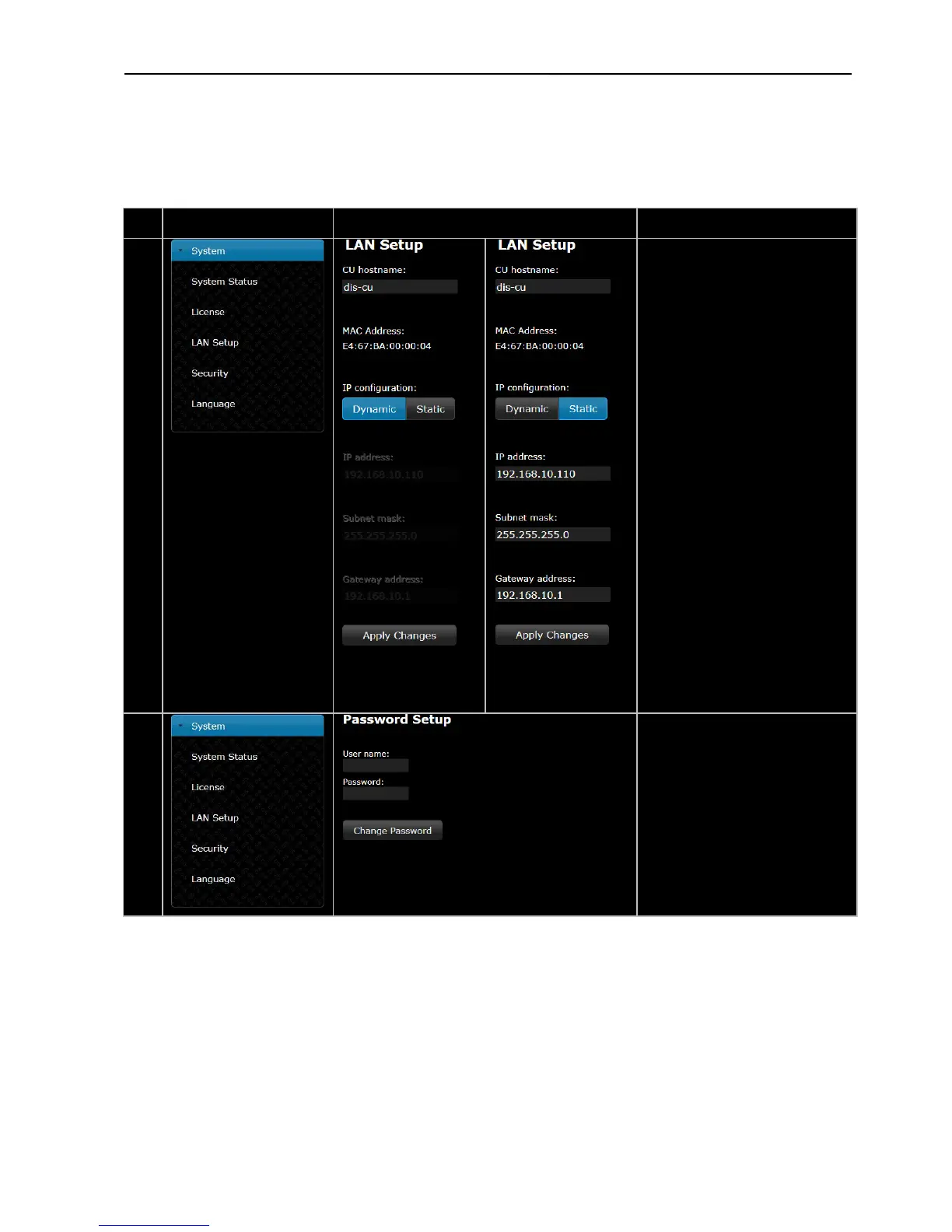
CU hostname –
A host name can be assigned to the
CU 6105. This name can be used to
connect to the CU 6105
browser instead of using the IP-
address.
After a hostname is assigned, type
the following in the browser:
http://’hostname’.local
where ‘hostname’ is to be replaced
with the assigned name.
IP configuration –
Select ‘Dynamic’ if the CU is
connected to a network with DHCP
server. Otherwise select ‘Static’ and
assign a fixed IP address to the CU.
Default IP configuration is
Select ‘Apply Changes’ to save
changes made.
The actual IP address can always be
found in this screen or using the
interactive menu on the CU 6105:
LAN setup * IP address setup * IP
address * Actual IP address.
Password Setup –
Used for setting ‘User
name/Password’ for browser



 To Next Page