DIS User Manual
User Manual CU 6105.docx
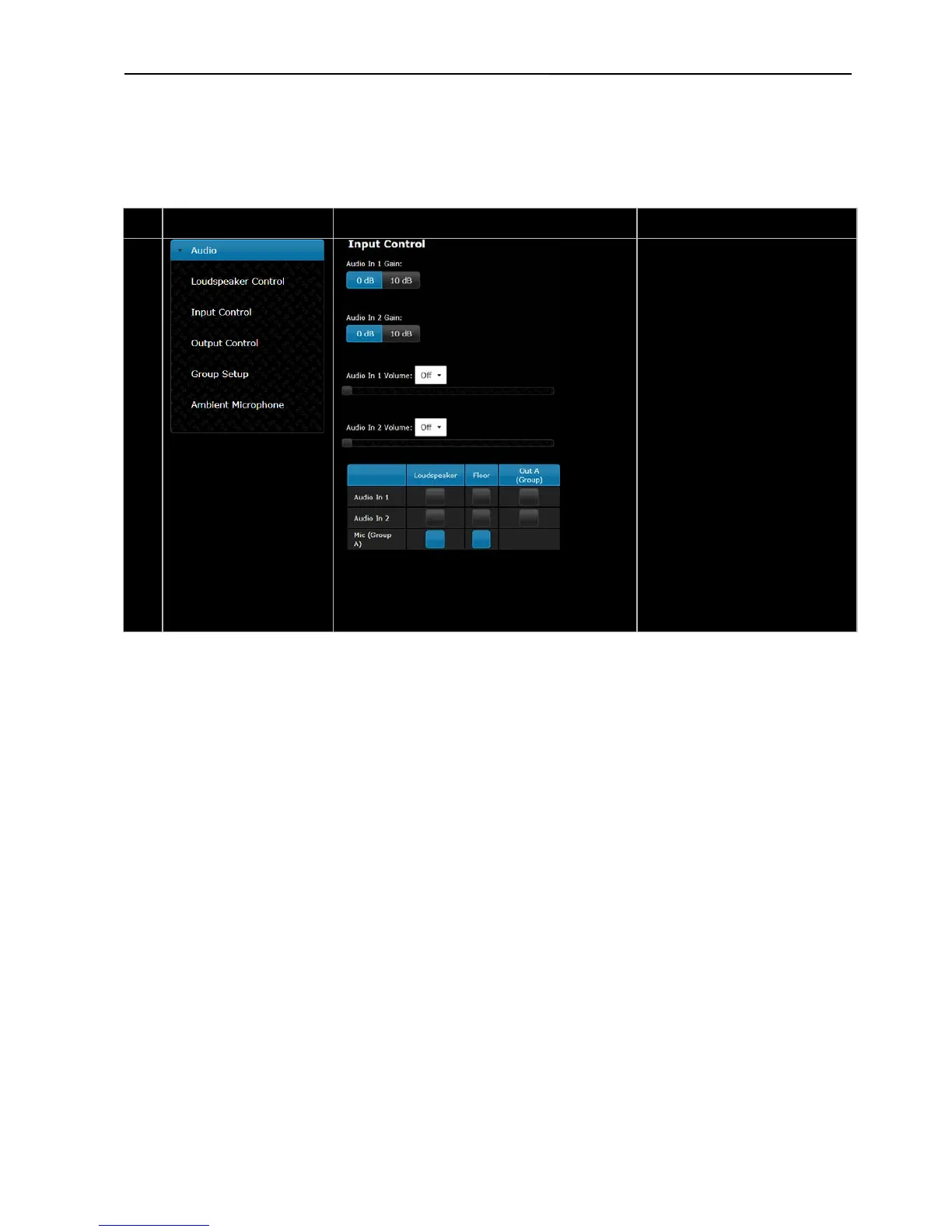
Input Control –
The Gain of ‘Audio In 1 & 2’ can be
set to ‘0 dB’ or ‘10 dB’. When set to
‘10 dB’ the input signal is amplified
10 db.
The ‘Audio In 1 & 2 Volume’ is used
to set the volume of the input signal.
‘Audio In 1 & 2’ can be routed to the
‘Loudspeakers’, ‘Floor’
(headphones) in the Conference
un
its as well as to ‘Out. A’ output
using the selection buttons.
‘Audio In 1 or 2’ will only be present
at ‘Out. A’ if ‘Group’ is selected as
the source to the ‘Out A’ output,
where it will be mixed with the
‘Group A’ signal. See next menu
microphones, which are selected in
‘Group A’ can be routed to the
Loudspeaker and/or Floor.



 To Next Page