DIS User Manual
User Manual CU 6105.docx
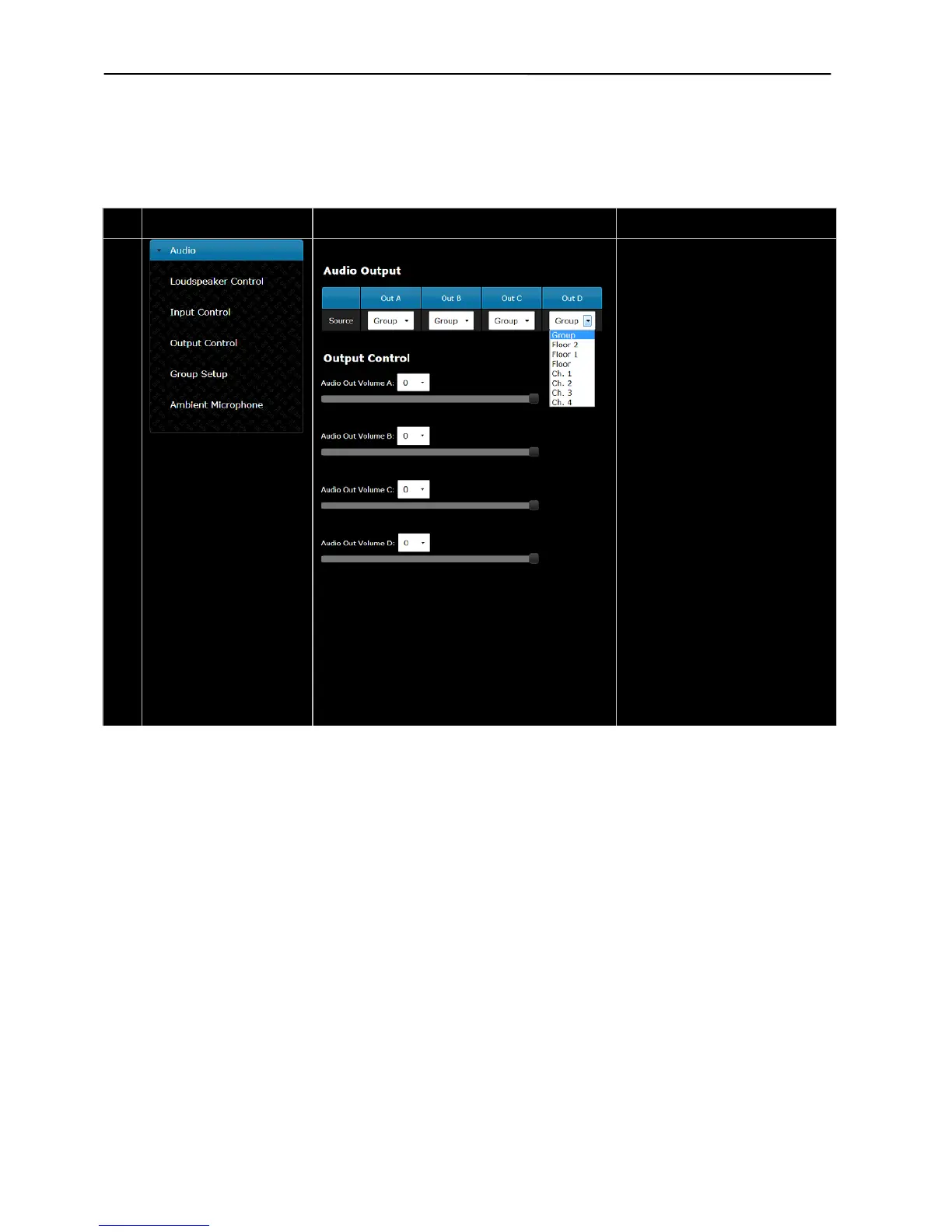
Audio Output –
The ‘Source’ can be selected for
each of the four outputs. The
choices using the dropdown menu
are:
Group, Floor, Floor 1, Floor 2 or any
of the interpreter channels.
When ‘Group’ is selected for ‘Out A’,
the ‘Group A’ is the source and
similar for the three other outputs.
The ‘Floor or Interpreter Channel’
selection is used either for
recording of the interpreted
languages or for connection to a
wireless language distribution
system.
The ‘Floor 1 or Floor 2’ selection is
used when connection to external
PA system.
If ‘Floor, Floor 1, Floor 2 or any of
the interpreter channels’ is selected
for an output (Out A, B, C or D) the
corresponding group is disabled in
the ‘Group Setup’.
The ‘Audio Out Volume’ can be set
for the four audio outputs (A, B, C
and D).



 To Next Page