DIS User Manual
User Manual CU 6105.docx
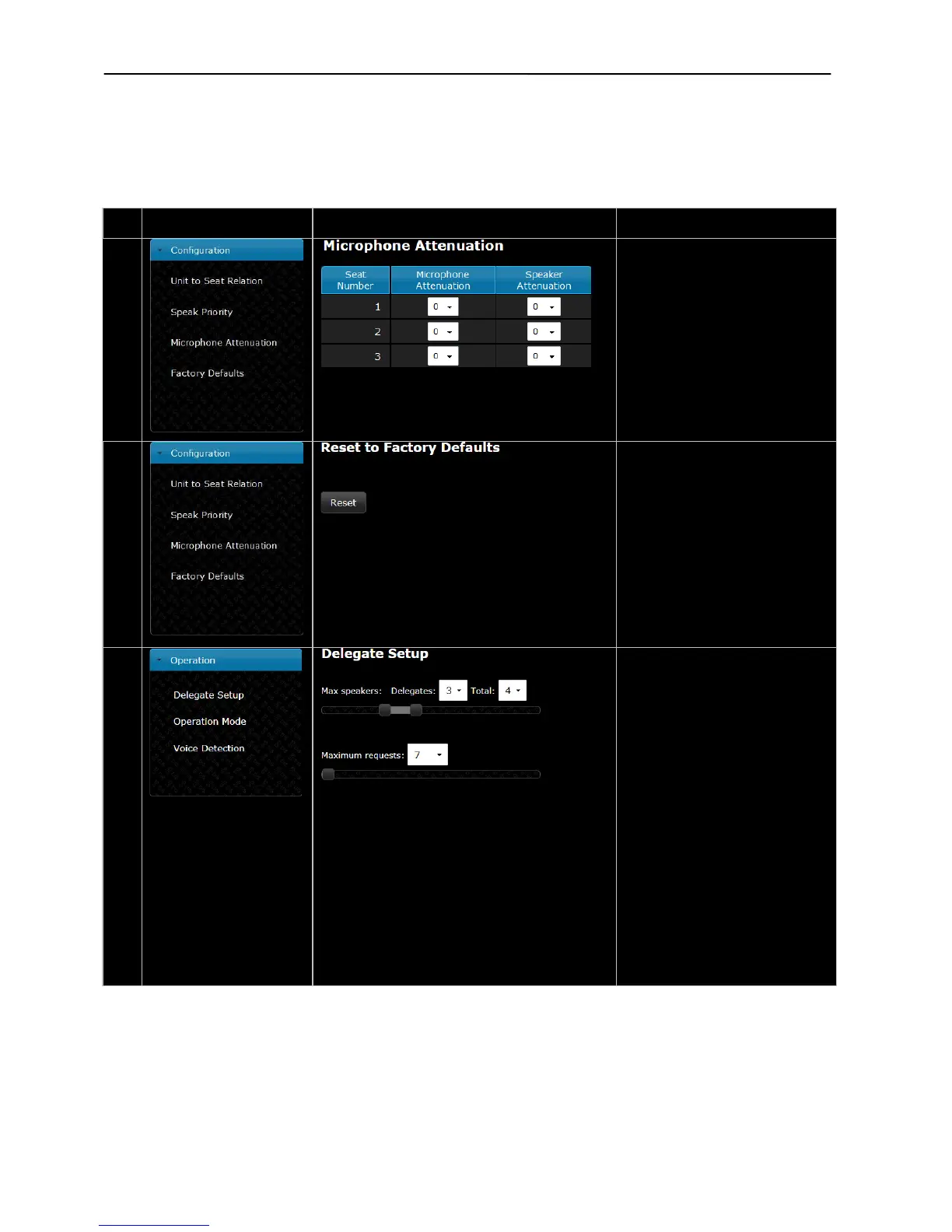
Microphone Attenuation –
Used to lower the Microphone level
or Loudspeaker level in the selected
unit.
The Loudspeaker can be set to Off
as well.
Reset to Factory Defaults –
When the reset button is activated,
the settings in the CU 6105 are reset
to factory default.
When doing this from a browser,
the IP and security settings aren’t
To reset IP settings and security
settings, use ‘Factory defaults’ on
the interactive menu on the CU
6105.
Delegate Setup –
The number of ‘Max speakers: Total’
defines the maximum number of
Conference units, which can speak
at the same time. This includes both
delegate and chairman units.
The number of ‘Max speakers:
Delegates’ defines the maximum
number of Delegate Conference
units, which are allowed to speak at
the same time.
Please observe that a Chairman Unit
can always be switched ON as long
as the number set in ‘Max. Speakers:
Total’ are not exceeded.
‘Maximum requests’ defines how
many delegates requesting to speak
which can be inserted into the
‘Request‘ list.



 To Next Page