5. Operation
Safety Instructions for Operation
Attention
This device must be used only for the purposes it is designed for.
This device is intended for use as a professional media player. It is suitable only for indoor installation.
Any other use, not mentioned under intended use, is regarded as non-intended and incorrect use.
Before connecting the device to the power supply, make sure that the current, voltage and frequency
match the input voltage, current and frequency specified on the information label on the device.
Functions
The device can be operated in the following functions:
● FM: See 5.2.1. FM Radio Mode
● Aux: See 5.2.2. Aux Mode
● DAB+: See 5.2.3. DAB+ Mode
● Bluetooth: See 5.2.4. Bluetooth Mode
● USB: See 5.2.5. USB Mode
● Microphone
The device can be operated with the control panel or with an infrared (IR) remote control (see 5.7.
Remote Control on page 26).
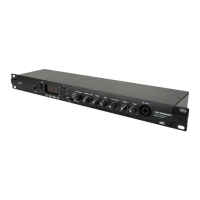
A) OLED display
B) VOLUME +/FORWARD button
C) STOP button
D) PLAY/PAUSE button
E) REPEAT button
F) MODE button
G) VOLUME –/BACKWARD button
● Use the VOLUME +/FORWARD button to navigate through the main menu, to scroll through the
available options, to stop auto scan, to manually tune the radio, to select radio stations/music files or
to increase the volume.
● Use the STOP button to stop playback, to enter the settings menu, to return to a previous screen or to
toggle radio station information screens.
● Use the PLAY/PAUSE button to start auto scan, to confirm your choices or to enter the submenus.
● Use the REPEAT button to set playback mode and to load/save presets.
● Use the MODE button to select functions or to return to the main menu.
● Use the VOLUME –/BACKWARD button to navigate through the main menu, to scroll through the
available options, to stop auto scan, to manually tune the radio, to select radio stations/music files or
to decrease the volume.


 To Next Page