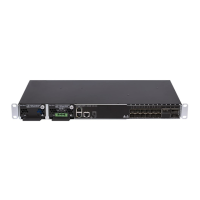
DM4270 – Installation Guide
204.4331.03 - October/2019
4 DM4270 INSTALLATION
This chapter explains the procedures, recommendations, and attention related to
installing the DM4270.
4.1 DM4270 PACKAGE CONTENT
The DM4270 package contains the following items:
DM4270 24XS+2CX
o DM4270 equipment
o RS-232 console cable
o Quick Installation Guide
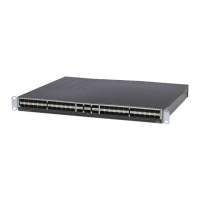
DM4270 48XS+6CX
o DM4270 equipment
o RS-232 console cable
o Quick Installation Guide
o Extension rail to secure it in the rear of the Rack
Check if the equipment or accessories aren’t damaged. If there’s any irregularity,
contact Technical Support.
The PSU 400 power supplies can be shipped already connected to the equipment or in
separate boxes, depending on the order.
For the DM4270 48XS+6CX, the cooling modules can be shipped already connected to
the equipment or in separate boxes, depending on the order.
4.2 IDENTIFYING THE PRODUCT
Make sure that the product received matches the figures in this guide. The DM4270 has
a label on the rear side of the mechanics. It contains model information, product code
and serial number. Check if there is any divergent information on the label regarding
the information on the packaging.
4.3 PREPARING THE INSTALLATION SITE
Before installing the product, some care must be taken to guarantee that all steps can
be followed correctly, thus ensuring proper installation.
4.3.1 Installation Site Requirements
Verify that the electrical and physical installations of the site where the product will be
installed are in accordance with all specifications and technical standards applicable by
the local governmental authority.
The site building needs to be prepared to withstand the mechanical and electrical loads
of the new equipment to be installed. Read the Technical Specification to check the
relevant product weight and consumption information.


 To Next Page