DM4270 – Installation Guide
204.4331.03 - October/2019
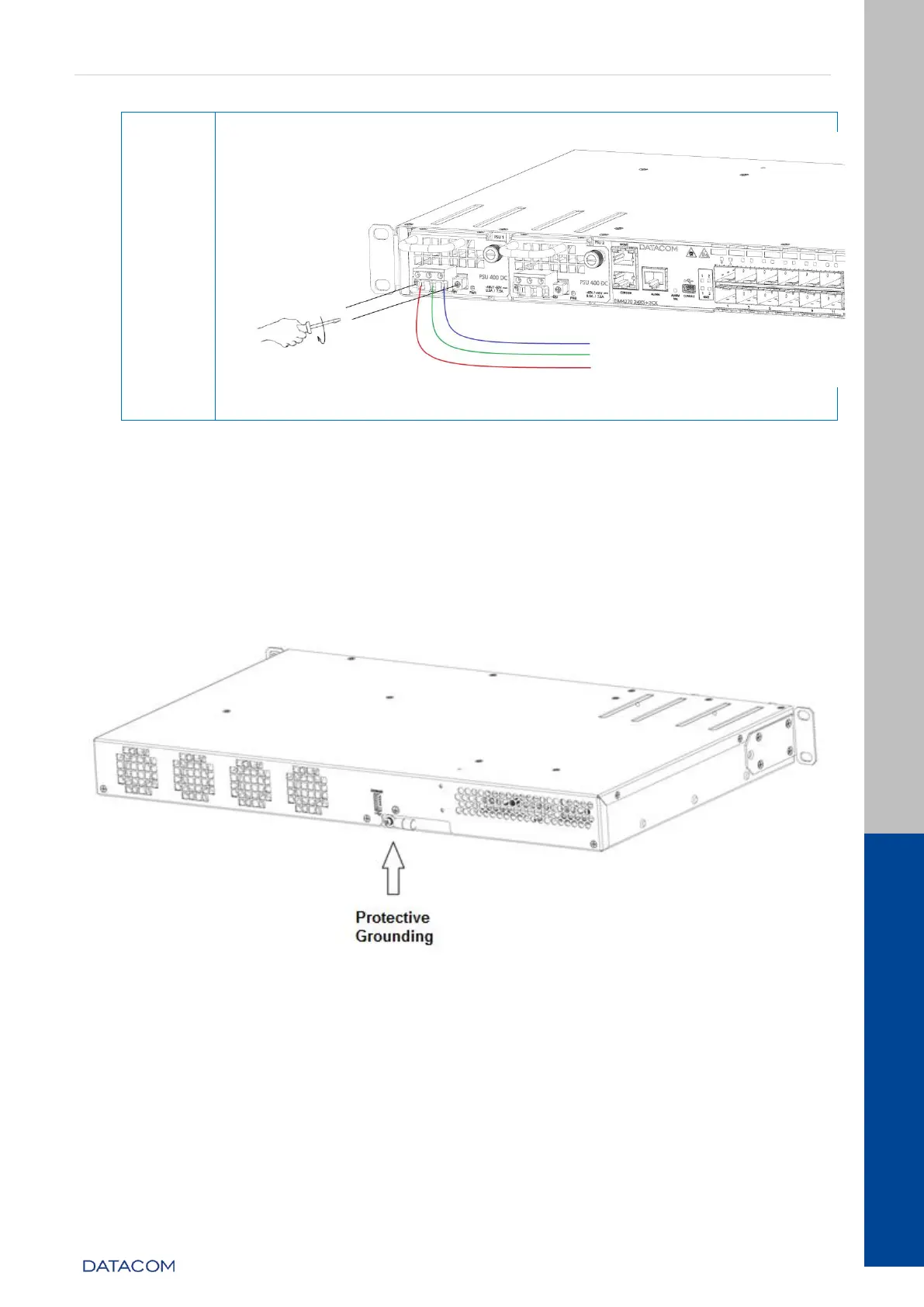
Figure 19 – Installing the cable mounted to the TERMINAL BLOCK on the PSU
400 DC
Table 13 – Installing the PSU 400 DC power supply
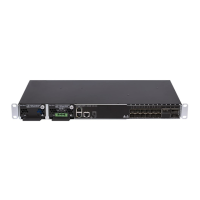
3.12 PROTECTIVE GROUNDING
The DM4270 equipment has a Protective Ground point on the rear panel. This
connector must be connected to the installation ground (FGND) as instructed in the
DM4270 Installation chapter.
Figure 20 – Protective Grounding DM4270 24XS+2CX


 To Next Page