DM4270 – Installation Guide
204.4331.03 - October/2019
3.11.2 Power Cables
3.11.2.1 PSU 400 AC
The PSU 400 AC includes a 3-meter power cord in the standard female IEC 320/C14 for
the NBR 14136 plug.
3.11.2.2 PSU 400 DC
The PSU 400 DC includes a 3.5 meter DC power cable in the PP 1.5 mm
2
gauge
standard with both ends open and the TERMINAL BLOCK standard male connector
(normally shipped screwed to the PSU 400 DC) for the installation of the cable.
Follow the information below to install the cable to the Terminal Block connector:
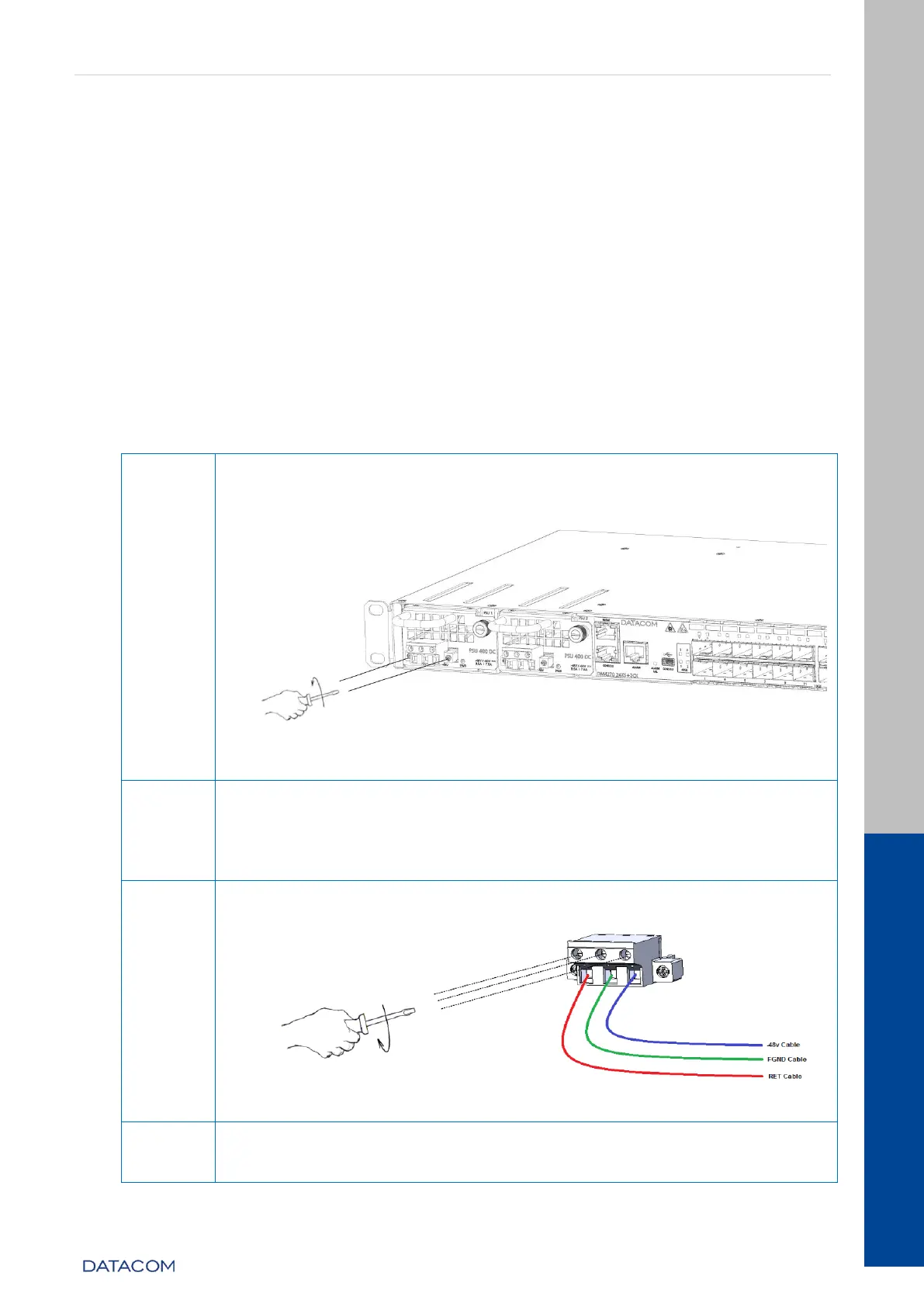
Remove the TERMINAL BLOCK connector from the PSU 400 DC by
unscrewing the two side screws of the connector using a 1/8"
screwdriver (number 0) as shown below:
Figure 17 – Removing the TERMINAL BLOCK from the PSU 400 DC
Locate the power cord shipped with the PSU 400 DC, and cut it to
the desired preferred length. If the cable needs to be replaced, it is
important that it have a gauge of 1.5mm
2
or higher, and that the
conductor colors follow the specifications of the country where it is
installed.
Using the same 1/8" screwdriver (number 0) used above, as shown
below:
Figure 18 – Installing the cable mounted to the TERMINAL BLOCK
Before the cable is powered, screw the connector with the cable
installed on the PSU 400 DC, using the same 1/8" screwdriver
(number 0) used above, as shown below:


 To Next Page