DM4270 – Installation Guide
Logging in for First Time
204.4331.03 - October/2019
6 LOGGING IN FOR FIRST TIME
6.1 MANAGEMENT USING CONSOLE INTERFACE
It is possible to access Command Line Interface (CLI) through console interface or by
using a SSH connection from a remote management terminal. To do this, just plug a
compatible console cable and run a terminal emulator as Hyper Terminal or any other
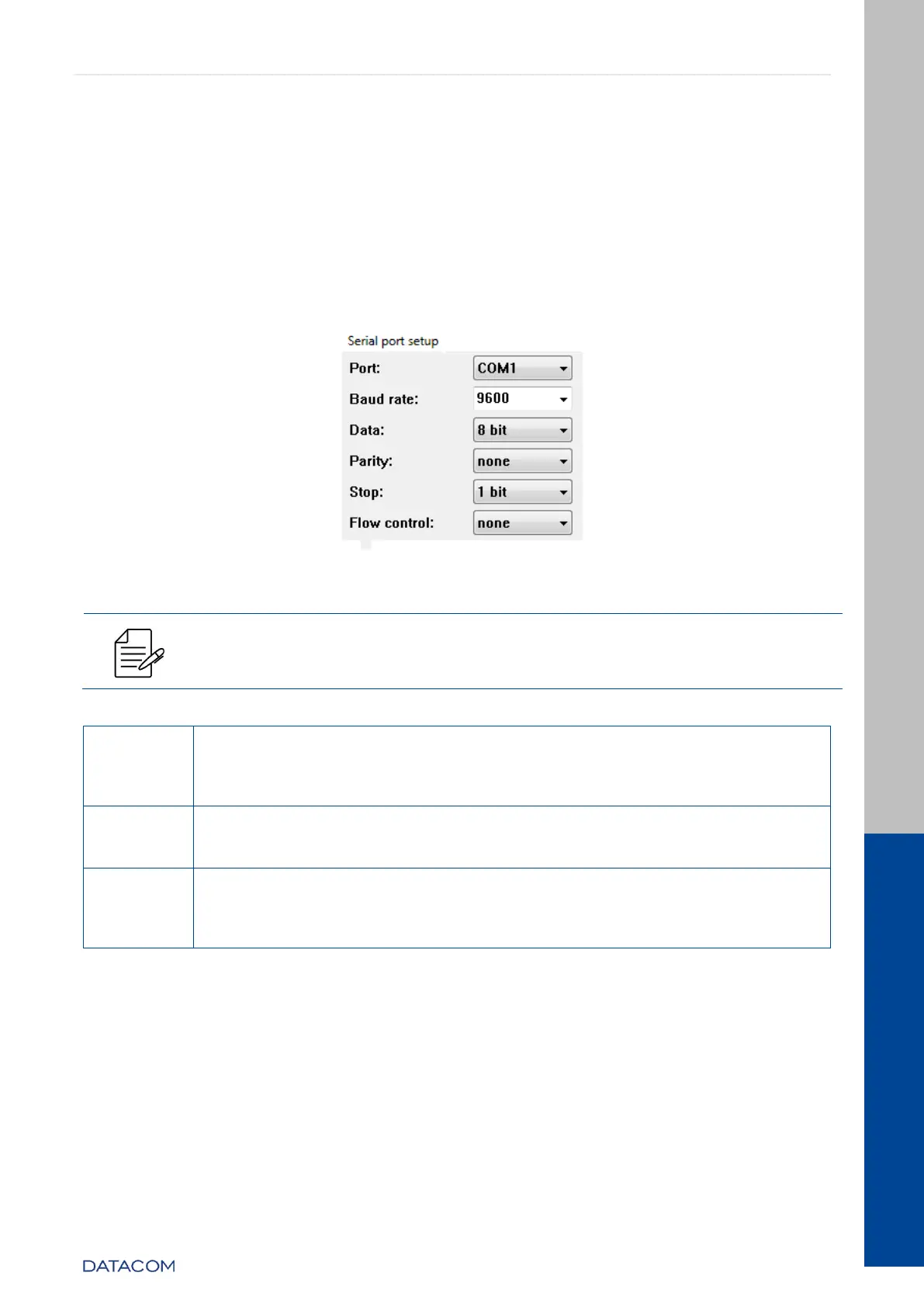
similar using a computer or laptop. The default configuration for DM4270 is baud rate
9600, with 1 stop bit and no parity, following below figure.
Figure 37 – Computer console interface configuration
The DM4270 equipments do not support hardware flow control. In
console port configuration the hardware flow control need to be disabled.
On the PC or laptop, start the terminal emulation program. The
initial login prompt for a username appears:
DmOS
DM4270 login:
The default username and password are admin.
DM4270 login: admin [Enter]
Password: admin [Enter]
The prompt as following will appear, indicating a successful login:
Welcome to the DmOS CLI
Admin connected from 127.0.0.1 using console on DM4270
DM4270#
Table 22 – DM4270 Login
6.2 MANAGEMENT USING ETHERNET INTERFACE
Using factory configuration the equipment can be accessed by SSHv2 using
management Ethernet interface (MGMT) through IP 192.168.0.25/24.
With additional configurations is possible to change the default IP and also configure IPs
to access from other Ethernet interfaces. The configuration also allows enabling or
disabling SSHv2 and Telnet servers.


 To Next Page