DM4270 – Installation Guide
Installing and Removing
QSFP28/QSFP+/SFP/SFP+ Modules
204.4331.03 - October/2019
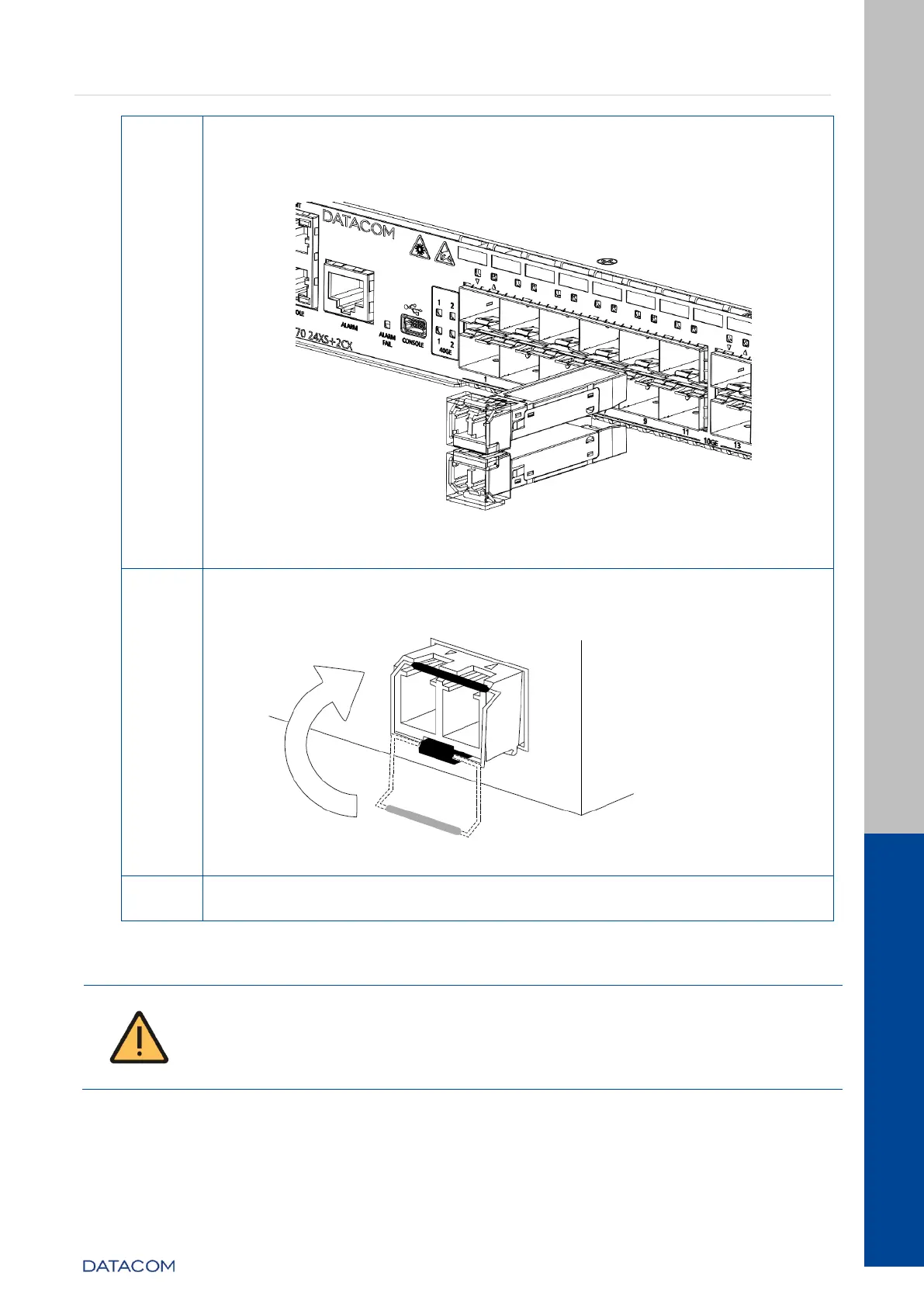
Insert the module into the transceiver slot of the equipment and
pushing it until it is firmly held. The correct position of the
attachment can be seen in following figure, take attention that
lower ports SFP/SFP+ connects Upside down.
Figure 31 – Inserting a SFP/SFP+
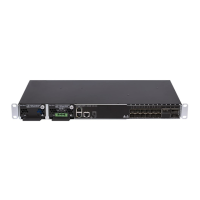
After attaching the module, it is necessary to secure the securing
handle as shown below, as it serves as a lock for the optical cables
when these are connected.
Figure 32 – Locking optical Fibers
After positioning the handle simply connect the optical cables.
Table 18 – Inserting a SFP/SFP+
The DM4270 equipments are sent with dust cover plugs in all SFP/SFP+
ports. Before to insert a transceiver in a port, remove the dust cover.
Ports without installed transceivers should keep dust cover protection to
avoid electrical connections free of dust.


 To Next Page