DataLocker DL3 User Guide
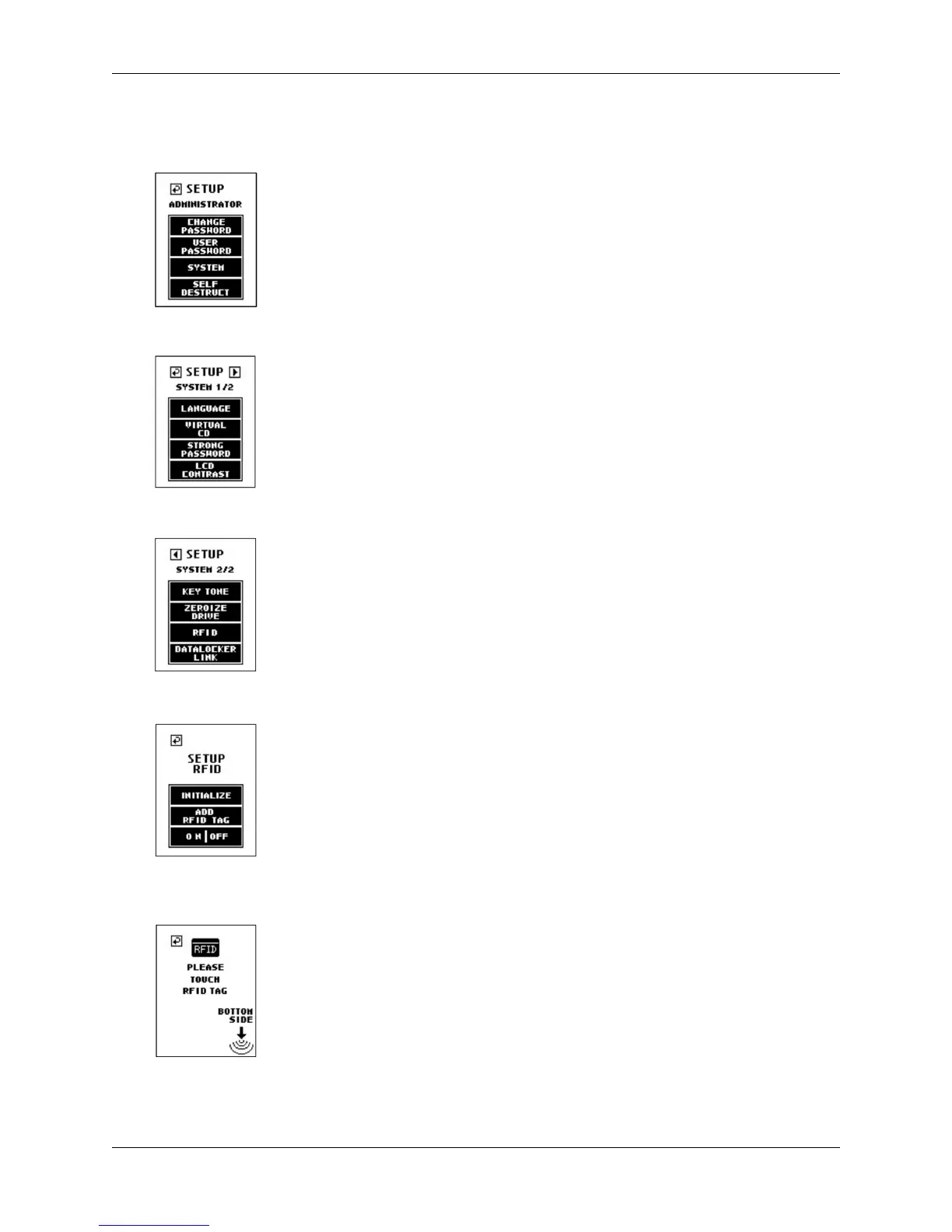
1. Navigate to the Setup Menu. For more information, see Accessing The Setup Menu.
2. At the Setup menu, press the System button.
3. Press the button to display the System 2/2 screen.
4. At the next menu screen, press the RFID button.
5. At the setup RFID screen, press the Add RFID Tag button.
6.
Place the supplied RFID tag near the bottom right hand corner of the DL3 until you hear a
“beep” tone.
© 2018 DataLocker Inc. All rights reserved. 13



 To Next Page