DataLocker DL3 User Guide
7.
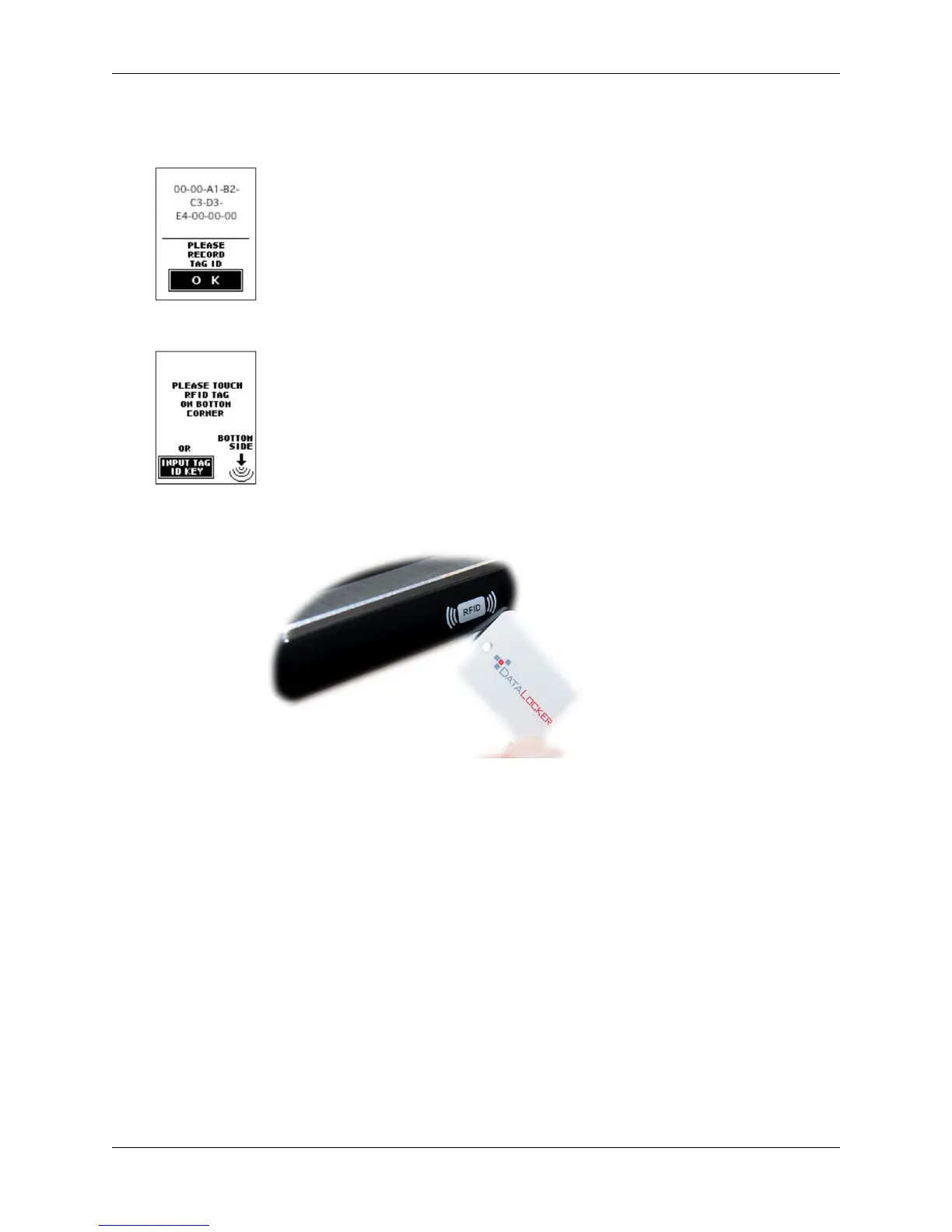
After registering, the RFID tag value will be displayed. Please make note of the RFID tag ID in
case the tag is lost or damaged.
You have now successfully registered a RFID tag and the RFID function is enabled.
The next time you reconnect the DL3 drive, you are required to use the RFID tag to authenticate
before entering the password.
Read-Only Mode
The DL3 drive comes with two Read-Only Mode options. The administrator can force Read-Only
Mode for all users or users and administrators can set the feature individually. Both options are
disabled by default.
Forced Read-Only Mode
The administrator can force Read-Only Mode for users. Once the feature is enabled, only the
administrator will be able to change it. Users of a DL3 drive that has Read-Only Mode enabled can
still view the files and copy them, but they will not be able to save any changes to the files on the
drive nor delete them.
Note: With this setting enabled, administrators will not be forced into Read-Only Mode.
© 2018 DataLocker Inc. All rights reserved. 14



 To Next Page