DataLocker DL3 User Guide
7.
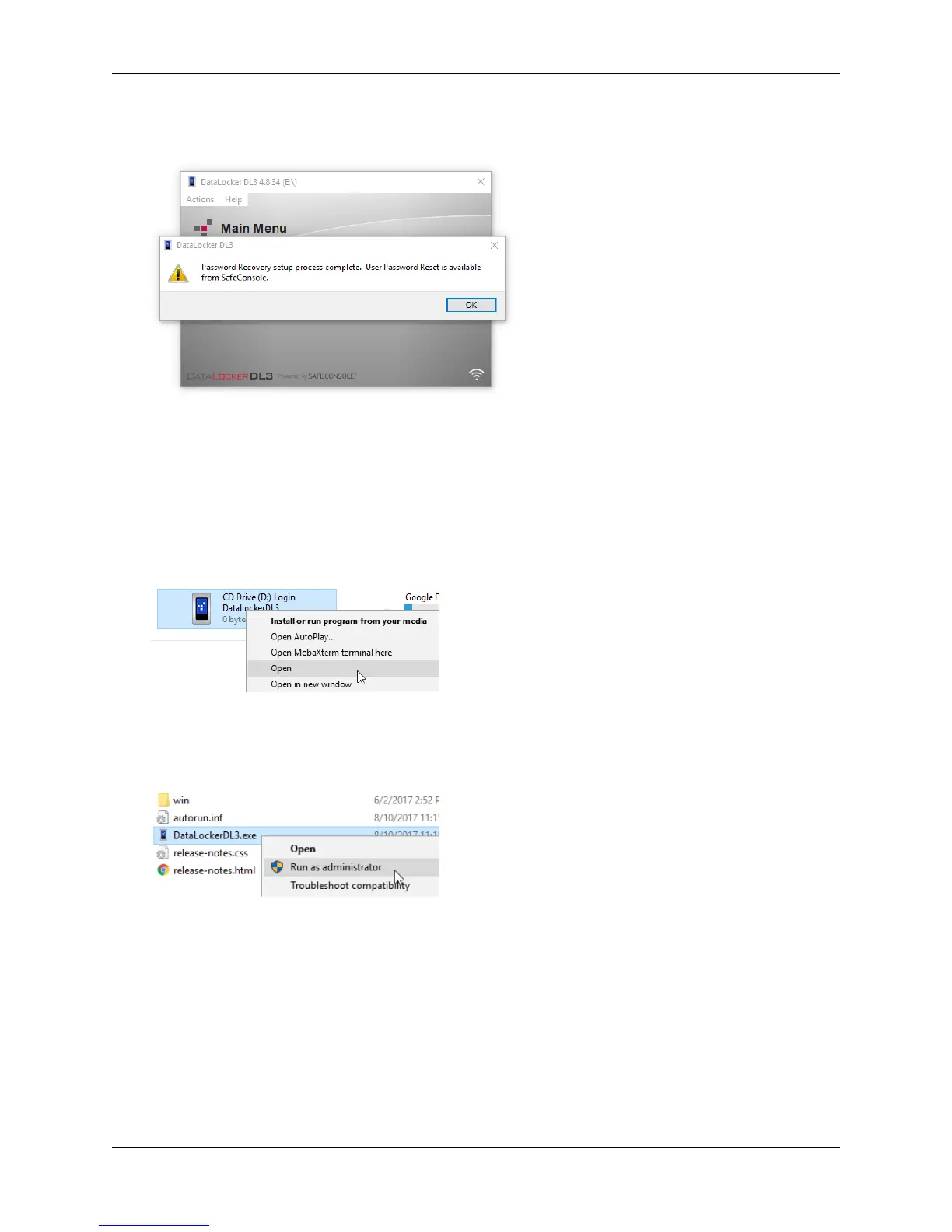
Upon the second login on the device after registering to SafeConsole, the client will save the
backup password. You will be notified with a popup.
Registration Troubleshooting
If you have trouble registering your DL3 or your device consistently loses the connection between
the client and the SafeConsole server, follow the steps below.
1. Log into the DL3 and press Connect.
2. On your computer, right click the DataLocker DL3 icon and click Open.
3. Right click DataLockerDL3.exe and click Run as administrator.
This is a one time action that should solve the connection problem. Next time you connect,
you should be able to run the DL3 client as usual.
Using A SafeConsole Managed Device
Logging In And Accessing Files
To log into to your SafeConsole registered device:
1. Enter the correct password on the DL3 screen.
2. Press Connect.
© 2018 DataLocker Inc. All rights reserved. 20



 To Next Page