DataLocker DL3 User Guide
Main Screen
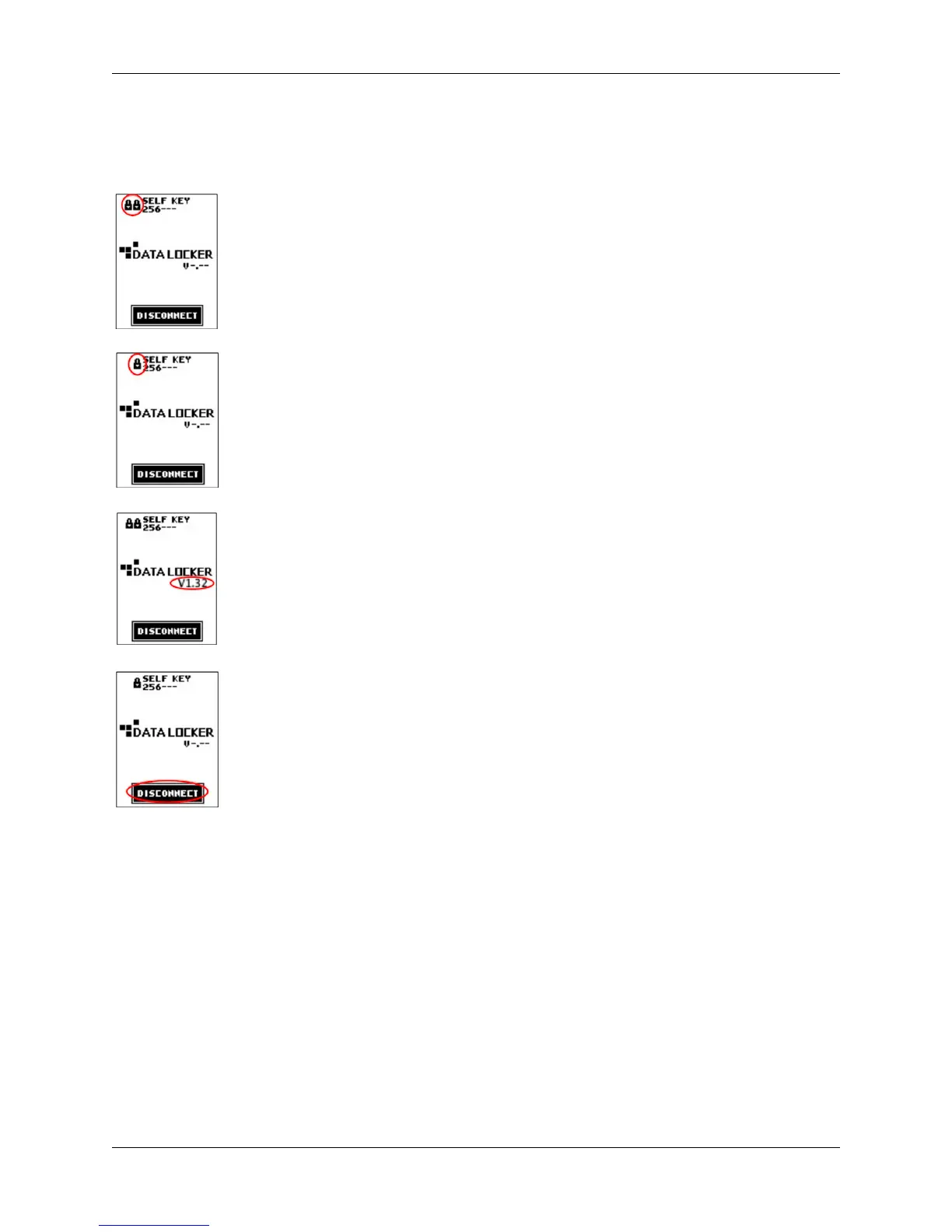
The connected status screen on your DL3 drive displays useful information.
Indicates that the DL3 drive has a User Password enabled.
Indicates that the DL3 drive’s User Password is disabled.
Displays the current firmware installed on the DL3 drive.
Disconnects the DL3 drive from the computer.
Note:
To prevent data loss or
damage to disk, ensure the DL3 drive has been properly ejected from the operating system before
pressing this button.
Disconnecting Your DL3
To prevent loss or corrupted data, properly eject the DL3 drive when you’re finished using it. The
best practice is to use your operating system’s
Safely Remove Hardware
or
Eject
function before
you power down or detach the DataLocker DL3 from the host system.
This will also help prevent damage to the disk.
© 2018 DataLocker Inc. All rights reserved. 7



 To Next Page