DataLocker DL3 User Guide
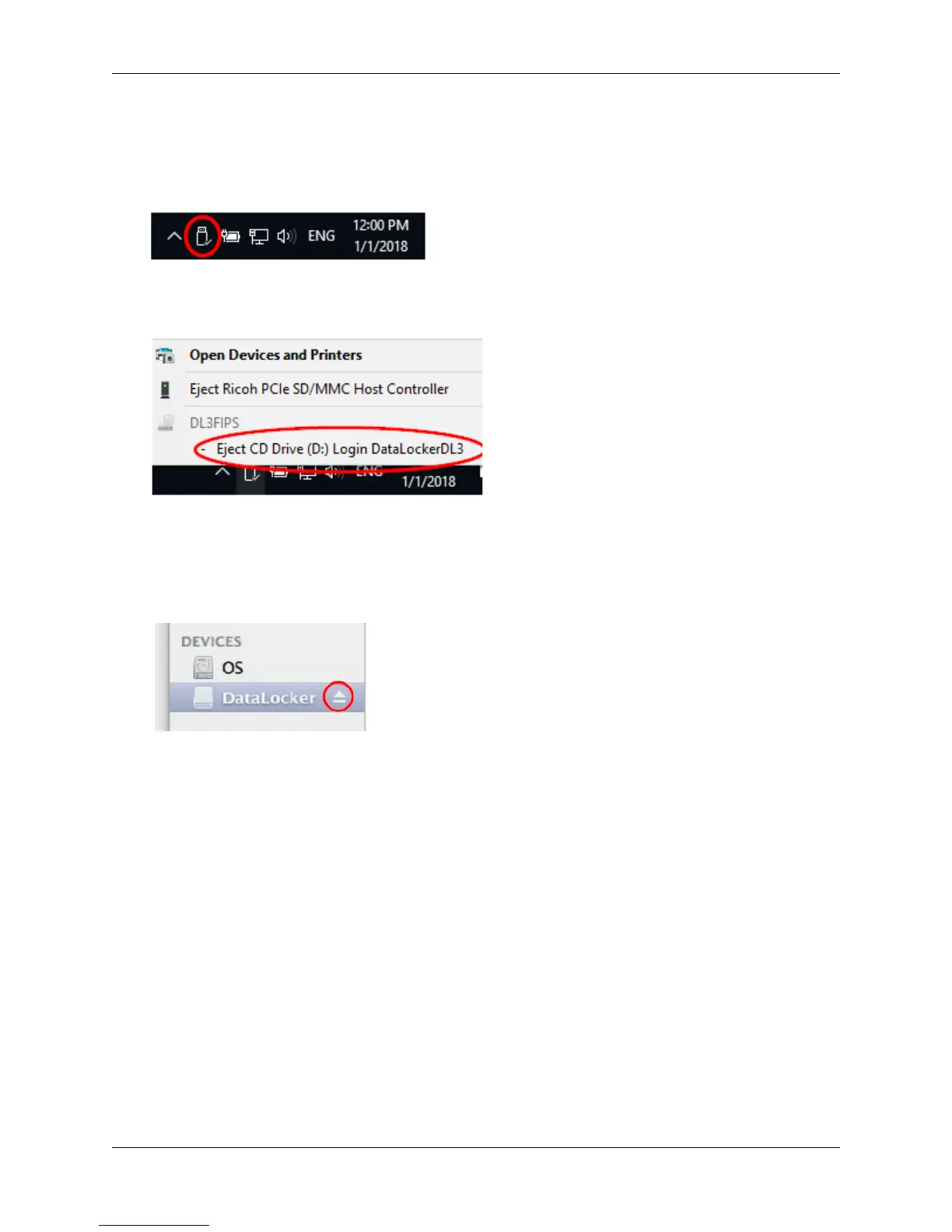
Windows Users
1.
Right click the
Safely Remove Hardware
icon located on the lower right hand corner of the
Windows taskbar.
2.
Once the popup menu has appeared, click the correct drive to safely eject the DL3 from
Windows.
macOS Users
1. Click the Eject button that corresponds with the DataLocker DL3 on macOS.
2. Once the drive has been ejected from macOS, press Disconnect on the DL3 drive.
© 2018 DataLocker Inc. All rights reserved. 8



 To Next Page