DataLocker DL3 User Guide
Connecting The Device
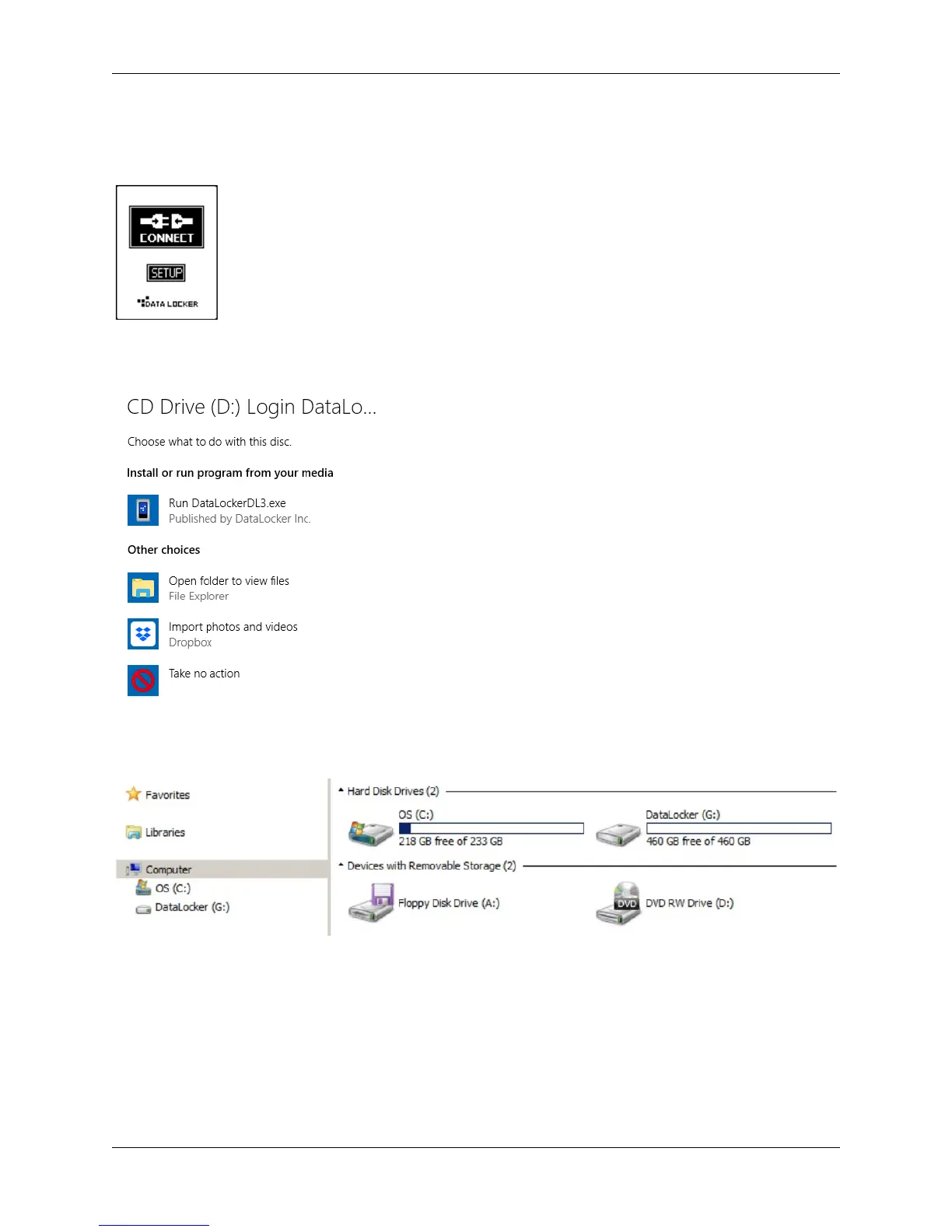
After entering the password, press the Connect button to start using the DL3 drive.
The drive will begin connecting to the computer. By default, Windows will show an AutoPlay dialog
once the drive has successfully connected.
In Windows Explorer you will now see a drive called “DataLocker” listed in the Hard Disk Drives section.
A new drive letter will be automatically assigned to this drive. You may now start using your DL3 drive!
© 2018 DataLocker Inc. All rights reserved. 6



 To Next Page