DL4 FE Encrypted External Hard Drive - v1.49/6.5.0 - User Guide
Formatting Your DL4 on Windows
1. Connect the DL4 to the computer and log in. See Initializing and Connecting your DL4 for
more information.
2. In the search box on the taskbar, type control panel.
3. Click and Open Control Panel.
4. Click on System and Security.
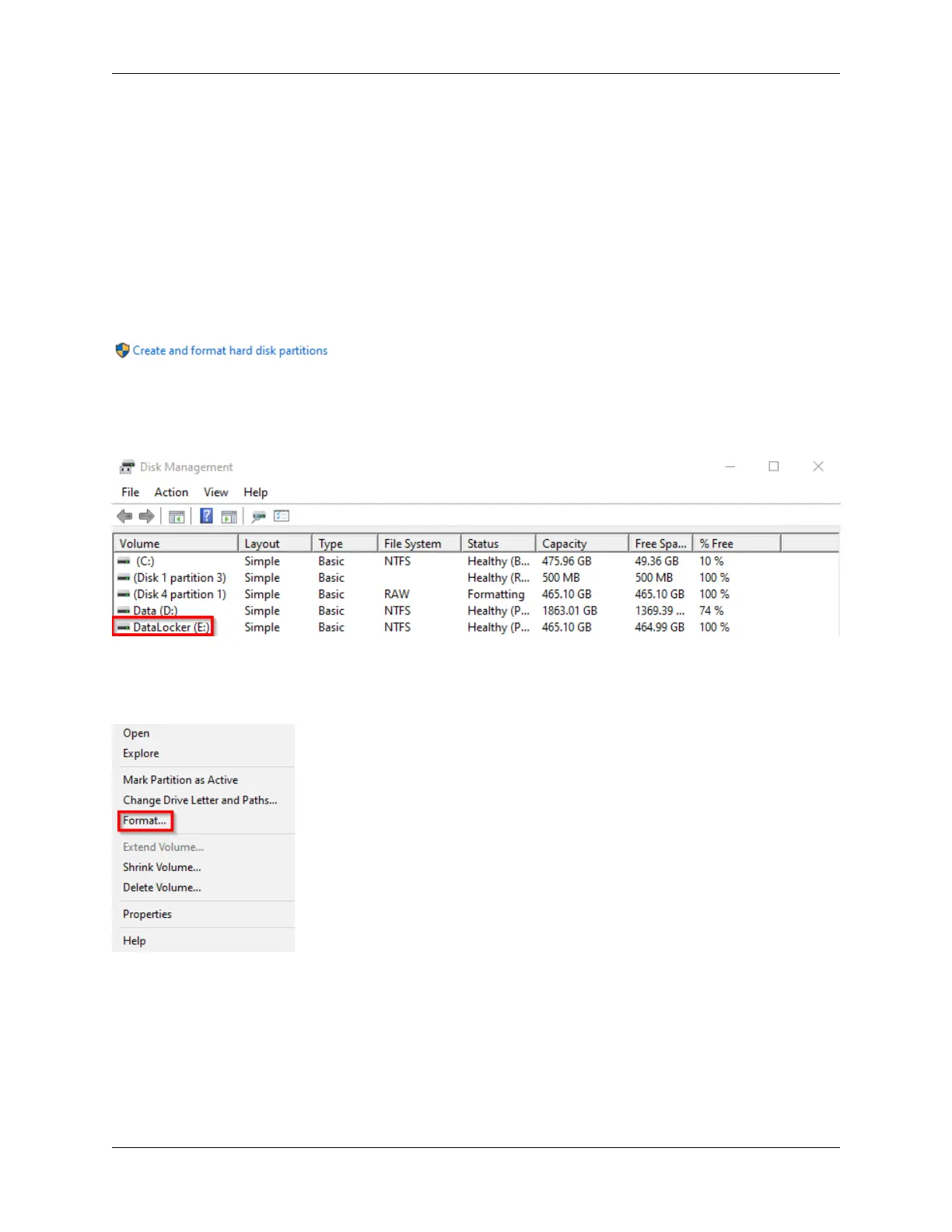
5. Click on Create and format hard disk partitions.
6. Right click on the drive letter that corresponds to your DL4. This example shows (E:).
7. Select Format.
8. Choose an appropriate ‘Volume Label’ and ‘File system’. Click OK.
© 2021 DataLocker Inc. All rights reserved. 12



 To Next Page