DL4 FE Encrypted External Hard Drive - v1.49/6.5.0 - User Guide
Features
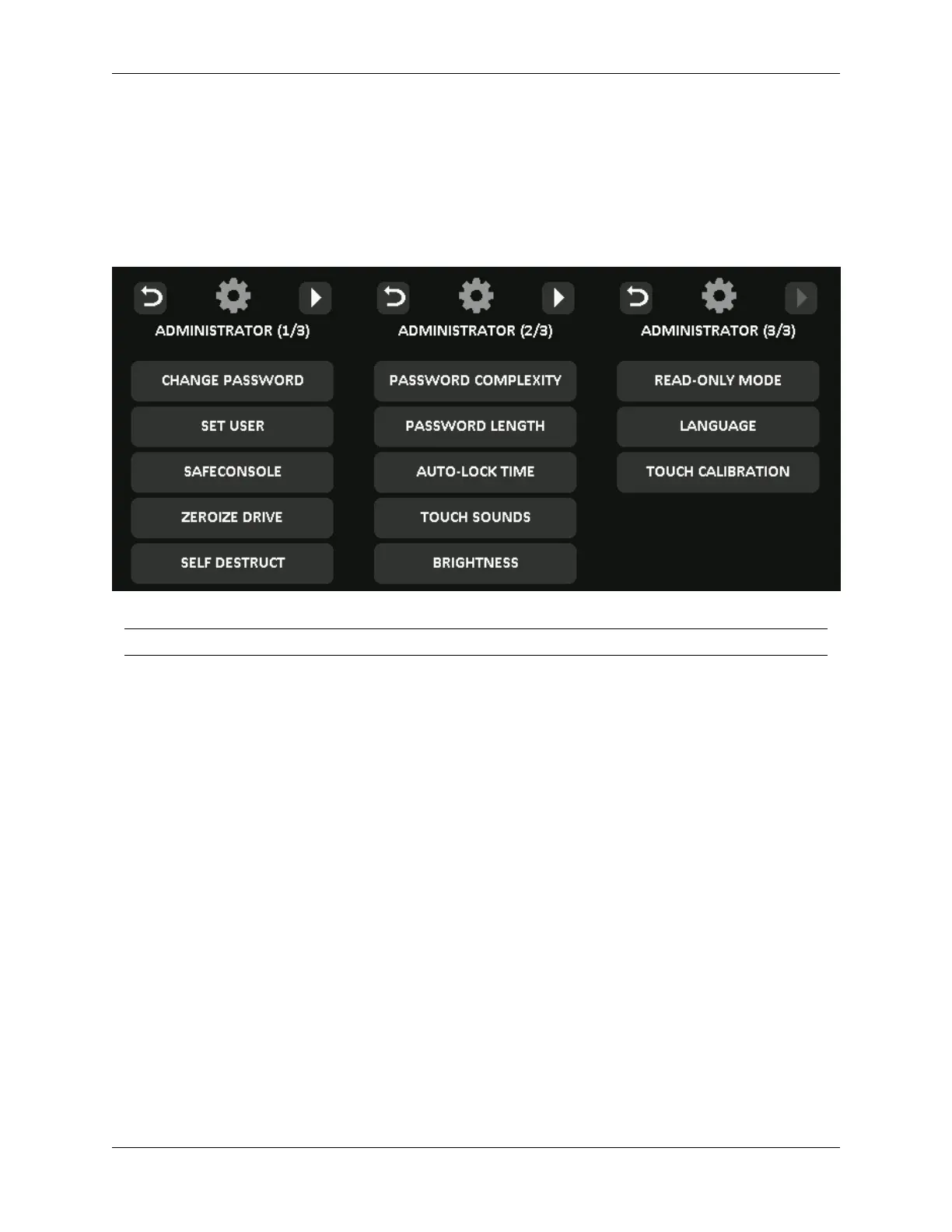
Administrator Menu
• Tap the 2-icon when you have unlocked the DL4 to access the Administrator Menu.
• Your configurations are saved when you connect the DL4.
Menu Option Details
Previous Menu/
Back Button
Tap to go back to the previous menu screen
and save the current settings.
Next Menu/
Forward Button
Tap to go forward to the next menu screen.
Change Password Change current administrator password.
Set User Configure a user profile for use on your DL4.
Only available to administrator.
SafeConsole Used to Enable SafeConsole functionality for your DL4.
Only available to administrator.
Zeroize Drive Zeroize the device. Only available to administrator.
Self Destruct Used to configure self-destruct counters and methods.
Only available to administrator.
Password Complexity Enable various options for increasing password strength.
Only available to administrator.
Password
Length
Set the acceptable minimum password length.
Only available to administrator.
© 2021 DataLocker Inc. All rights reserved. 16



 To Next Page