DL4 FE Encrypted External Hard Drive - v1.49/6.5.0 - User Guide
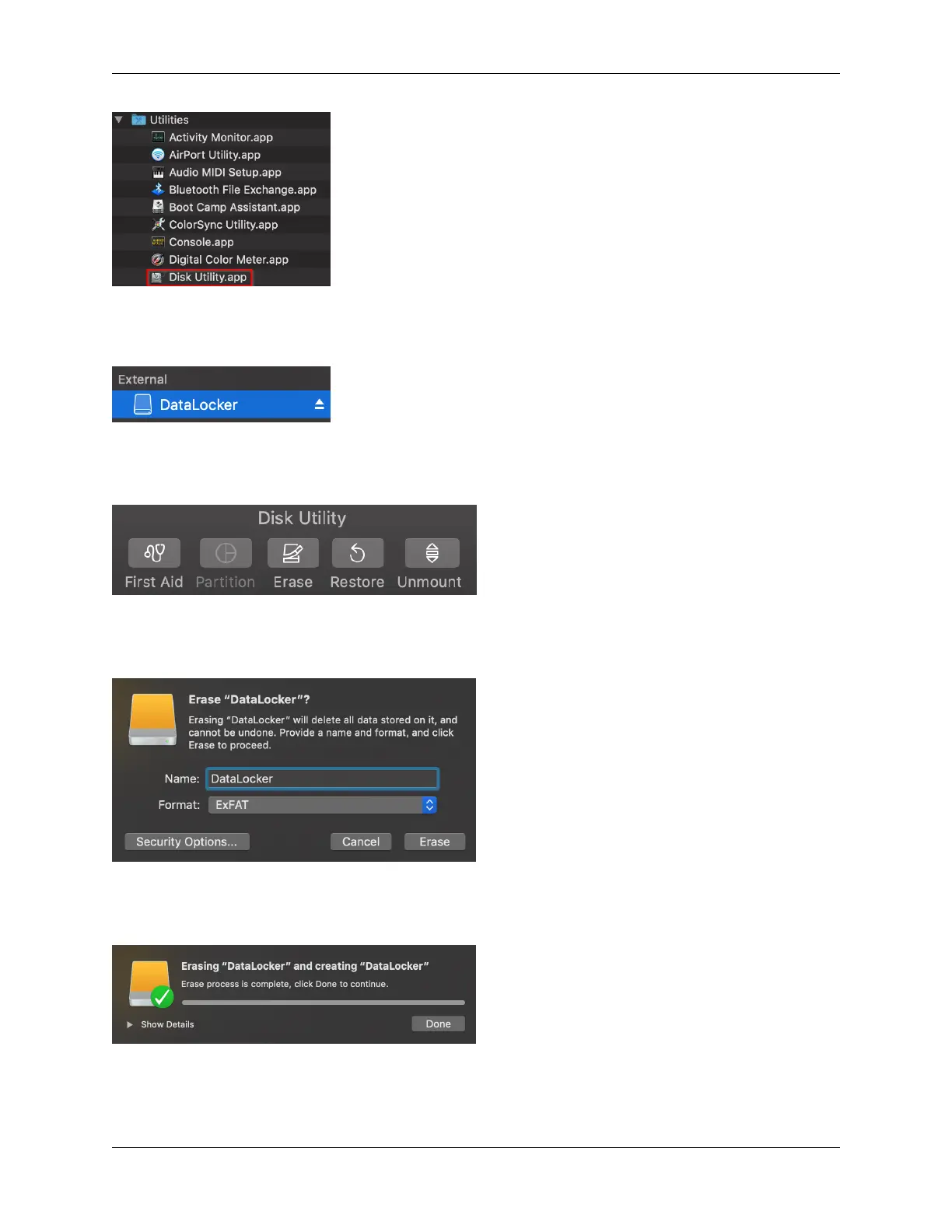
3. Select the unformatted DL4 disk.
4. Click the Erase tab at the top of the screen.
5. Rename the disk label to “DataLocker” and choose a file system.
6. Click Erase. The drive will begin formatting.
7. When it is finished formatting, you may get a popup message asking if you would like to
backup your drive with Time Machine. Choose your preferred option.
© 2021 DataLocker Inc. All rights reserved. 14



 To Next Page