EasyManua.ls Logo

Datalogic Cobalto CO5300 - User Manual

Datalogic Cobalto CO5300
40 pages
Print Icon
To Next Page IconTo Next Page
Loading...
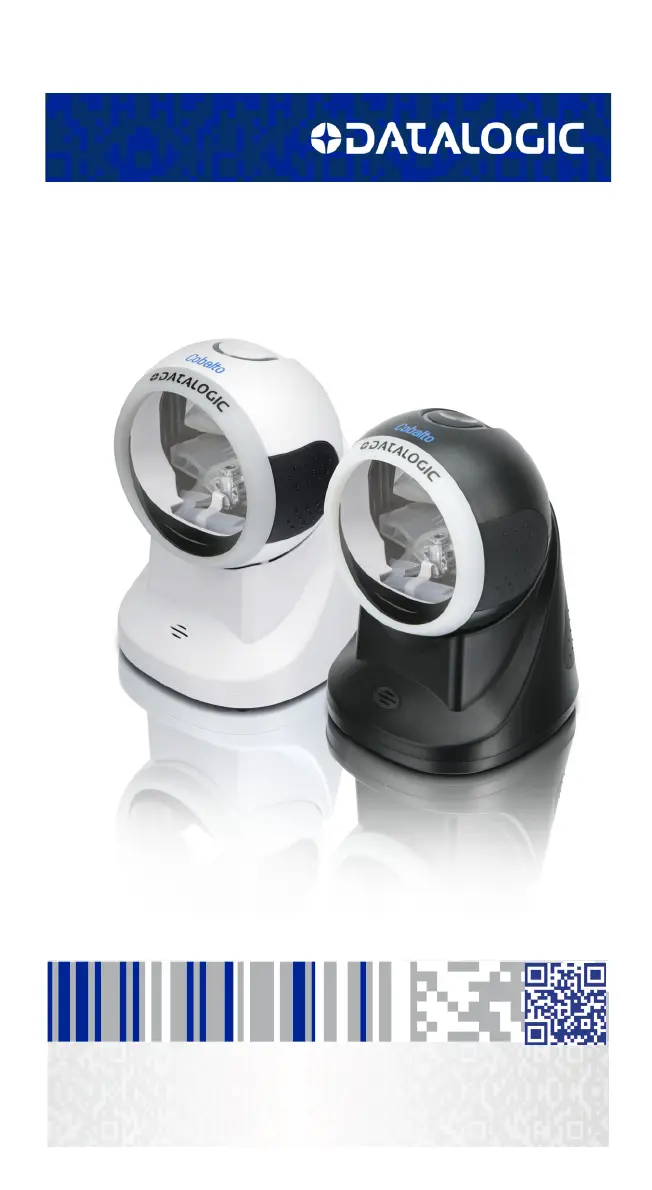
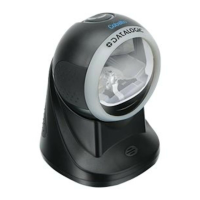
Cobalto™ CO5300
On-Counter Omnidirectional Presentation Bar Code Scanner
Quick Reference Guide

Questions and Answers

  • A
    Amber VanceAug 1, 2025
    What to do if the Datalogic Cobalto CO5300 target beam comes on, but the bar code does not decode?
    • N
      Nicole DavisAug 2, 2025
      If the target beam comes on but the barcode does not decode, there could be several reasons. First, the scanner may not be programmed for the correct bar code type, so ensure it is properly programmed. Second, the bar code label may be unreadable; check the label to ensure it is not defaced and try scanning another bar code. Finally, the distance between the reader and the bar code may be incorrect; try moving the scanner closer to or further from the bar code.
  • R
    Robert JimenezAug 12, 2025
    Why Datalogic Cobalto CO5300 Barcode Reader bar code is decoded but not transmitted to the host?
    • R
      Robert MckinneyAug 12, 2025
      The bar code may be decoded but not transmitted to the host if the reader is not programmed for the correct host type. Scan the appropriate host type bar code to resolve this.
  • W
    wariasAug 21, 2025
    How to fix a Datalogic Barcode Reader when nothing happens when the touch button is touched?
    • K
      Kimberly CrawfordAug 21, 2025
      If nothing happens when you touch the button, it could be due to a couple of reasons. First, there might be no power to the scanner; check the system power and ensure the power supply is connected. Second, the interface or power cables might be loose; make sure all cable connections are secure.

Summary

Controls & Indicators

Touch Button

Functionality of the top touch button for mode switching and waking the scanner.

Setting Up the Scanner

Selecting the Interface Type

Programming

Technical Features

Troubleshooting

Compliance

Warranty

Ergonomic Recommendations

Laser Safety

International Caution Statements

Safety warnings for laser use across different regions.

Class I Safety Certification

Scanner certified as Class I, not hazardous under normal operation.

Class I Safety Details

Continued Class I safety, authorized repair, optical instrument precautions.

Italian Laser Safety

Italian section on Class I safety, VLD, and optical instrument precautions.

Danish Laser Safety

Danish section on Class I safety, VLD, and laser light exposure warnings.

Dutch Laser Safety

Dutch section on Class I safety, VLD, and hazardous laser light precautions.

Swedish Laser Safety

Swedish section on Class I safety, VLD, and optical instrument risks.

Finnish Laser Safety

Finnish section on Class I safety, VLD, and laser light exposure from misuse.

Norwegian Laser Safety

Norwegian section on Class I safety, VLD, and hazardous laser radiation warnings.

Portuguese Laser Safety

Portuguese section on Class I safety, VLD, and hazardous laser light precautions.

Spanish Laser Safety

Spanish section on Class I safety, VLD, and hazardous laser light precautions.

Chinese Laser Safety

Chinese section on laser operation safety and optical instrument warnings.

Japanese Laser Safety

Japanese section on Class I safety, VLD, and laser light exposure warnings.

Hebrew Laser Safety

Hebrew section on international laser safety warning notices.

Datalogic Cobalto CO5300 Specifications

General IconGeneral
TypeFixed bar code reader
Sensor typeLaser
Scanner type1D
Read rate (max)1500 reads/s
Linear (1D) barcodes supported-
Standard interfacesUSB
Connectivity technologyWired
Product colorBlack
Protection featuresCrash proof
International Protection (IP) codeIP30
Storage temperature (T-T)-40 - 70 °C
Operating temperature (T-T)0 - 40 °C
Operating relative humidity (H-H)5 - 90 %
Weight and Dimensions IconWeight and Dimensions
Depth110 mm
Width99 mm
Height150 mm
Weight440 g

Related product manuals