INTRODUCTION
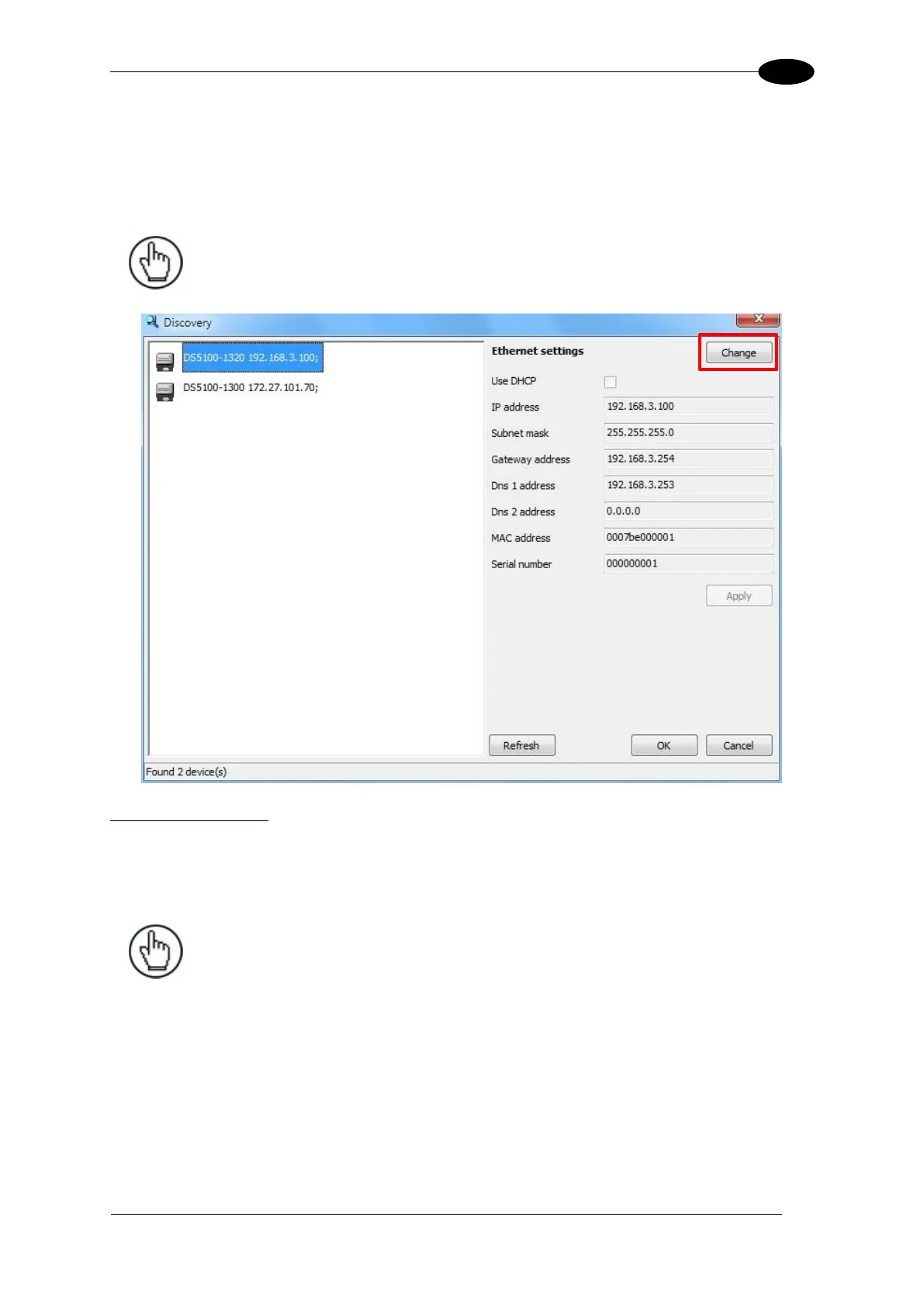
2.10 IP ADDRESS ALIGNMENT USING GENIUS DISCOVERY
For Bulit-in Ethernet and Profinet-IO models, the scanner IP address can automatically be
found on the Ethernet network by using the Genius Discovery utility available in the
Options>Communications tab.
NOTE: This feature only works for the built-in interfaces: Ethernet or
Profinet-IO.
Discovery Procedure:
1. Select the desired device by comparing the MAC address and/or Serial Number fields
with the label on the device.
2. Click the Change button to assign the desired IP address.
NOTE: It is advised to use an assigned static IP address instead of DHCP.



 To Next Page