EasyManua.ls Logo

Datalogic QuickScan 2500 Series - User Manual

Datalogic QuickScan 2500 Series
357 pages
Print Icon
To Next Page IconTo Next Page
Loading...
bztech.com.br
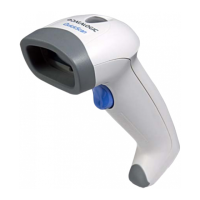
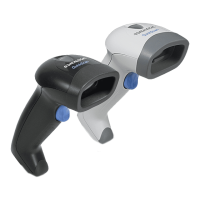
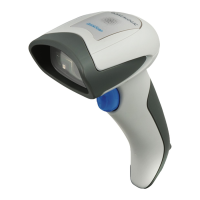
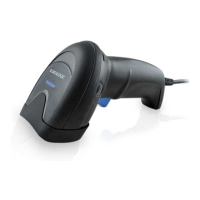
Leitor Datalogic QuickScan QBT2500
O Datalogic QuickScan QBT2500 é o seu companheiro de confiança no
checkout do PDV. Ele sabe muito bem a importância das leituras imediatas,
seja qual for o código de barras independentemente de ser difícil de ler,
mal impresso ou danificado.

Table of Contents

Other manuals for Datalogic QuickScan 2500 Series

Questions and Answers

  • C
    Carl BarkerJul 28, 2025
    What to do if my Datalogic QuickScan 2500 LED comes on, but the bar code is not decoded?
    • K
      Kara ThompsonJul 28, 2025
      If the LED is on but the barcode isn't decoded, there could be a few reasons. First, ensure the reader is programmed to read the type of barcode you're scanning. Second, check that the barcode label isn't damaged. Try scanning a different barcode. Lastly, adjust the distance between the reader and the barcode; move the imager closer to or further from the barcode.
  • K
    Karen MoranAug 8, 2025
    What to do if Datalogic Barcode Reader decodes but doesn't transmit to the host?
    • E
      Ernest WilliamsAug 8, 2025
      If the barcode reader decodes the barcode but doesn't transmit it to the host, the imager might not be programmed for the correct host type. Scan the appropriate host type barcode to resolve this issue.
  • M
    michelletorresAug 18, 2025
    Why nothing happens when I pull the scan button on my Datalogic QuickScan 2500 Barcode Reader?
    • L
      Lori TuckerAug 18, 2025
      If nothing happens when you pull the scan button, it could be due to a lack of power or loose connections. Check the system power and ensure the power supply is properly connected. Also, make sure all cable connections are secure.

Datalogic QuickScan 2500 Series Specifications

General IconGeneral
ConnectivityUSB, RS-232, Keyboard Wedge
CordedYes
Reading DistanceVaries with barcode symbology and density
Operating Temperature32°F to 122°F (0°C to 50°C)
Storage Temperature-4°F to 140°F (-20°C to 60°C)
Decode Capability1D
TypeHandheld
Resolution0.1 mm (4 mil)
Depth of FieldVaries with barcode symbology and density
Supported BarcodesCode 39, Code 128
Humidity5% to 95% non-condensing

Related product manuals