SG4 BASE
36/73
6 FUNCTIONS SETTING
6.1 RESET MODE
SG4-xx-xxx-OO-E models:
The interruption of a beam due to an opaque object causes the opening of OSSD outputs and the stop of the safety
light curtain SAFE (BREAK)
condition.
ESPE standard operation can be reset (OSSD safety contact closing = NORMAL OP. condition
) in two
different ways:
• Automatic restart - After its activation ESPE resets to standard operating condition once the object has
been removed from the controlled area.
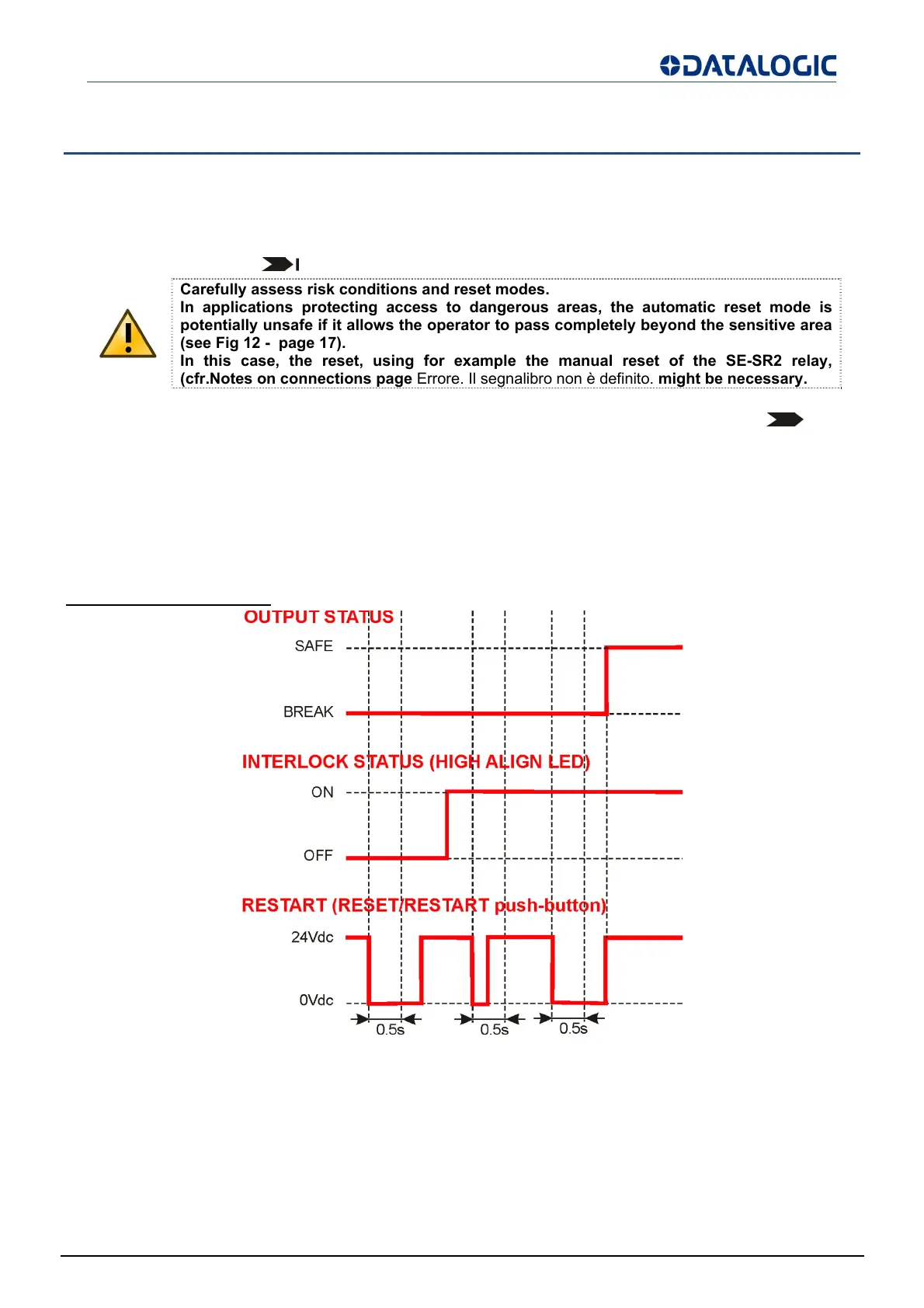
• Manual restart - After its activation ESPE resets to standard operating condition only once the reset
function has been enabled and provided that the object has been removed from the controlled area. This
condition, called interlock, is signalled on the display (see cfr.USER INTERFACE AND DIAGNOSTICS
page 41).
Time chart (Manual Restart)
Fig 35 - Time chart (Manual Restart)
The automatic or manual restart can be selected by connecting the receiver (see cfr.ELECTRICAL
CONNECTIONS page 26).
Carefully assess risk conditions and reset modes.
In applications protecting access to dangerous areas, the automatic reset mode is
potentially unsafe if it allows the operator to pass completely beyond the sensitive area
(see Fig 12 - page 17).
In this case, the reset, using for example the manual reset of the SE-SR2 relay,
cfr.Notes on connections pa
e Errore. Il se
nalibro non è definito. mi
ht be necessar
.


 To Next Page