SG4 BASE
42/73
8.2 DIAGNOSTIC MESSAGES
The operator can evaluate the main causes of the system stop or failure through the display and signalling LEDs.
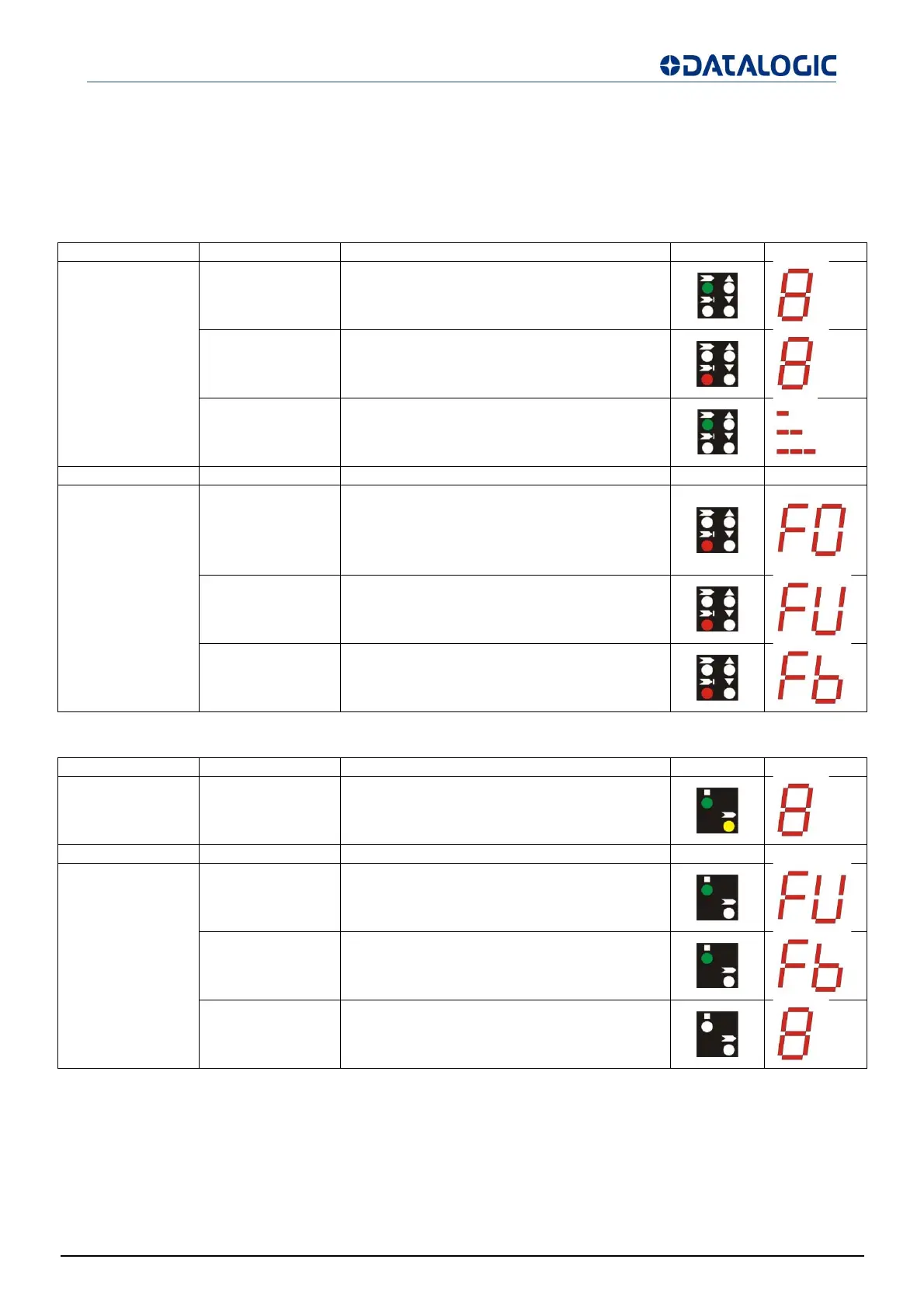
Diagnostic messages SG4-xx-xxx-OO-X models
For Receiver:
Function State Meanin
LED DIGIT
Normal operation
Emission
(OSSD ON)
(green ON)
Light curtain working in normal operating
conditions
Interruption
(OSSD OFF)
(red ON)
Light curtain working in safety block
conditions.
Signal level
Minimum (1 bar)
Medium (2 bar)
Maximum (3 bar)
Function T
pe Check and repai
LED DIGIT
Error status
OSSD error
(red ON)
Check OSSD connections. Make sure that
they are not in contact with one another or
with the supply cables, then Reset.
If the failure continues contact
DATASENSING.
Internal error
(red ON)
Switch OFF and switch ON the power supply
circuit. If the failure continues contact
DATASENSING.
Optical error
(red ON)
Reset. If the failure continues contact
DATASENSING.
For Emitter:
Function State Meanin
LED DIGIT
Normal operation
Emission
(green ON yellow
ON)
Light curtain in normal operating condition
Function T
pe Check and repai
LED DIGIT
Error status
Internal error I
(green ON)
Switch OFF and switch ON the power supply
circuit. If the failure continues contact
DATASENSING.
Optical error
(green ON)
Switch OFF and switch ON the power supply
circuit. If the failure continues contact
DATASENSING.
No power supply
(LEDs OFF)
Check connections and input voltage correct
value. If the failure continues contact
DATASENSING.


 To Next Page