DI-2008 Hardware Manual
Controls, Indicators, and Connections
9
4. Controls, Indicators, and
Connections
www.dataq.com
USB
CH8
CH7CH6
CH5CH4CH3CH2CH1
Download software at run.dataq.com
+15V GnD
60mA max
D0 D1 D2 D3 D4 D5 D6
DI-2008 Voltage, Thermocouple, and Pulse DAQ
Button
LED
0-30V Max
CountRateRecordEvent
120V rms max
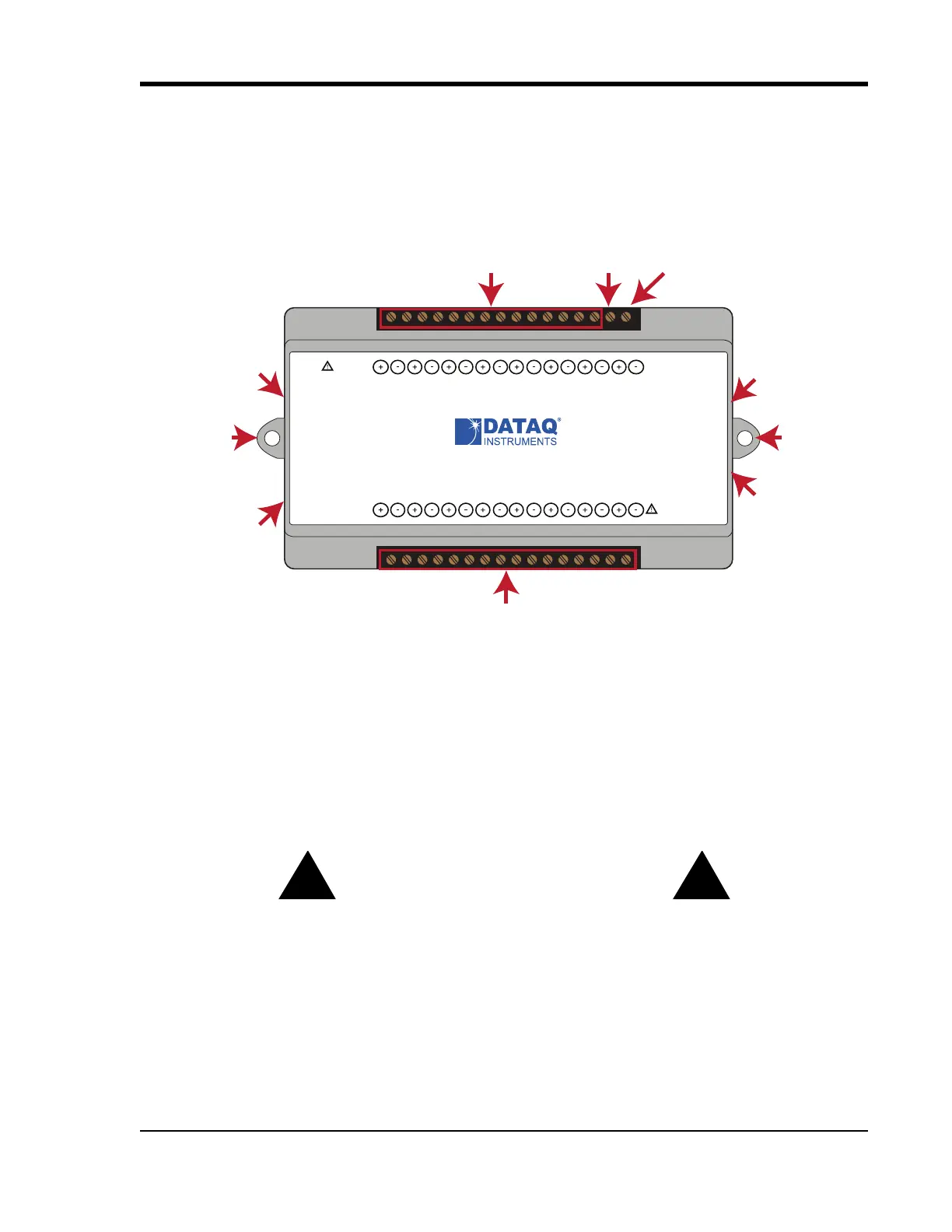
Analog In Channels 1-8
Digital Ports 0-6
Even Marker
Push Button
Activity LED
+15V Out
Ground
Mini-B USB
Connection
Bulkhead
mounting ear
Bulkhead
mounting ear
Micro SD
Card Slot
(not used)
Please note: The Micro SD card slot is not used in the DI-2008 Allowing foreign materials to enter the device through
the Micro SD card slot may result in damage to the instrument.
Mini-B USB Connection
Use the supplied USB cable to connect and power the instrument through your computer’s USB port.
Screw Terminals
All input signal connections are made to the 16-port screw terminals. Each terminal is labeled on the instrument case.
CAUTION
Never touch exposed screw terminal connector pins or screws. This instrument is electrically isolated, which means
that a potentially lethal voltage may be present on the screw terminals depending upon the measurement.
To avoid ESD damage in handling the device, take the following precautions:
Ground yourself with a grounding strap or by touching a grounded object before and during your handling of the
instrument.


 To Next Page