DI-2008 Hardware Manual
Controls, Indicators, and Connections
16
WINDAQ Remote Storage (D1 Record)
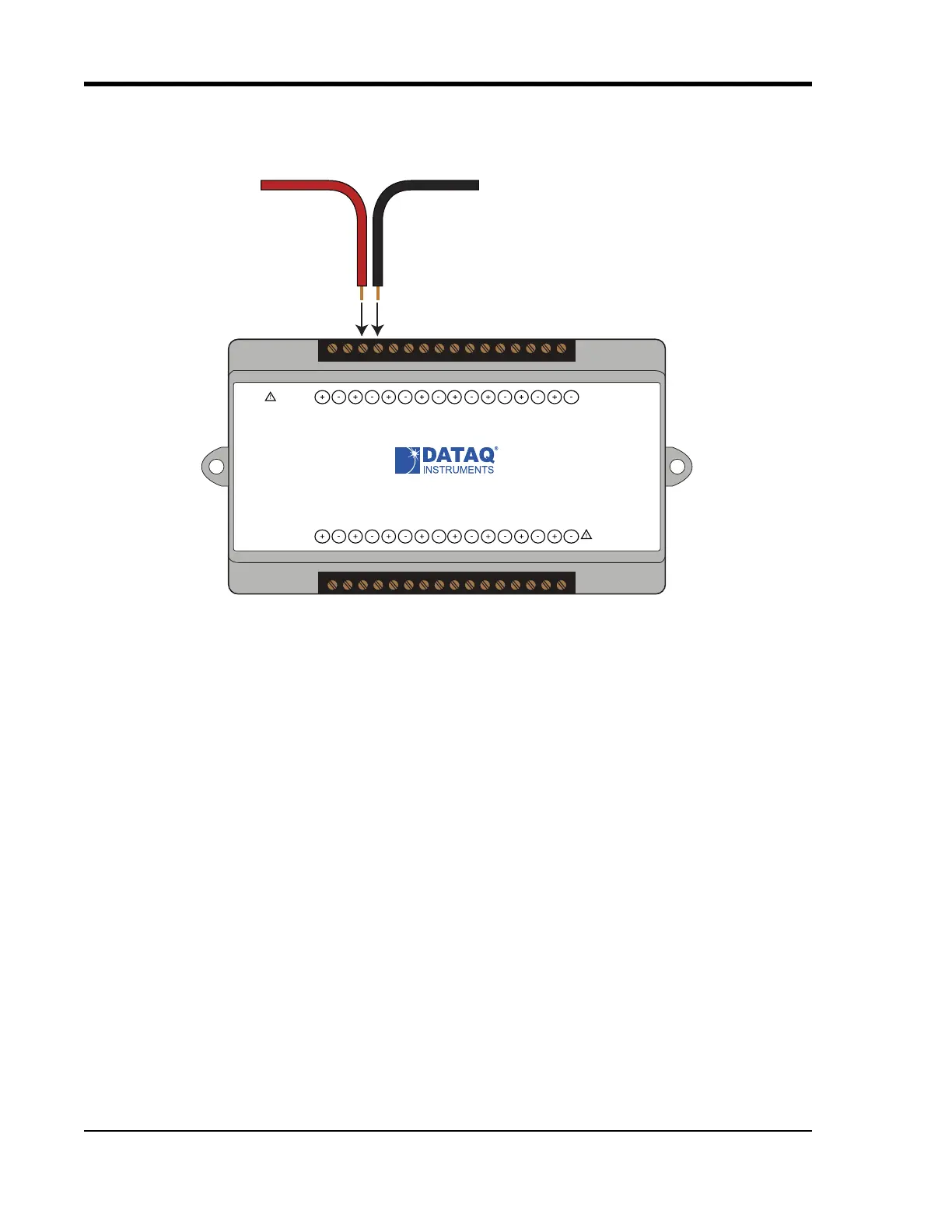
To use a switch closure or TTL signal (30 VDC max) to begin recording data remotely, connect signal leads to the
appropriate Remote Control Record terminals on the DI-2008 as shown below.
Once the switch closure or TTL signal (30 VDC max) is connected, activate Remote Storage (Record) through
W
INDAQ Acquisition Software. Storage to Disk may be automatically placed on the rising or falling edge of the trig-
ger signal. Use the menu command Options > Remote Storage 1 to set W
INDAQ to begin recording on low-to-high
transitions of the Record input. Use the menu command Options > Remote Storage 0 to set W
INDAQ to begin
recording on high-to-low transitions of the Record input.
WINDAQ Rate (D2 Rate)
Enable channel 10 to record Rate, or the number of falling-edge transitions per unit of time that are applied to this
input. Click on Edit > Channels in the W
INDAQ Acquisition menu to open the Channel Selection grid. Channel 10 is
Signal +
Signal -
www.dataq.com
USB
CH8
CH7CH6
CH5CH4CH3CH2CH1
Download software at run.dataq.com
+15V GnD
60mA max
D0 D1 D2 D3 D4 D5 D6
DI-2008 Voltage, Thermocouple, and Pulse DAQ
Button
LED
0-30V Max
CountRateRecordEvent
120V rms max


 To Next Page