DI-2008 Hardware Manual
Controls, Indicators, and Connections
12
Gain Settings for Voltage Measurements
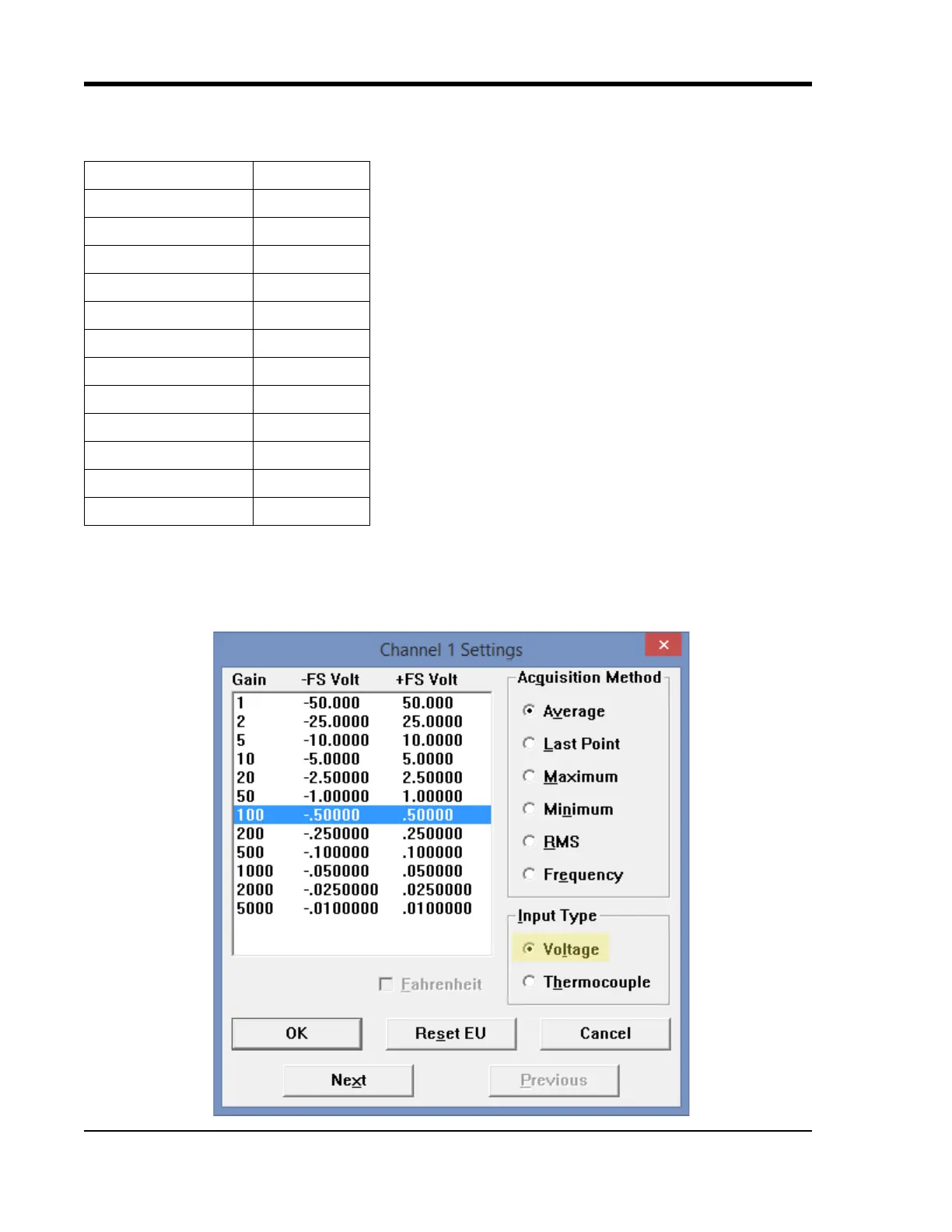
Each analog input channel on the DI-2008 may be programmed for one of 12 gain ranges.
Change the gain setting for each channel individually:
1. Select the channel (click on the channel box in the left hand side of the waveform screen).
2. Open the Channel Settings dialog box. Select Edit > Chan
nel Settings in the menu or press F10.
Measurement Range Gain Setting
±50V Full Scale 1
±25V Full Scale 2
±10V Full Scale 5
±5V Full Scale 10
±2.5V Full Scale 20
±1V Full Scale 50
±500mV Full Scale 100
±250mV Full Scale 200
±100mV Full Scale 500
±50mV Full Scale 1000
±25mV Full Scale 2000
±10mV Full Scale 5000


 To Next Page