PTZ TELEPROMPTER KIT TP-900
27
Importing Slides
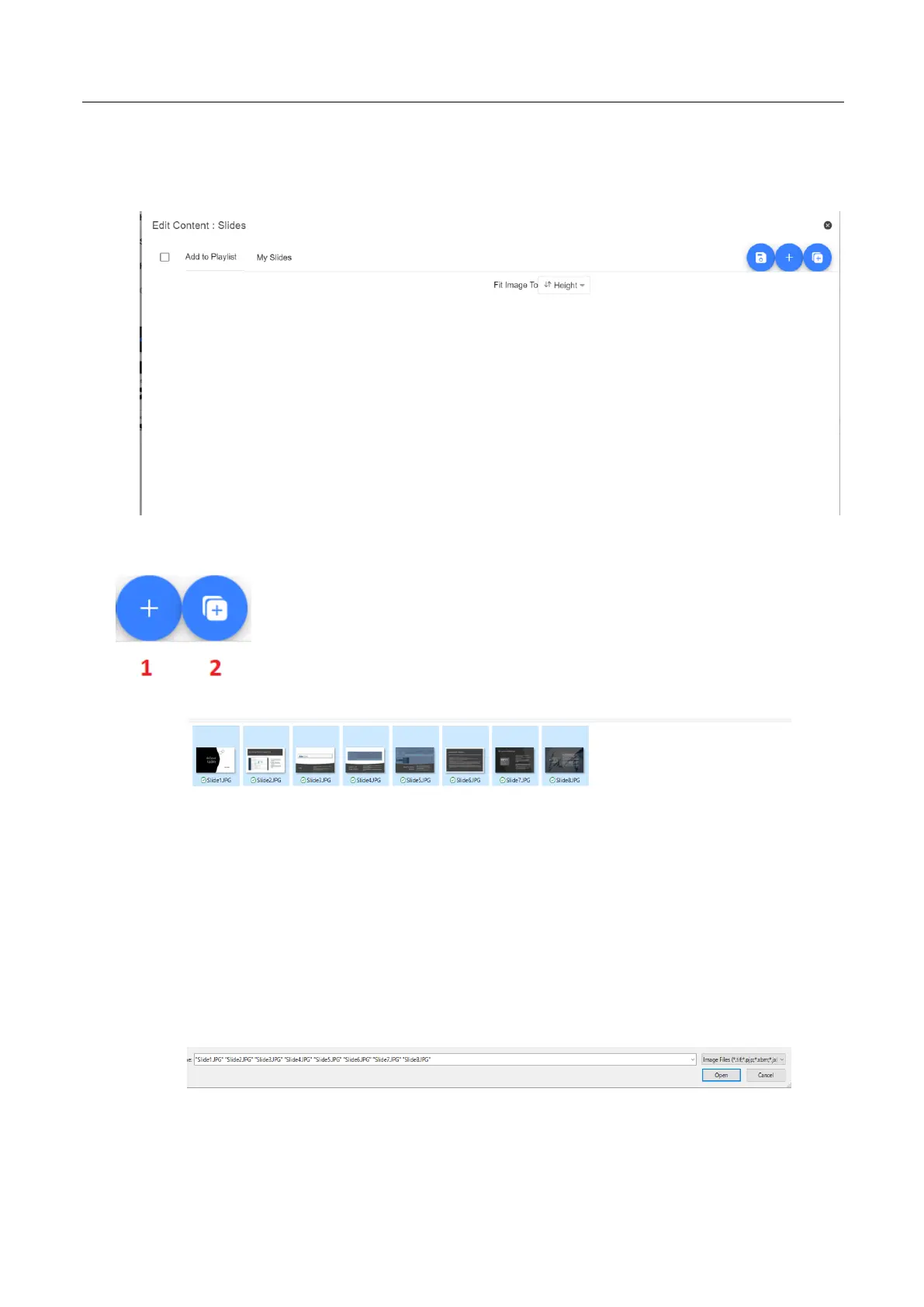
1. Tap or click the ‘+’ button and select the ‘Slides’ option.
2. Enter a title, here I have used ‘My Slides’
3. To import multiple slides, click button 2. Button 1 can be used to add a single slide to an existing
slide deck.
4. Select all the slides you want to import, CTRL + A can be used to select all.
5. Your slides will be imported in alphanumerical order, individual slides can be delete by clicking
the blue trashcan icon next to each slide.



 To Next Page