39
4.2.4.IP Configuration
The IP configuration menus set all the IP-related parameters required for the Cortex to communicate via network connection.
4.2.4.1. IP Configuration – General tab
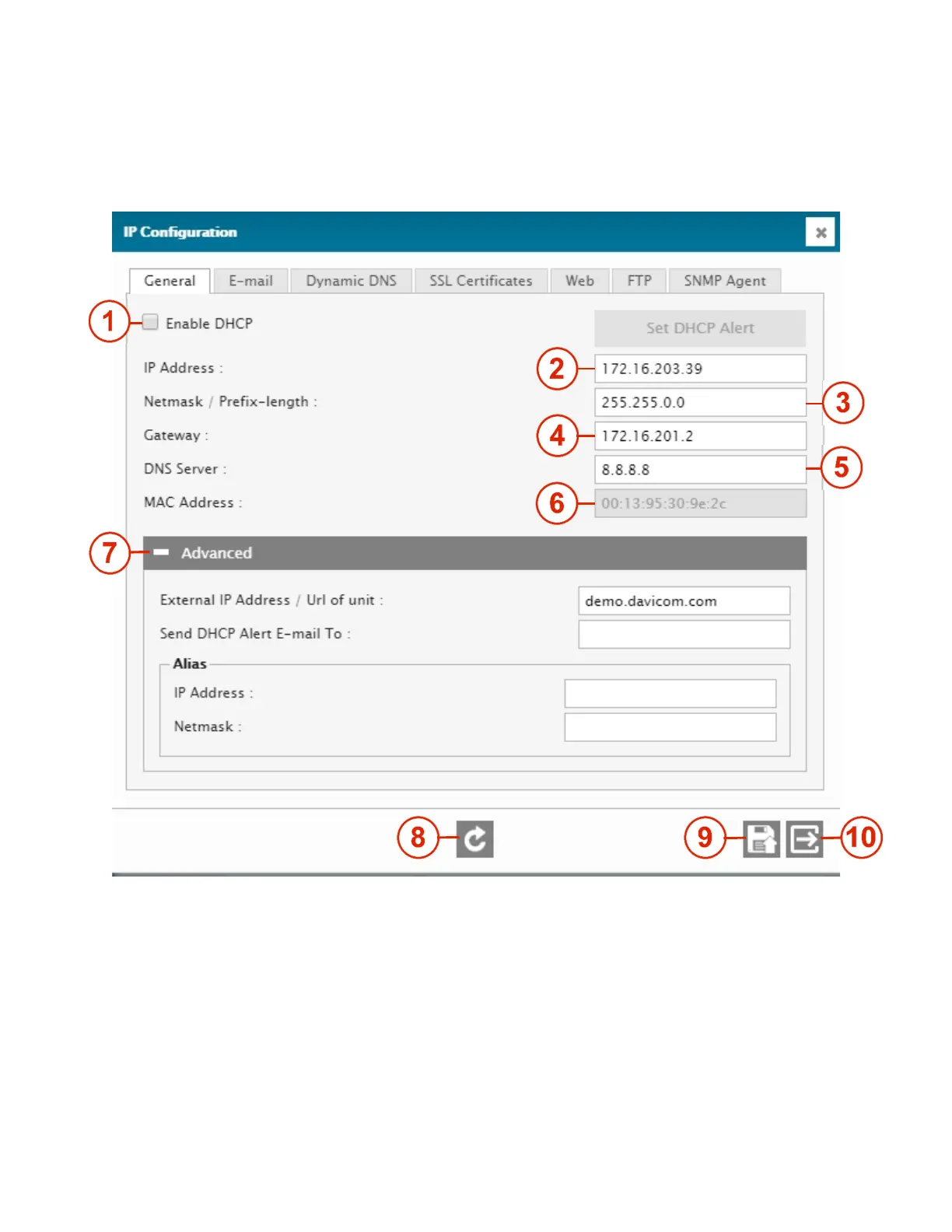
1 – ENABLE DHCP
Enable / disable the DHCP feature.
2 – IP ADDRESS
IP address of the unit.
3 – NETMASK
Netmask of the unit.
4 – GATEWAY
IP address of a Gateway. It is very important to set a gateway, otherwise, the unit may not communicate successfully
with the network.
5 – DNS SERVER
IP address of a Domain Name Server.



 To Next Page