74
4.4. Outputs Menu
4.4.1.Physical Relays
The Cortex relays provide a way to physically control low-power equipment. The relays are Form C (SPDT) and can handle
AC current up to 400mA at 70 volts, or DC current up to 2 Amps at 30 volts.
The control of equipment running at higher voltages or powers requires external relays.
Please see Section 4.3.1 for details about the generic Main screen, Description screen and Vocal Description screen.
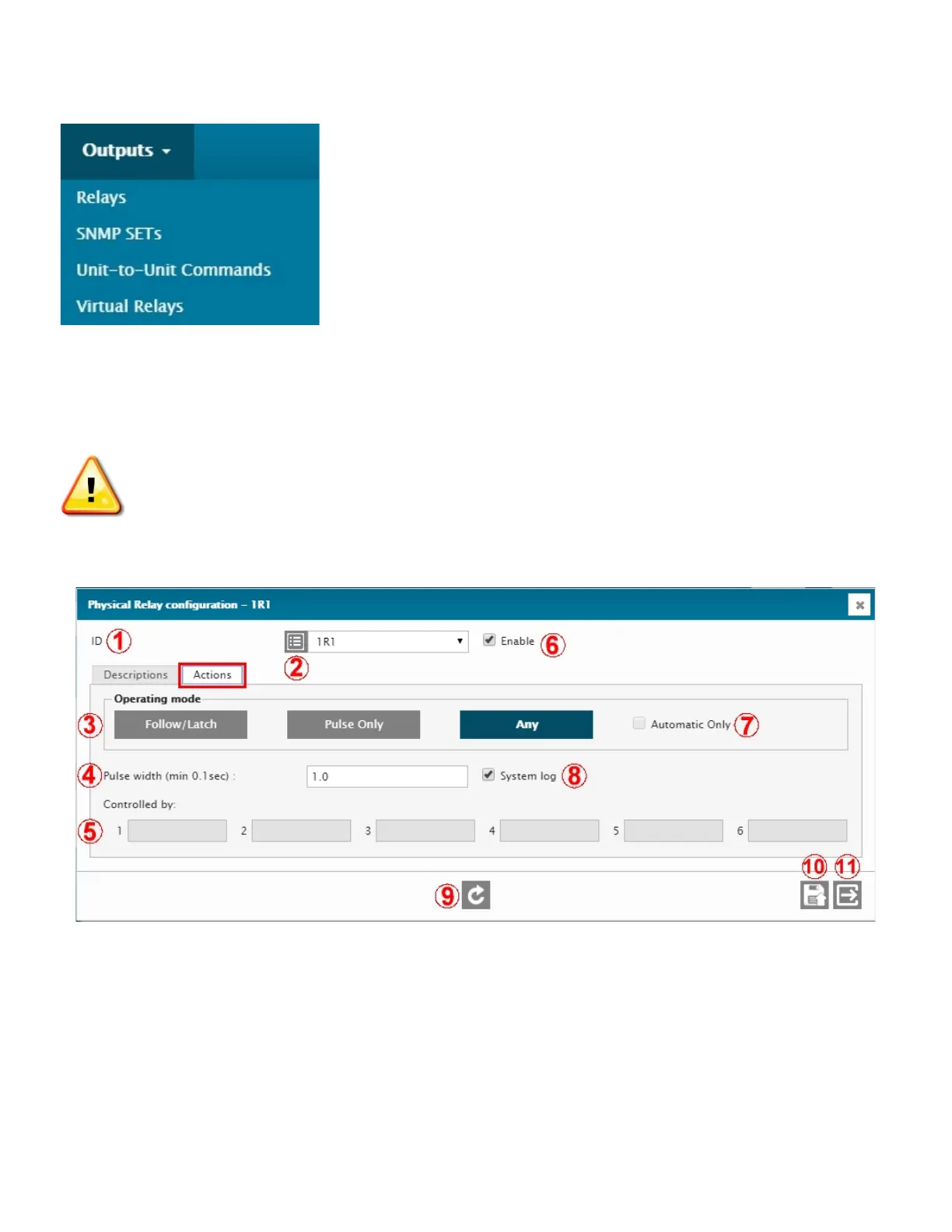
1 – ID
ID of the selected input. Select from the drop-down menu.
2 – I/O DESCRIPTION RETRIEVAL
Click to retrieve and display the current normal or active description. Normally hidden to minimize data transfers on
low speed or high fee data connections.
3 – OPERATING MODE
Select the desired relay operating mode. See the Relay Operation Modes below for details.
4 – PULSE WIDTH



 To Next Page