63
7 – MAXIMUM NUMBER OF RETRIES
Number of times a Ping Command will try to ping a non-responsive IP address before it turns to an active (high)
state. Maximum is 5 times.
8 – DELAY BETWEEN RETRIES
Amount of time between retries (see #7). Maximum is 9 seconds.
9 – ENABLE
Enable / disable the Ping Command.
10 – SYSTEM LOG
Log the input’s activity in the System Log.
11 – PING PERIOD
Amount of time between each ping request when normal. Maximum is 9999 seconds (about 2 hours and 45
minutes).
12 – SIGNALLING ON – ALARM
Enables / disables alarming. When checked, any out-of-limit condition will automatically generate an alarm. When
unchecked, no alarm will be triggered when an out-of-limit condition occurs.
13 – SIGNALLING ON – RETURN TO NORMAL
Enables / disables Return To Normal signalling. When checked, a notification will be generated when the input
changes back to its normal state after an out-of-limit alarm condition. When unchecked, no notification will be sent
when the initial alarm condition returns to normal.
14 – REFRESH / READ
Refresh / read the screen content.
15 – SAVE / WRITE
Save the screen content.
16 – EXIT
Exit menu.
QUICK-ACCESS MENU
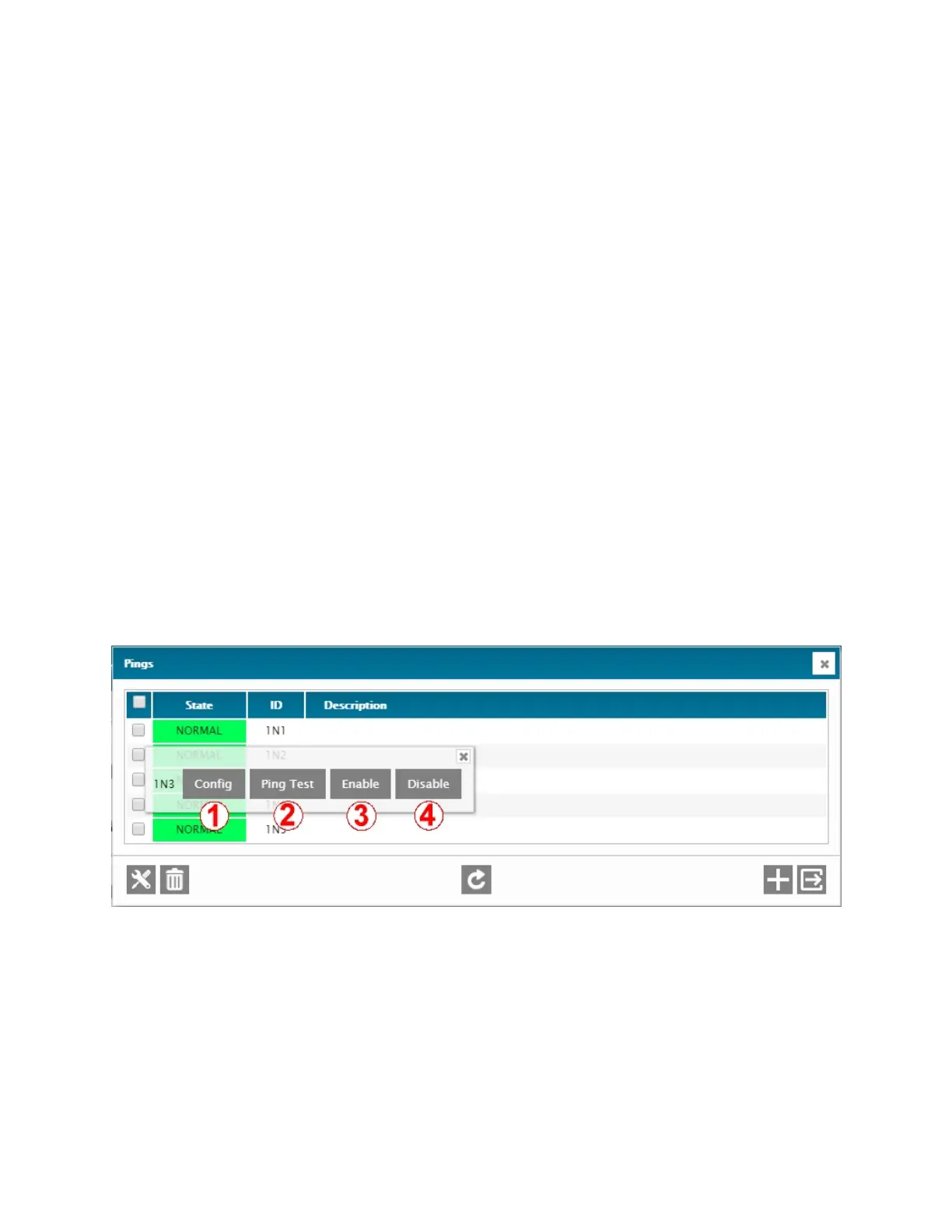
A quick-access menu is available by right-clicking on any Ping Command input line in the main relay menu screen. This
quick-access menu offers several manual commands, including one that is only available here, the Ping Test.
1 – CONFIG
Access the configuration menu of the selected Ping Command. Bulk configuration is possible.
2 – PING TEST
Manually generate a ping request for test purposes.
3 – ENABLE
Enable the selected Ping Command input.
4 – DISABLE
Disable the selected Ping Command input.



 To Next Page