dCS Delius User Manual Manual for Software Issue 2.3x
dCS Ltd September 2004
Manual filename: Delius Manual v2.3x.doc Page 60 email: more@dcsltd.co.uk
English version web-site: www.dcsltd.co.uk
MAINTENANCE AND SUPPORT
Service & Maintenance
dCS audio products are designed not to need regular maintenance, and contain
no user serviceable parts apart from the mains fuse.
Obtaining Service
If you experience problems with your Delius, you should check the
“Troubleshooting” section on page 64. You may be able to resolve the situation
yourself (for example, by changing a menu setting).
If this does not resolve the problem, contact your authorised dCS dealer for
advice, quoting the model, the full serial number (see Serial on page 32), the
software version number (see Issue on page 32) and giving a detailed
description of the fault. If further action is necessary, your dealer will advise you
fully.
Mains Fuse
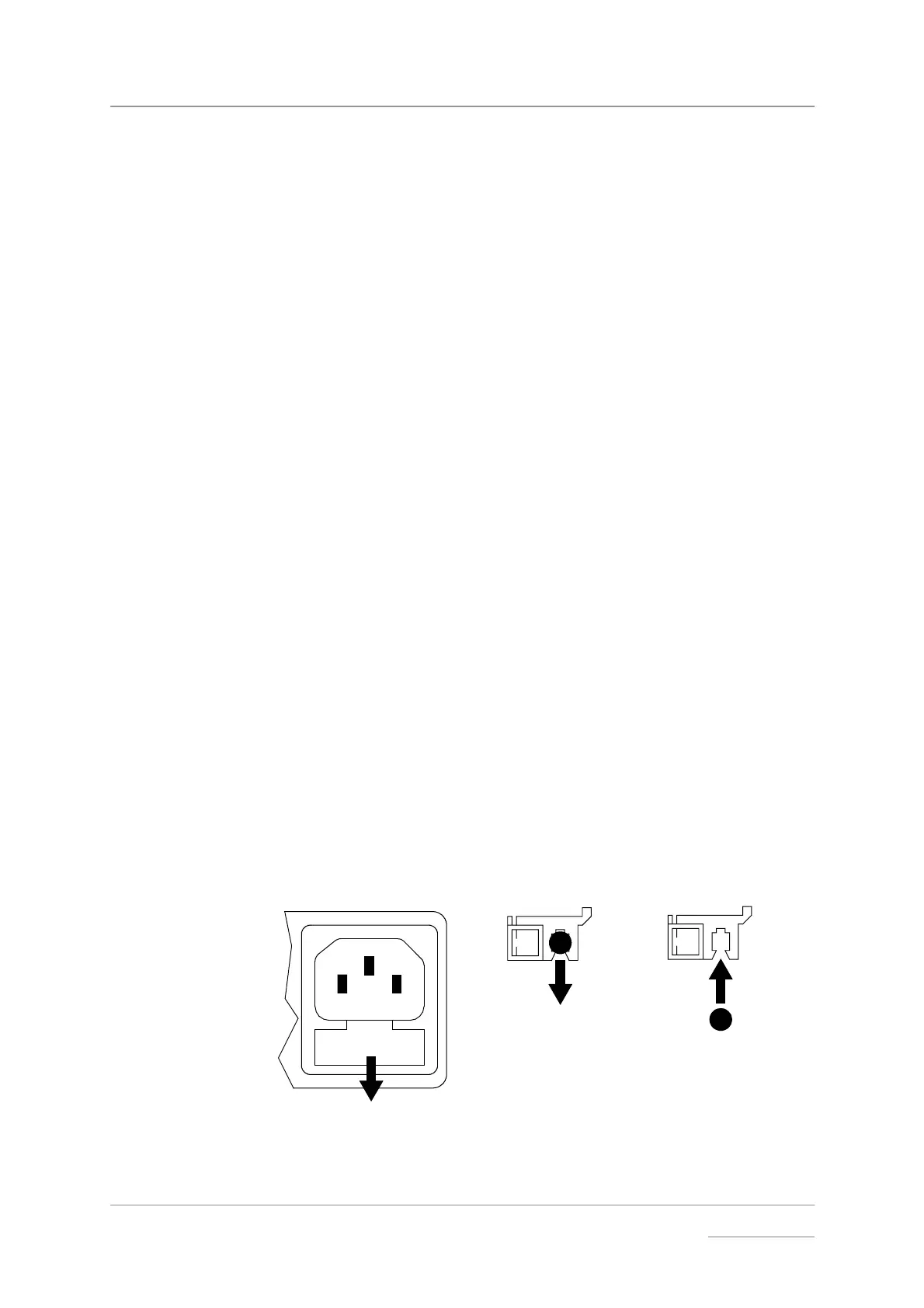
There is a mains fuse below the power inlet, accessible from the outside of the
unit. If the fuse blows, it may be changed by the user. The current consumption
of the unit is very low, so it only blows if power surges occur, or there is a fault
in the unit. Usually, power surges cause no other damage, but if the fuse blows
repeatedly on replacement, some other damage will have been done and the
unit must be returned to dCS for repair.
Fuse Type: 20 x 5mm 0.5 amp T HRC fuse
IMPORTANT! If the fuse should fail, it is essential that it be replaced with one of the same
type and rating. Failure to do so could result in damage to the unit, risk of
fire or electric shock and will invalidate the guarantee.
Replacing a Blown Fuse x
Referring to Figure 11, remove the power cable, use a small flat bladed
screwdriver to pry up the tab on the fuse carrier (A) and pull it out. Push the
blown fuse out of the clip in the carrier (B) and dispose of it. Fit a new fuse in
the clip (C) and push the carrier back into the unit so that it clicks home. Spare
fuses are provided with the unit.
C
B
A
Figure 11 – Changing the Mains Fuse
IMPORTANT! Disconnect the power cable before changing the fuse.



 To Next Page