
EasyManua.ls Logo

DCS RF24D - User Manual

DCS RF24D
40 pages
To Next Page IconTo Next Page
Loading...
1
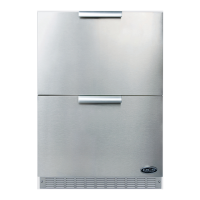
DCS REFRIGERATED DRAWERS
SERvICE mAnuAl
moDEl
RF24D

Table of Contents

Questions and Answers

DCS RF24D Specifications

General IconGeneral
Display TypeLCD
Aspect Ratio16:9
Contrast Ratio1000:1
Response Time5ms
Screen Size24 inches
Resolution1920 x 1080
Video InputsVGA
Viewing Angle170°(H) / 160°(V)

Summary

Introduction and Unit Basics

Unit Specifications

Details the technical specifications of the refrigerated drawers, including dimensions, power, and refrigerant.

Serial Nameplate Information

Explains the location and importance of the serial nameplate for unit identification and ordering parts.

Pre-Service Safety Precautions

Provides essential safety precautions and guidelines to follow before performing any service on the unit.

Basic Refrigeration Tools Required

Lists the essential tools required for performing basic refrigeration repairs on the unit.

Installation Requirements Overview

Outlines general requirements for installing the refrigerated drawer unit, freestanding or built-in.

Electrical Requirements

Specifies the necessary electrical power, circuit, and outlet requirements for the unit's safe operation.

Installation Guide

Power and Grounding

Details power connection requirements, emphasizing dedicated outlets, proper grounding, and GFI receptacles.

Location and Clearance

Guides on choosing an optimal location and maintaining necessary clearances for ventilation and performance.

Stability and Leveling

Emphasizes the importance of a level and stable surface for the unit to prevent movement and ensure proper door seal.

Preparation Before Loading Food

Instructions on preparing the unit before stocking it with food, including cleaning and initial cool-down.

Installing Drawers and Trim

Step-by-step instructions for installing drawers and side trim pieces for a finished appearance.

Anti-Tip Device Installation

Detailed steps for installing anti-tip brackets for floor and wall mounting to ensure unit safety.

Sealed System Service

Sealed System Overview

Introduction to sealed system servicing, emphasizing checks before opening and general repair principles.

Leak Detection and Repair

Covers identifying and repairing low side, high side leaks, and restricted capillary tubes, including component replacement.

Access Valves for Servicing

Discusses the use of temporary access valves for system evaluation, evacuation, and charging.

Evaporator Frost Pattern Diagnosis

Explains how to diagnose system issues by examining the evaporator's frost pattern.

Pressure and Temperature Measurement

Provides methods for measuring evaporator plate temperature and a chart correlating pressure with temperature.

Re-charging Procedure

Details the procedure for re-charging the refrigeration system after repairs, including evacuation and pressure checks.

System Components

Accessing Mechanical Baseplate

Explains how to access the mechanical baseplate for servicing components.

Compressor Service

Covers diagnosing, removing, and installing the compressor, including related electrical components.

Condenser Service

Explains the condenser's role, common issues, and procedures for its removal and installation.

Evaporator Function

Describes the evaporator's function in cooling and the importance of uniform frost patterns.

Condenser Fan Service

Details the condenser fan's function, how to check it for faults, and removal/installation procedures.

Thermistor Function and Testing

Explains thermistor functions, fault indicators, testing procedures, and removal steps.

User Interface and Control System

Control System Overview

Introduces the control system's role in monitoring the unit's operation via a user interface panel.

Basic Operations

Instructions on starting the unit, setting temperature modes, and adjusting temperature controls.

Interior Light and Switch

Explains the automatic operation of interior lights and their connection to the display panel and fan.

Holiday Mode Operation

How to enable and disable Holiday Mode, which conserves energy by disabling features.

Warning Alarms and Resetting

Describes alarm types (door, temp, power), indicators, and procedures for resetting them.

Show Room Mode

How to enable and disable Show Room Mode for display purposes without running internal components.

Error Code Detection

Explains how the unit detects errors, displays codes, and provides a table for reference.

Service Diagnostics Mode

How to enter and use Service Diagnostics Mode to test components and view system status.

Interior Components

Lights Replacement

Instructions for replacing the interior lights, including top and divider lights.

Drawer Front Adjustment

Details on how to adjust the drawer fronts for proper alignment and appearance.

Drawer Glides Maintenance

Notes on the drawer glides, their cleaning, and that they are not adjustable.

Divider and Heater Strip

Describes the divider's function, addressing condensation, and activating the heater strip.

Circulation Fan Assembly

Information on the circulation fan's role and how to remove it for servicing.

Wiring Diagram

Wiring Diagram

Illustrates the electrical connections and pathways for all components within the unit.

Ordering Parts

Parts Ordering Information

Provides necessary information and contact details for ordering replacement parts for the unit.

Troubleshooting Guide

Unit Operation Issues

Addresses common problems like unit not operating or display issues, with possible causes and corrections.

Alarm and Mode Troubleshooting

Troubleshoots alarms (door ajar, temp, power) and issues with Holiday or Show Room modes.

Error Code Troubleshooting

Provides troubleshooting steps for specific error codes (E1-E4) related to compressor, fan, and thermistors.

Service Mode and Software Issues

Troubleshoots problems with engaging/disabling Service Mode and incorrect software installations.

Warranty Information

Limited Warranty Coverage

Details the one-year parts and labor warranty and the additional four-year sealed system warranty.

Warranty Exclusions

Lists conditions and situations not covered by the limited warranty, such as misuse or unauthorized service.

How to Obtain Service

Instructions on how to obtain service and contact information for inquiries or support.

Commercial Use and Other Warranties

Clarifies warranty applicability for residential use and states the exclusivity of the limited warranty.

Related product manuals
