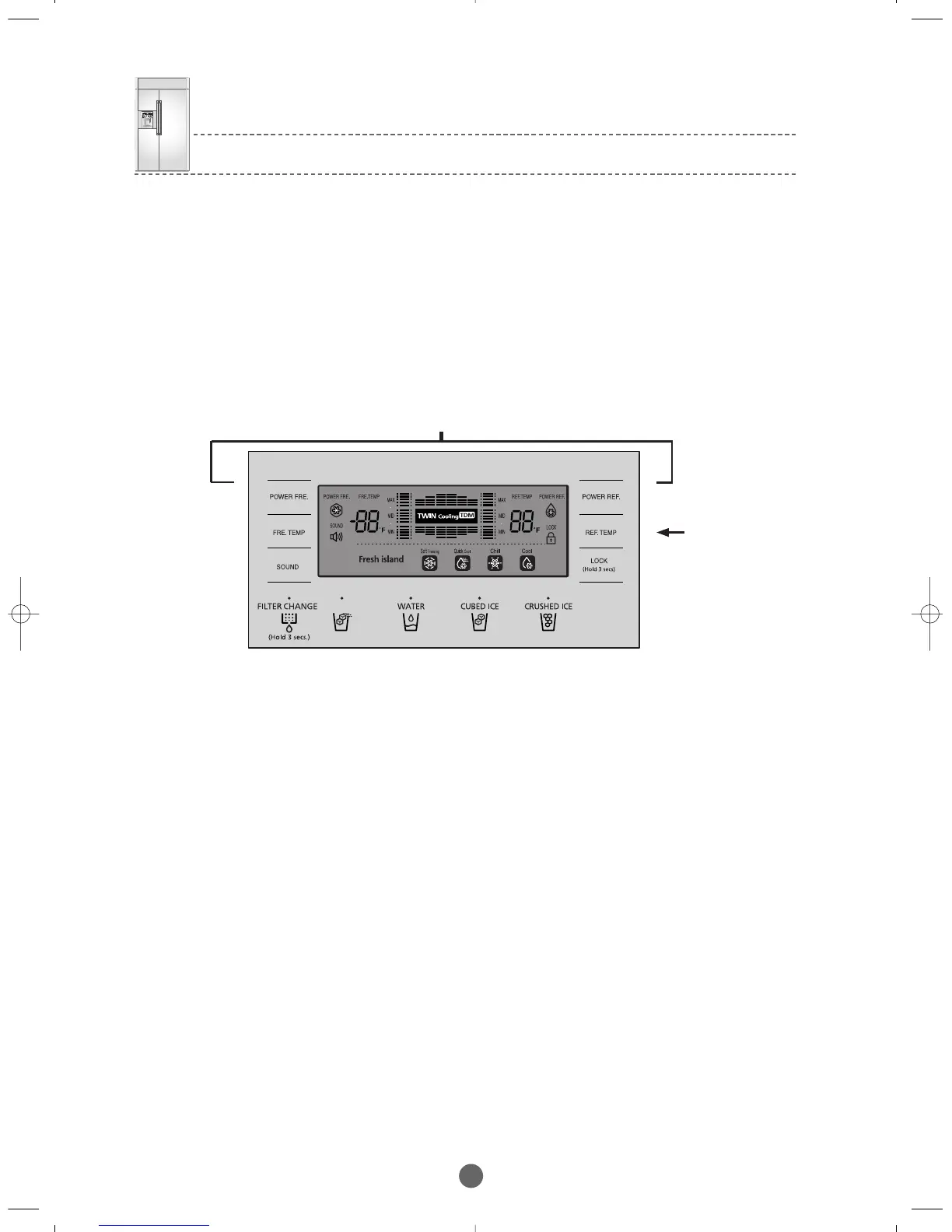
Press them simultaneously for 6 seconds and then the R-Room ①
5) Load Status Display Function
1) When pressing the POWER FRE. and the POWER REF. buttons simultaneously for about 6 seconds during normal
operation,the F/R-Room temperature LCD blink for 2 seconds at an interval of 0.5 sec on/off..
At this point,when taking your finger off the POWER FRE. and the POWER REF. buttons and pressing
the REF. TEMP temp button,it goes into the Load Status Display.
2) The Load Status Display shows the load in operation in real time.(what is operating at the time)
However,it is not related to the actual operation status of load.It only shows the load operation command from MICOM.
3) The LCDs for only the loads in operation blink repeatedly.(segments of the display will blink)
4) The Load Status Display continues for 30 seconds and then is restored to the normal display.
6) Restoration of Operation Conditions during Power Failure
1) Power failure or initialization of the Panel Display can cause the customer to call for service.
To avoid this,if the power on,it determines the temperature of the F-Room to decide whether to go into initialization or to restore the
previous operation conditions.
2) With the initial power is on,it determines the temperature of the F-Room.If it is below 41℉,it considers it as power failure and restores
previous functions (POWER. FRE , POWER. REF F-and R-Room Settings,ICE Types,etc.)related to the PANEL DISPLAY.
3) With the power is on,it determines the temperature of the F-Room.If it is over 41℉, it considers it as extended power failure and starts
to initialize the PANEL DISPLAY (Automatic setting as the F-Room at 0℉ and the R-Room at 38℉ and ICE CRUSHED).
② then
press
BRANDSOURCE-SM(EN) 2007.1.23 10:31 AM 페이지32



 To Next Page