35
Communication Error between door Panel <->Main
0.5 sec all on/0.5 sec all off
Communication Error between Main <->Load
0.5 sec all on/0.5 sec all off
None
Proceed until the communication error is
corrected
.
“Communication Error between door Panel <->Main” has
priority over “Communication Error between Main <-> Load.”
8) Self-Diagnosis Function
① Self--Diagnosis with Initial Power On
1) With power on,MICOM checks the temperature sensors for errors in a second.
2) A defective sensor is found by self-diagnosis,relevant display LED segments willfalsh on and off at intervals of 0.5 sec. there will be
no beep sound .Even though sensor has a defect,the system will operate emergency mode.
3)
When display LED segments are blinking with
defective
sensors found,it only recognizes the self-diagnosis button (Press POWER
REF. and POWER REF. buttons for 8 sec.) normal temp control will be on hold.
4) After self-diagnosis error,when the faulty sensor is repaired or when the POWER FRE. and the POWER REF. buttons are
pressed for 8 sec,the initial self diagnosis will be canceled.
② Self--Diagnosis during normal operation
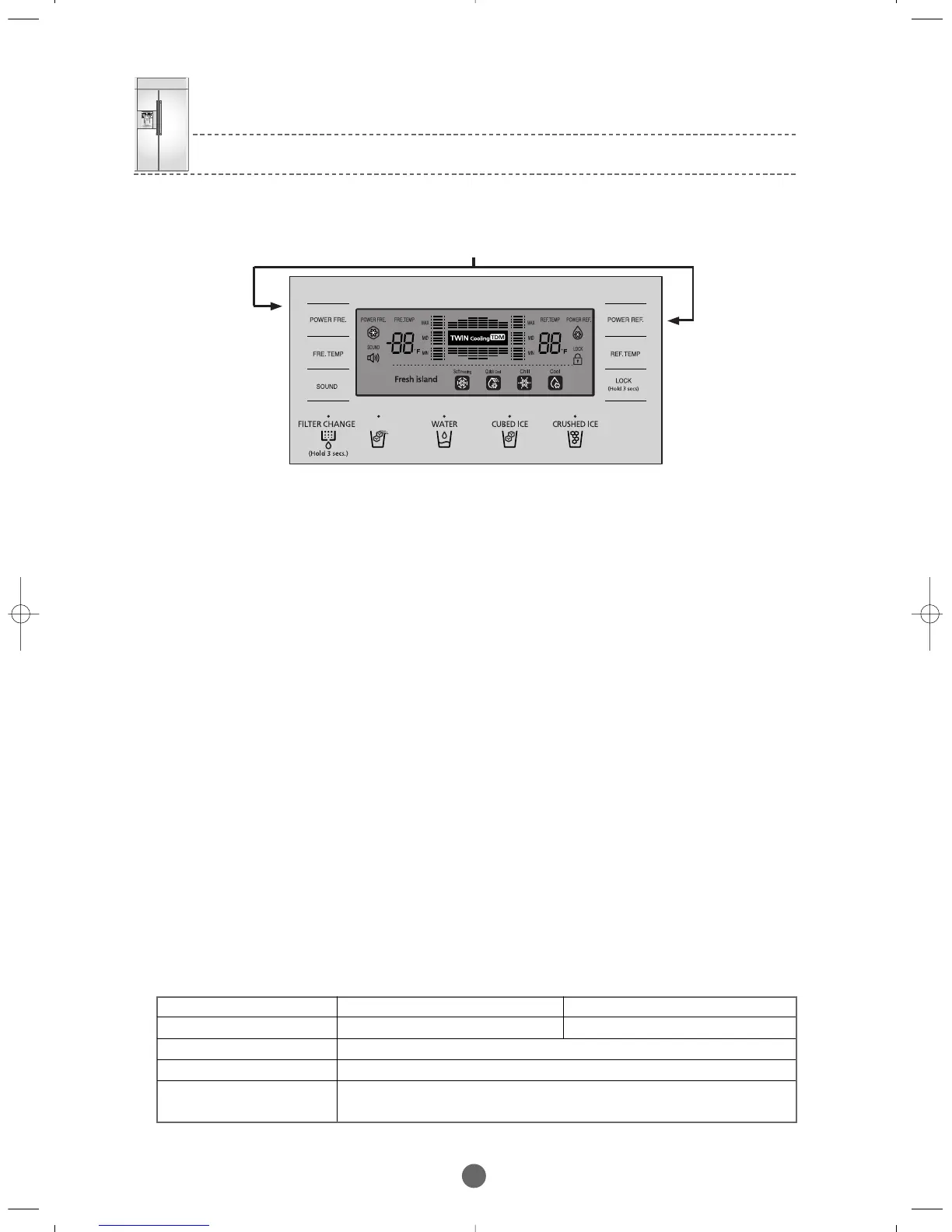
1) When pressing the POWER FRE. button and the POWER REF. simultaneously for
6 sec during normal operation,the entire temperature setting display will blink for 2sec at the interval of 0.5 sec then when pressing
the POWER FRE. button and the POWER REF. but t on simultaneously f or 8 sec i ncluding 2 sec bl i nking,self-diagnosis
will be selected.
2) At this point,the sound goes off and the refrigerator goes into the self-diagnosis.
3) When the self-diagnosis starts,the entire LEDs turn off and the error related LED segments blink indicating errors.(See the Self-
Diagnosis Checklist below)
4) When an error occurs,it will be displayed for 30 seconds and then restored to the normal status regardless of its fault.
5) During the self-diagnosis,button selectlons will not be recognized.
③ MICOM Communication Error
1) If any communication error between door Panel ↔Main MICOM is maintained for 10 seconds with the power on,the refrigerator is
converted to Communication Error Display mode.
2) Then,the entire display panel blinks at the interval of 0.5 sec on and 0.5 sec off until the error is corrected.
3) When a communication error occurs between Main ↔Load after normal operation, the communication between door Panel ↔
Main MICOM with the initial power on,Main MICOM immediately sends the error message between Main ↔Load to the door
Panel,and the Panel MICOM immediately goes into the Main ↔Load Communication Display mode.
4)Then,the entire display panel blinks at the interval of 0.5 sec on and 0.5 sec off until the error is corrected.
Category
Display Options
Button Recognition
Display Range
Display Priority
Press for 8 seconds simultaneously



 To Next Page