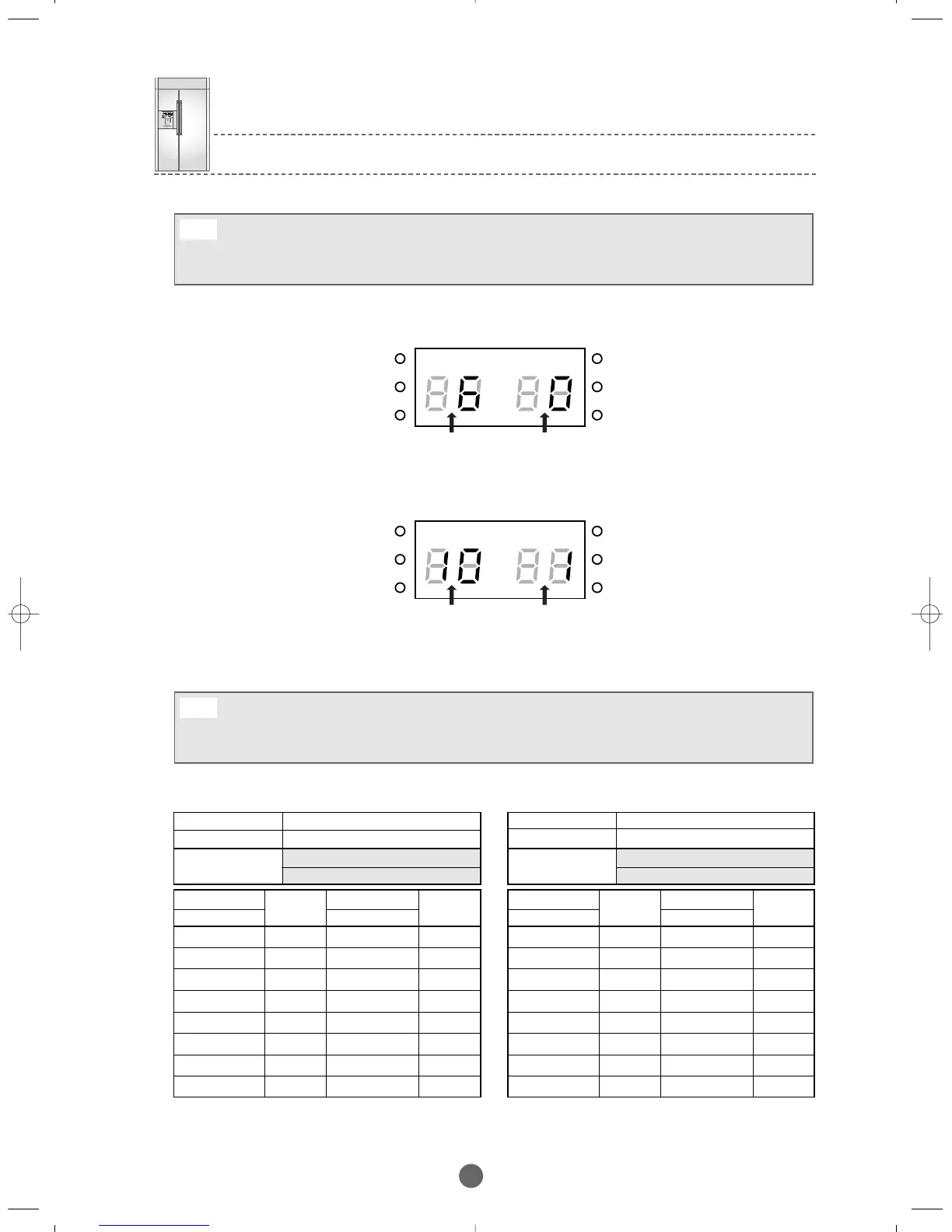
Example)To increase the standard temperature of the FRIDGE by 34.7℉(1.5℃).
① Table for changing temperature in the F-Room
FREEZER TEMP SHIFT
QUEEN –PJT
DISPLAY
Position:FRIDGE 7-SEG
0
Common Common
All the data for the Option is cleared before leaving the factory.
All the setting values are "0" However,some units can have different setting values for the purpose of quality
improvement during mass production.Please make sure to check the Quality Information.
Note
By pressing the FRE.TEMP button and the POWER REF. button, various options including the above functions can
be set. They are items related to controlling the refrigerator and having no relevance to A/S.So. (Do not set options
except those in A/S Manual above.)
Note
4-16) Option Table
Set Item
FREEZER 7-SEG
Set Item
FREEZER 7-SEG
Set Item
MODEL
0
1
2
3
4
5
6
7
32℉
31℉
30℉
29℉
28.4℉
27.5℉
26.6℉
26℉
8
9
10
11
12
13
14
15
33℉
34℉
35℉
35.6℉
36.5℉
37.4℉
38℉
39℉
32℉
31℉
30℉
29℉
28.4℉
27.5℉
26.6℉
26℉
33℉
34℉
35℉
35.6℉
36.5℉
37.4℉
38℉
39℉
①Table for changing temperature in the R-Room
FRIDGE TEMP SHIFT
QUEEN-PJT
DISPLAY
Position:FREEZER 7-SEG
1
Common Common
Set Item
FREEZER 7-SEG
Set Item
FREEZER 7-SEG
Set Item
MODEL
0
1
2
3
4
5
6
7
8
9
10
11
12
13
14
15
BRANDSOURCE-SM(EN) 2007.1.23 10:31 AM 페이지38



 To Next Page