7
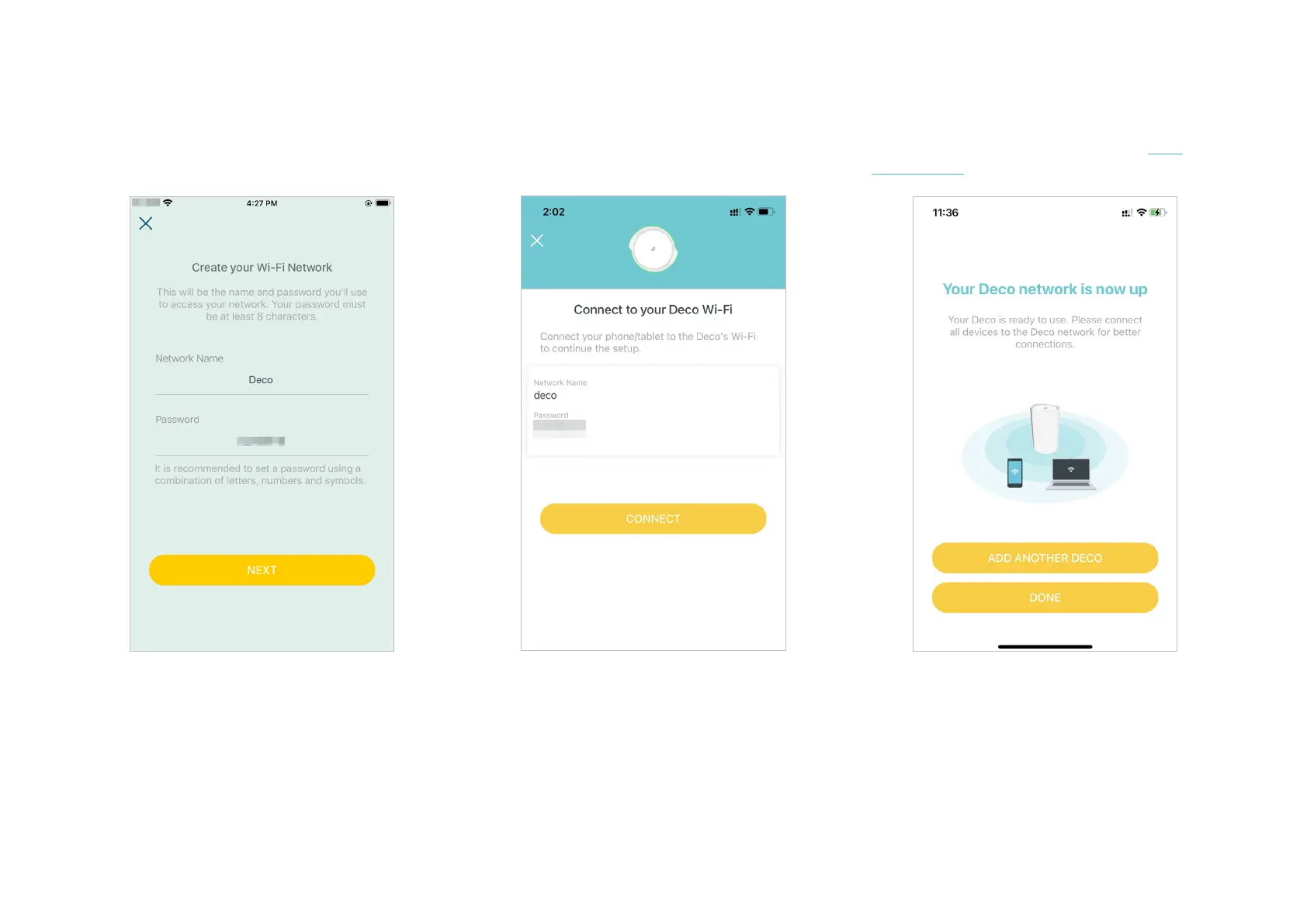
11. Connect to your Wi-Fi network
Connect your smartphone/tablet to the
Deco's Wi-Fi.
12. Setup complete
Your Deco network is now up. Connect all
devices to the network. You can also Add
More Decos to expand the Wi-Fi coverage.
10. Create your Wi-Fi network
Set a network name and a password. These
will be the name and password you use to
connect your devices to Wi-Fi.


 To Next Page