6
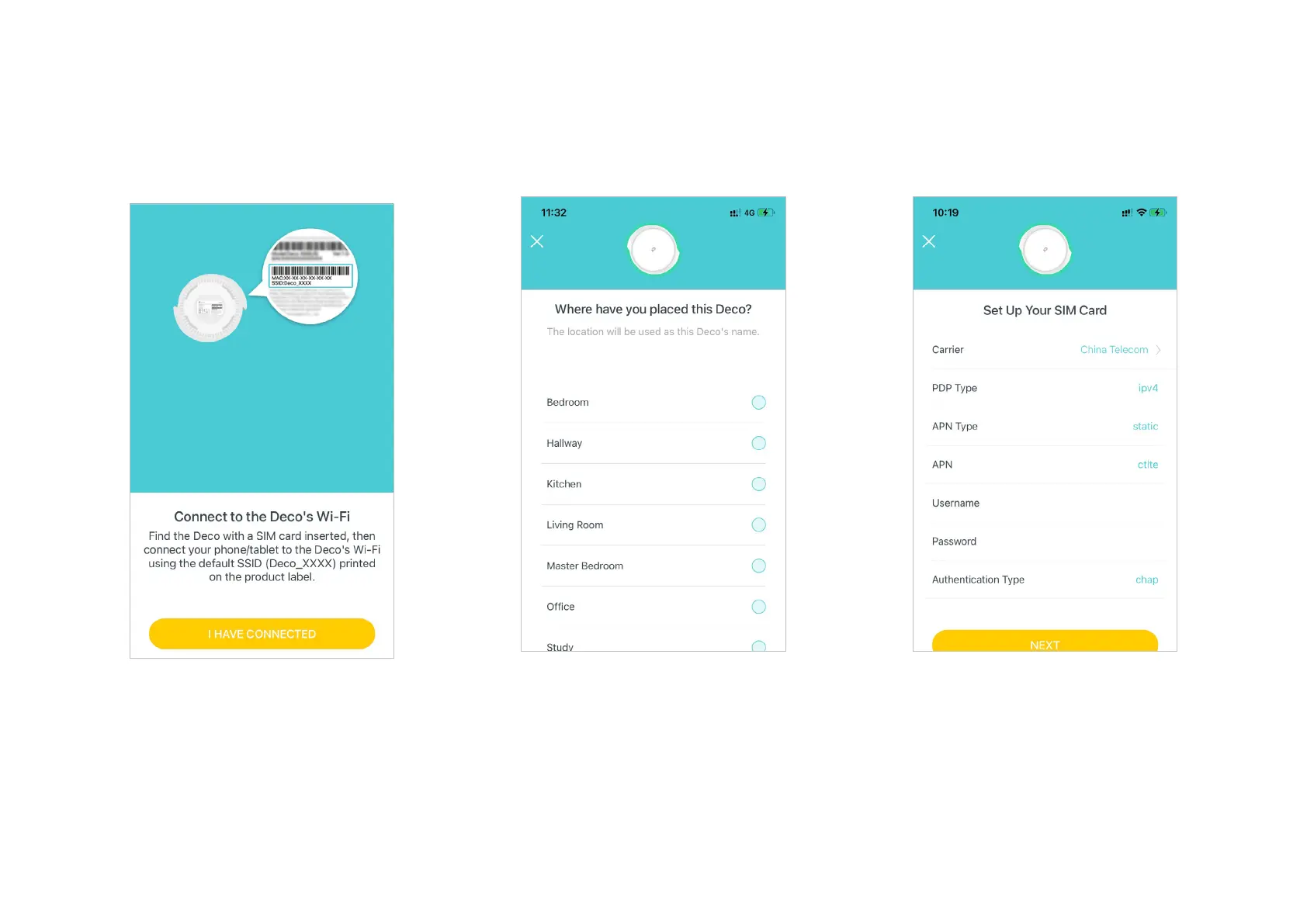
8. Select a location
Select a location for Deco. If its location is not
listed, you can create a new one by choosing
Custom. This will be the name of your Deco.
9. Set up your SIM card
Confirm or customize the SIM card
information. If you are not sure, contact your
ISP.
7. Connect to the Deco's Wi-Fi
Power on Deco and wait until the LED pulses
blue, then connect to the Deco's Wi-Fi using
the default SSID printed on the product label.


 To Next Page