USER'SMANUALOFEMBEDDEDDIGITALVIDEORECORDER
Page 11 of 27
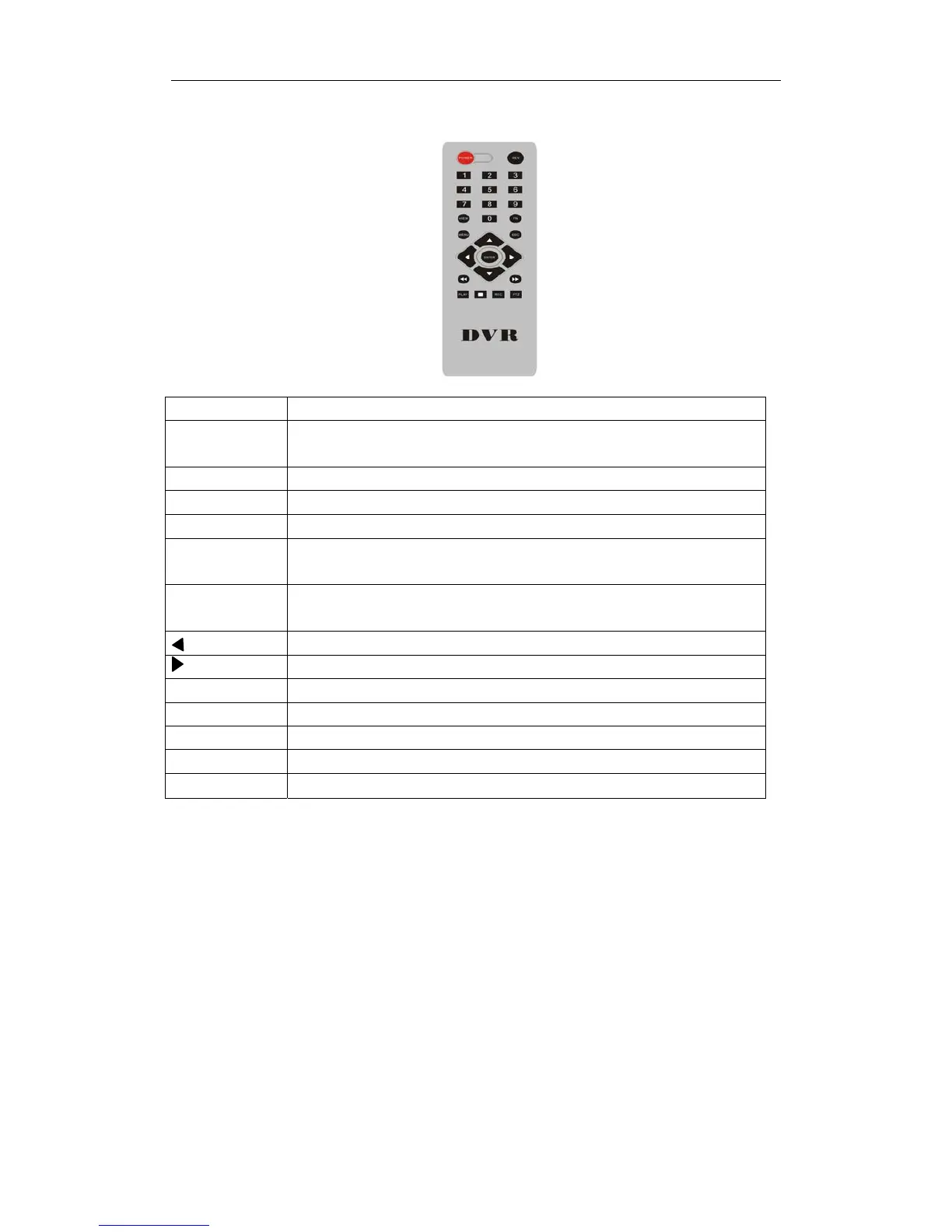
2.3RemoteControlDescription
POWER
Powerswitch
DEV
Devicebutton:inputthecorrespondingdevicenumberwithequipmentafterpressing
devicebutton,press“ENTER”tosavethesetting.Thencanoperateequipment.
0‐9 Numberbutton
MENU Menubutton;eliminatealltheareaswhensetupmotiondetectionarea
ESC Exit
▲ Inmenumode,selectupwards;inPTZmode,controlthedomecameratorevolve
upwards
▼ Inmenumode,selectdowmwards;inPTZmode,controlthedomecameratorevolve
dowmwards
Inmenumode,selectleft;inPTZmode,controlthedomecameratorevolveleft
Inmenumode,selectright;inPTZmode,controlthedomecameratorevolveright
ENTER Selectkey
PLAY Videoplayback
FN Subsidiarykey
REC Recordingkey
VIEW Multi‐screenkey
Note:Many devices in near space,remote control should select a device according to device number.So each
deviceneedsauniquedevicenumber,unlessremotecontrolmayoperatedeviceswiththesamenumber.



 To Next Page