USER'SMANUALOFEMBEDDEDDIGITALVIDEORECORDER
Page 14 of 27
3.5.1VideoSearch
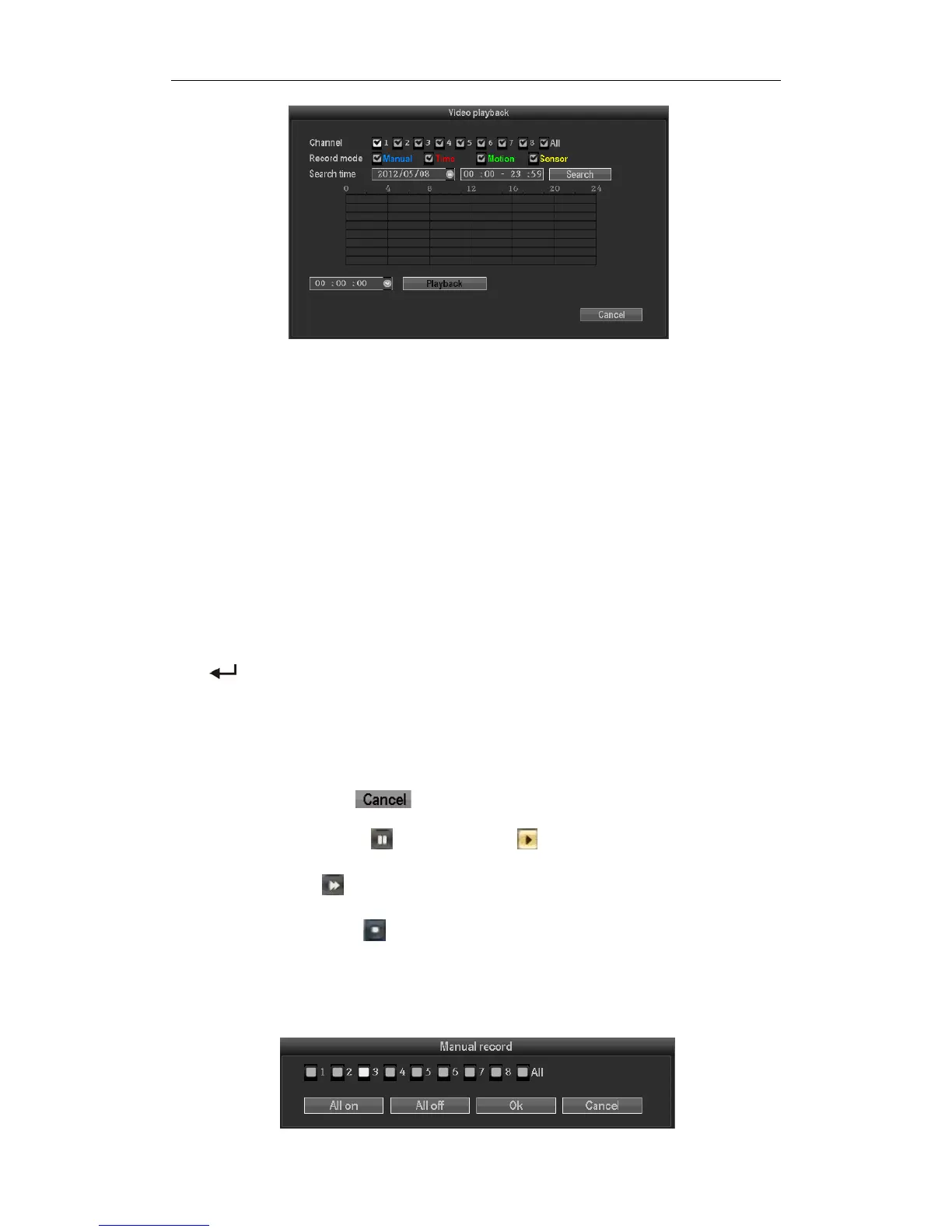
Channelselection:Selectthetargetchannel,clickcheckboxtochoose."√"ischecked;"□"notselected.
Recordmode:Selecttherecordmodeofsearching,clickcheckboxtochoose."√"ischecked;"□"notselected.
DATETimesetting:Enterthebeginningandendtimeintheeditboxtosearchthevideo.
Storagedevice:Intheselectionboxselectthetargetbackupstoragedevice.
Search:Aftersearchingcriteriaset,clickthebutton,thesystemwillbegintosearchthecorrespondingvideo
information,andlistthesearchresults.“BLUE”‐manualrecording,“RED”‐regulartimerecording,”GREEN”‐
MotionDetectionrecording,”YELLOW”‐alarmrecording.
Playback:Gointovideoplaybackinterface,use【↑】【↓】【←】,【→】 buttonormousetosetthetimeperiod,
click【
】orleftofmousegointoplaybackinterface.
Cancel:backtopreviousmenu
3.5.2Articleplaybacktools
Selecttheplaybackfileorplaybackbytime,itwillenterthevideoplaybackinterface.
StopPlay:Clickthebutton ,thesystemwillstopplayingandexittheplaybackinterface
Pause/Play:Clickthebutton
topauseplayback,click tocontinuevideoplayback.
Fastforwarding:Click
canfastforwardingplayback.Timesfastforwardingcanbesetbyclickagain.
Exitplayback:Click“ESC”or
buttontowithdrawplaybackscreenatanytime;Afterplayall,itwillquit
theplaybackscreenautomatically.
3.6ManualRecording



 To Next Page