USER'SMANUALOFEMBEDDEDDIGITALVIDEORECORDER
Page 20 of 27
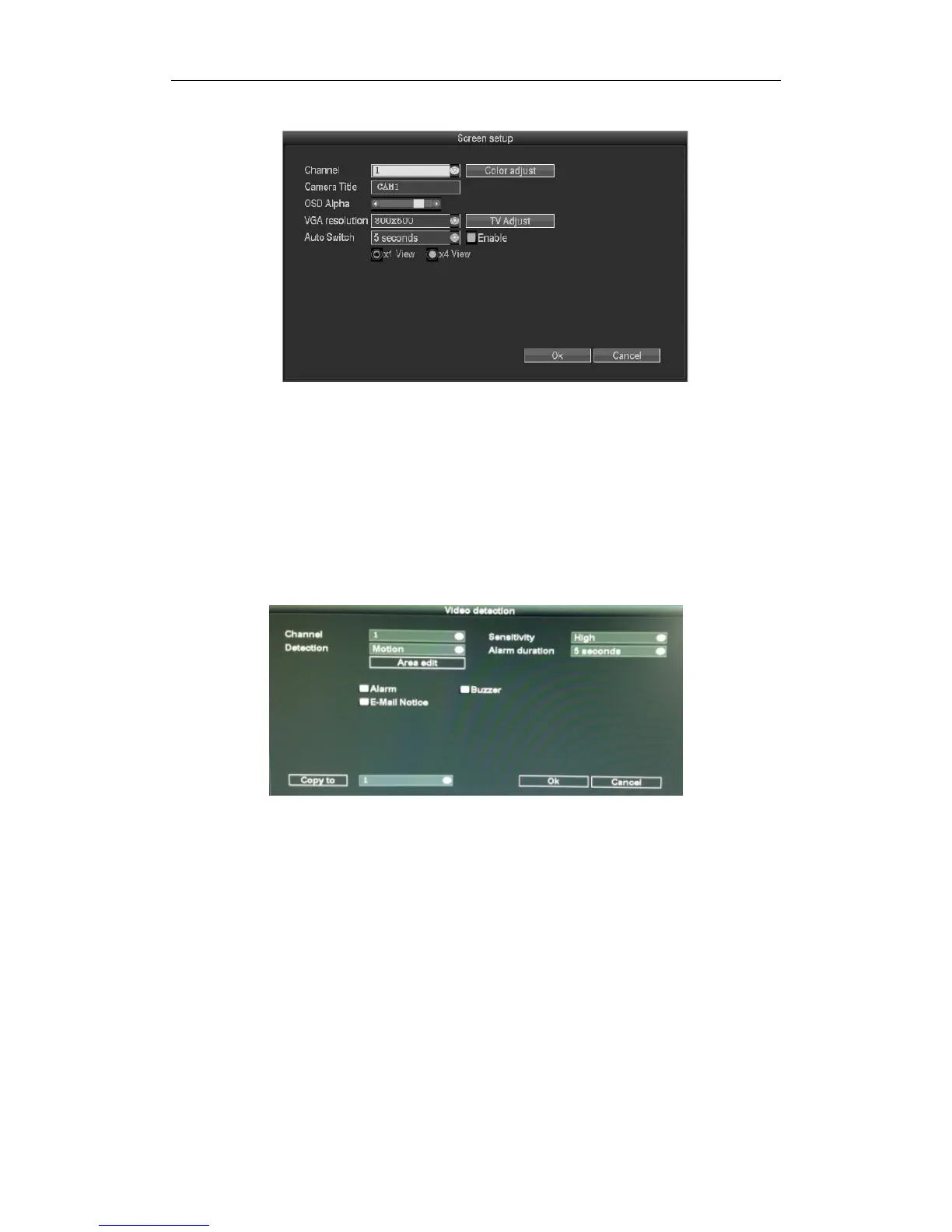
3.8.3.5Screensetup
Select“Screensetup”in“systemsetup”
Channel :ChoosetherightCHasneededbyclickingselectbox
Cameratitle :Editanychanneltitleasneeded
OSDAlpha:OSDmenutransparency.Canbeadjustedasneeded
AutoSwitchDwellTime :Thetimeofautoswitchingpreviewimage,canbesingle
screenor4Channelsscreen.
Enable :“√”startusing ,“□”non‐startusing
Afterthepagesetupiscompleted,click'"OK"tosavethechanges;click"cancel",non‐savebutexit.
3.8.3.6videodetection
Select”Videodetection”inthe“systemsetup”.
Sensor :ChoosetherightCHasneededbyclickingtheinvertedtriangle
Sensitivity :Choosethetriggervideodetectionsensitivity
Detectiontype :Selectdetectiontype‐‐motion,videoloss,videocover.
Alarmduration:Afterchoosethetriggervideodetection,thetimealarmlast
Area
edit:Setmotiondetectionarea;movebychoosingleftofmouse.
Alarm:“√”meansstart ,“□”meansnonstart
Buzzer:“√”meansstart ,“□”meansnonstart
E‐Mailnotice :“√”meansE‐Mailvalid,“□”meansE‐Mailinvalid
Copyto :selectthe
targetchannelontherightof"copyto"button,click"copyto"&''ok"thensystemwillset
thecurrentchannelsetupinformationtoothertargetvideochannel.Clickbutton"cancel",thesetup
informationisnon‐savedbuttoexit.



 To Next Page