USER'SMANUALOFEMBEDDEDDIGITALVIDEORECORDER
Page 23 of 27
Inthe"Systemtools",click"HDDmanagement",entersettinginterface
Overwrite:“√”earliestrecordingfileswillbecoveredwhenthediskisfull,“□"showsnotcover.
Format:“√”standsselected,“□”standsnotselected,whenclick"format"aconfirminterfacewillpopup,then
clickconfirm
toformat,click“cancel”toreturnthemaininterface
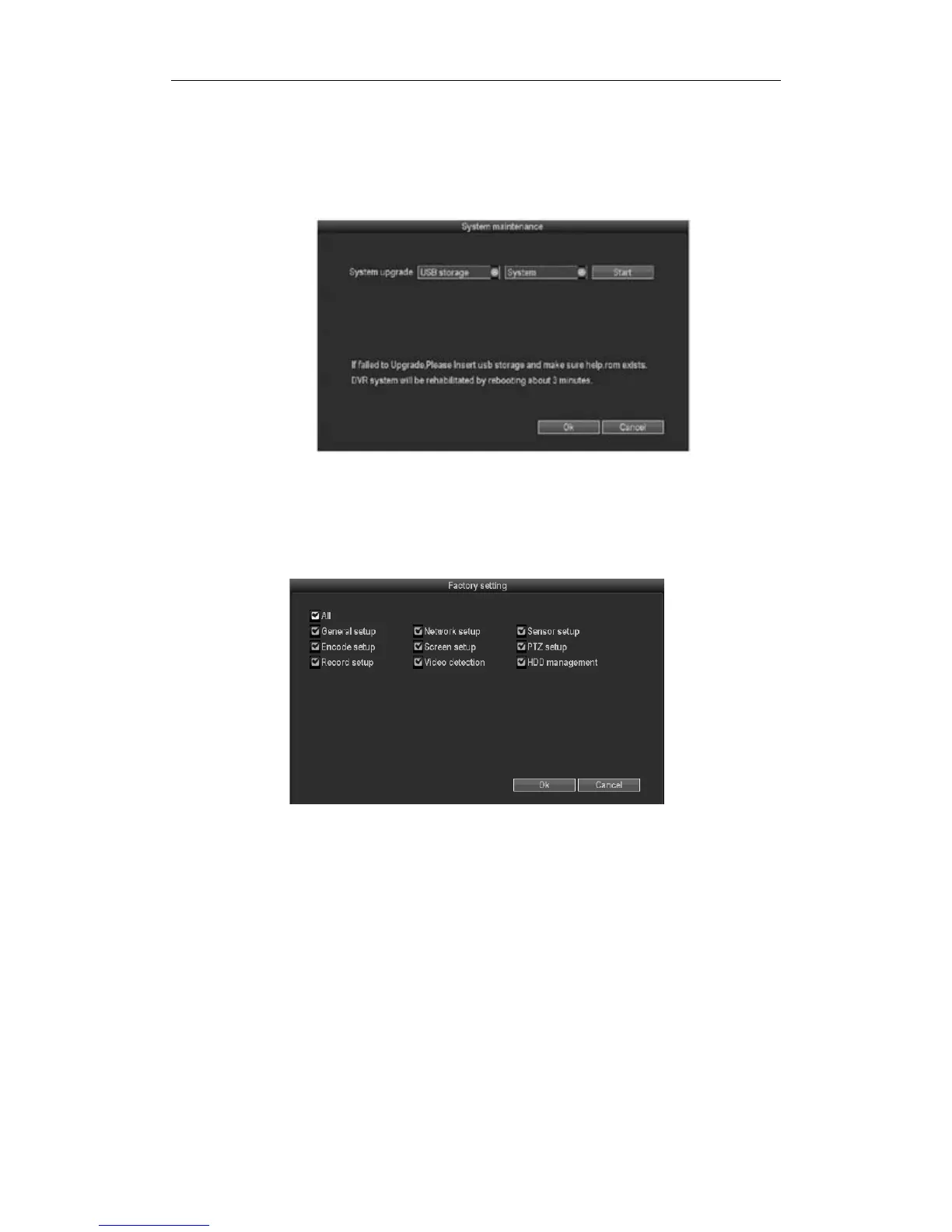
3.8.4.3Systemmaintenance
Inthe"Systemtools",click"HDDmanagement".
Systemupgrade:copythe upgradedfiletotherootdirectoryofUSBdrive,selecttheUSBstoragedevice,then
click"Start"toupgradethesystem.Afterupgrading,click"OK"thensystemautoreboot.
3.8.4.4Factorysetting
Inthe"Systemtools",click"factorysetting"
Selectthetermswhichneedfactorysetting,click"OK"tosaveandexitorclick"cancel"toexitwithoutsaving.
Remarks:Afterfactorysetting,allthesettingswillbetheinitialone,pleaseusecarefully.
3.9systeminformation
In the main menu, click "system information" which include HDD information, system
informationandsystemlog.
3.9.1HDDinformation



 To Next Page