USER'SMANUALOFEMBEDDEDDIGITALVIDEORECORDER
Page 15 of 27
Clickleftmousebuttontochoose"manualrecording"inmainmenucolumnorclickbutton【REC】toenterits
settingsinterface.
Manualrecordinginterfaceconsistsofseveralcomponents:
Channelnumber:correspondtotheequipmentvideochannel.“√”open;“□”close。
AllOn:chooseallchannelsvideosettings"on"
All
Off:chooseallchannelsvideosettings"off"。
OK:Confirmandexit。
Cancel:Clickreturnbutton,itwillexitManualrecordinginterface.
NOTE:Manualrecordingmustbestoppedbymanual,oritwillrecordcontinually.
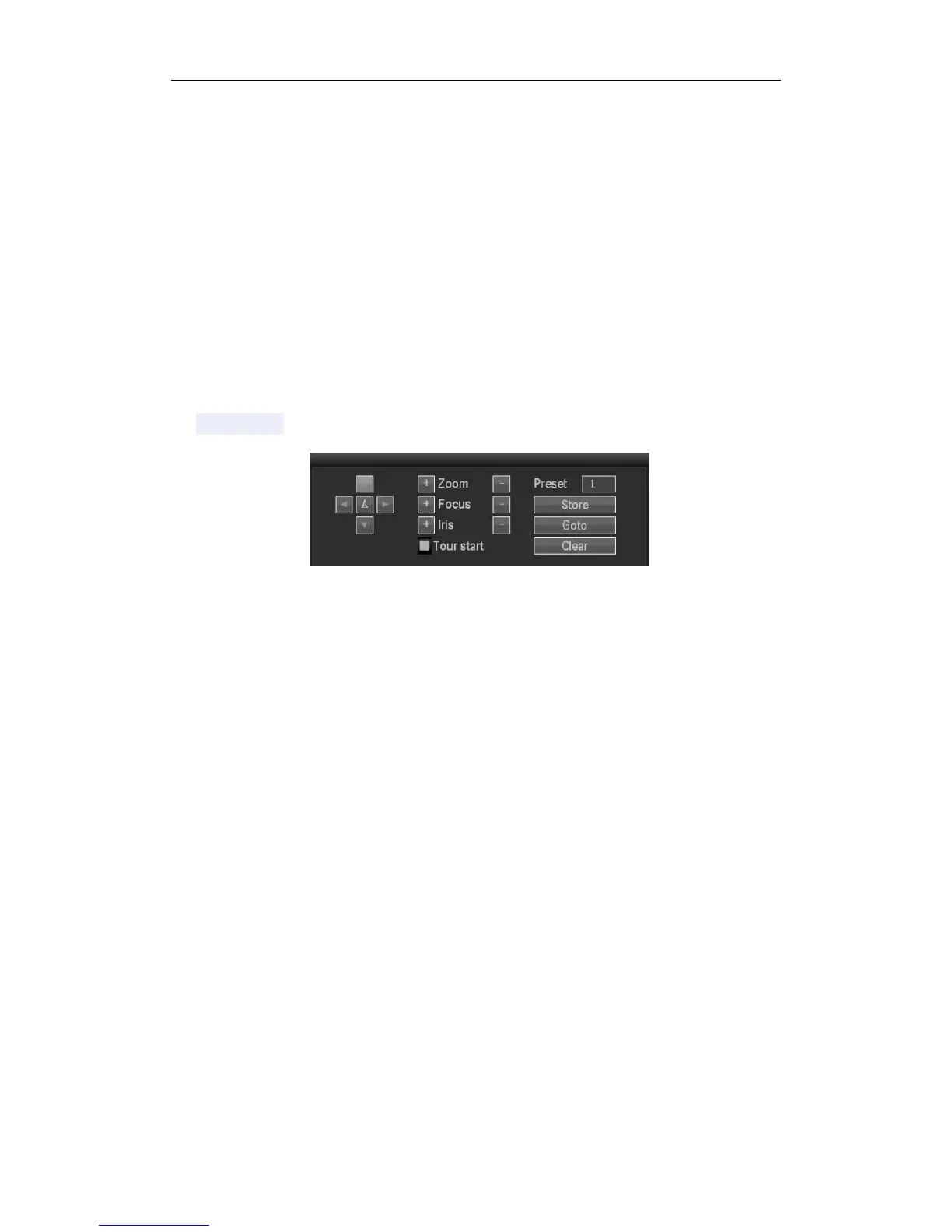
3.7PTZControl
Click"PTZcontrol"inmainmenucolumnorclickbutton【PTZ】toenteritssettingsinterface
MainoperationofPTZcontrolinclude:directionalcontrol;horizontalsweep;zoomcontrol;adjustthefocal
length;adjustaperture;PTZspeed.
3.8SetupMenu
Click"menu"inshortcutmenuenterintothemainmenuinterface,including:videoinquiry,record
backup,systemsetup,informationmanagement,informationsystem,systemlogout.



 To Next Page